This post contains affiliate links. We may earn a commission if you click on them and make a purchase. It’s at no extra cost to you and helps us run this site. Thanks for your support!
Why Do Professional Designers Rely on Pre-Made Layouts in 2026?
Design moves at lightning speed, and the pressure to deliver flawless editorial content increases daily. Modern creators face tight deadlines and high expectations. You might assume that using InDesign magazine templates compromises your artistic integrity. It does not. Instead, a high-quality template acts as a sophisticated structural foundation. It allows you to focus purely on visual storytelling rather than grid mathematics. The right layout bridges the gap between a raw concept and a polished, professional masterpiece. Therefore, these ten selected InDesign magazine templates represent the pinnacle of aesthetic precision and workflow efficiency. They offer the freedom to innovate while ensuring your work meets rigorous industry standards.
Our selection of the best Adobe InDesign magazine templates is based on three key criteria: design, functionality, and usability.
Why Adobe InDesign Dominates Modern Editorial Publishing
You might ask why the industry refuses to move away from Adobe InDesign. The answer lies in its unyielding precision and control. While other tools like Canva or Illustrator handle single graphics well, they crumble under the weight of multi-page documents. InDesign serves as the undisputed architecture software for text and imagery. It handles complex typography with microscopic accuracy, ensuring that kerning and leading remain perfect across hundreds of pages.
Furthermore, the software utilizes “Master Pages,” a feature that acts as a global command center for your document. If you change a page number or a header on a master page, InDesign updates the entire magazine instantly. This capability saves hours of tedious manual correction. Additionally, InDesign manages high-resolution images without slowing down your computer. It uses low-resolution proxies while you work, only calling upon the full-quality files during the final export. Consequently, professional print shops universally prefer InDesign files and professional print PDFs because they adhere to strict CMYK color standards and bleed requirements. It remains the only serious choice for anyone committed to professional publishing.
1. The Narrative-Driven Interior Design Layout
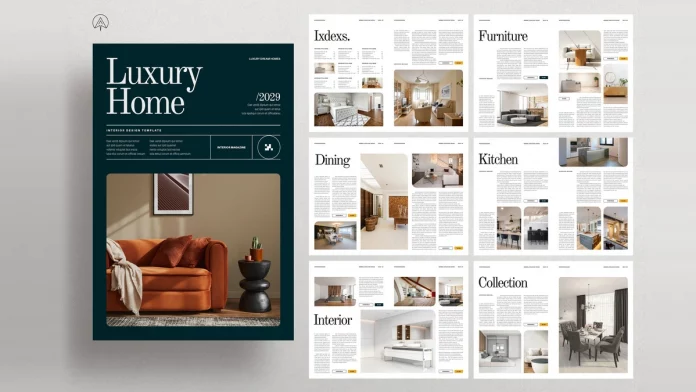
Interior design demands a presentation that rivals the elegance of the spaces you showcase. Consequently, this specific template from PixWork prioritizes visual storytelling above all else. It does not merely arrange photos; it constructs a compelling narrative. You get 16 fully customizable pages that utilize aggressive whitespace to let images breathe. The grid system remains rigid enough to maintain order yet flexible enough for creative experimentation. Moreover, the A4 format and CMYK color mode ensure that your printed portfolios look indistinguishable from high-end architecture publications. This layout breathes life into furniture catalogs and design portfolios. It transforms a simple collection of images into a cohesive brand statement.

2. Aurora: The Aesthetic Lifestyle Choice

Sometimes, a project requires a softer, more ethereal touch rather than bold geometry. This template by studio Circular answers those needs with a neutral color palette and clean, fine lines. It serves as a powerhouse for lifestyle, fashion, and travel content. You receive 42 unique pages, which offer a massive variety of spreads for any content type. Furthermore, the file includes specific font links, which saves you the hassle of matching typography manually. You can choose between A4 and US Letter sizes to suit international clients. The uniform layout ensures consistency, yet it remains flexible enough for you to inject a unique personality into every spread.
3. The Minimalist’s Essential Toolkit
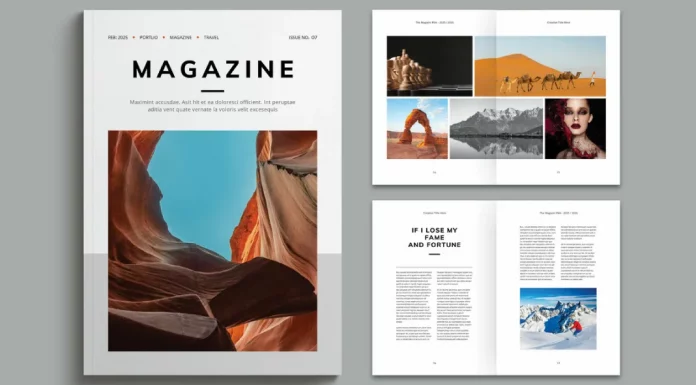
Complexity often kills a good design layout. If you need speed without sacrificing quality, this simple and easy-to-use magazine template from PixWork provides the perfect solution. It features 25 pages of pure, uncluttered editorial design. The layout exudes a level of sophistication that works perfectly for personal portfolios or travel journals. Additionally, the layered files make customization incredibly intuitive for users of all skill levels. You can swap colors, fonts, and images in mere seconds. This tool proves that you do not need a complex structure to make a professional impact. It acts as the perfect starting point for designers who value clarity.
4. Vibrant Versatility for Bold Brands
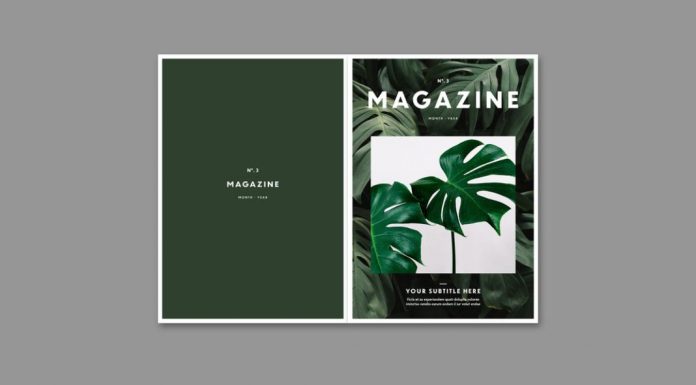
Not every publication should be quiet or understated. Designed by Tom Sarraipo, this colorful and fully customizable magazine template creates a striking visual impact immediately. It contains 30 pages designed specifically to catch the reader’s eye. This makes it ideal for dynamic business profiles, fashion lookbooks, or modern lifestyle publications. The template uses precise guide layers to help you align your content perfectly. Moreover, it transitions seamlessly between physical print and digital distribution formats. You can export it as a polished PDF for online viewing just as easily as you can send it to a professional printer. This adaptability makes it a vital asset for bold brands in 2026.
5. The Professional Traveler’s Canvas
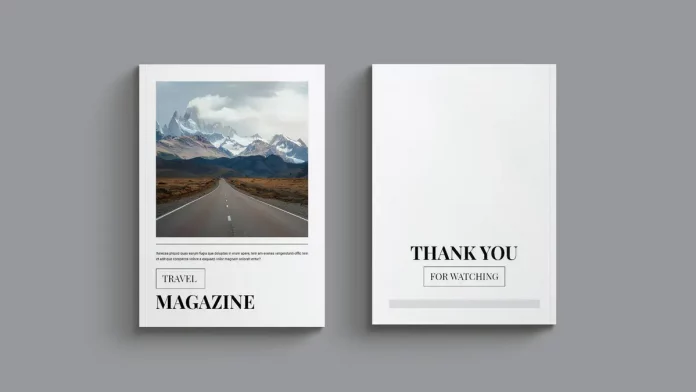
Travel media relies heavily on transporting the reader to a new location instantly. This professional travel magazine layout by PixWork achieves that goal through immersive photo spreads and refined typography. The structure supports complex photo-essays and detailed city guides with equal competence. Because it utilizes master pages and character styles, you can update the entire look of the document instantly. This efficiency allows you to spend more time curating your photography and less time tweaking margins. It provides a print-ready solution that guarantees your travel stories look as professional on paper as they do in your imagination.
6. Lumina: The Standard for Corporate Clarity
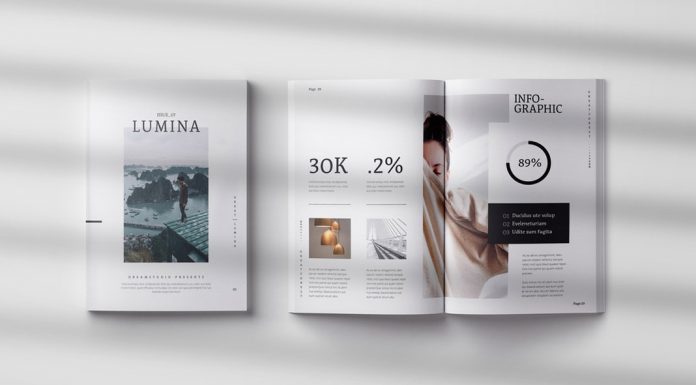
Reliability remains a rare commodity in creative assets. This version of GraphicArtist’s Lumina template offers a rock-solid foundation for almost any genre. It features 30 pages of clean, A4 layouts that follow strict graphic design principles. The hierarchy of text and image is managed perfectly, which ensures your reader never gets lost in the content. Furthermore, the export options are robust, supporting high-quality print and digital deliverables equally. You can use this template for corporate brochures, creative portfolios, or independent zines. It functions as a versatile blank slate that respects your content.
7. The All-Inclusive Editorial Package
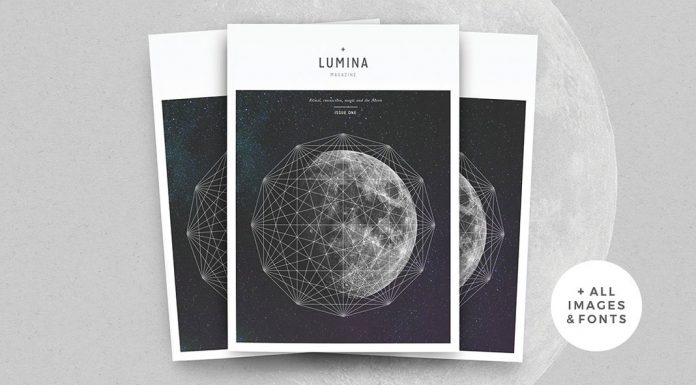
Value often drives our decisions when selecting design tools. Also named Lumina, this expanded editorial template from 46&2 Collective stands out because it includes a comprehensive set of layouts. You receive 44 unique pages, or 22 spreads, available in both A4 and US Letter sizes. This makes it an incredibly comprehensive tool for health, science, or tech publications. The auto-page numbering and master pages streamline the production process significantly. Therefore, you can produce a dense, content-heavy magazine without feeling overwhelmed by the scope. It acts as a multi-purpose workhorse that handles complex data and beautiful imagery with equal grace.
8. Streamlined Modernity for Tech and Fashion

Modern design demands a sleek, frictionless aesthetic. This clean and modern template from Grkic Creative strips away the unnecessary elements to reveal the essential. It is particularly effective for tech publications or high-end fashion journals where the image is king. The 25-page layout utilizes ample white space to create a sense of luxury and calm. Additionally, the file structure is logical and user-friendly, allowing even novices to achieve professional results. You can customize the color palette to match your brand identity effortlessly. It defines the concept that “less is more” in editorial design.
9. The Architect of Page Layouts
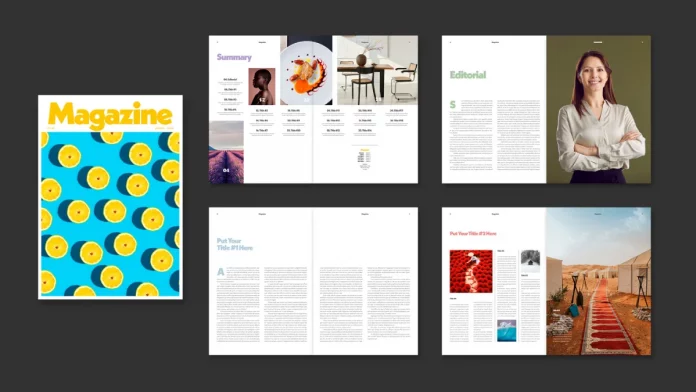
A great layout feels like a well-designed building; it possesses structure, logic, and flow. Designed by Tom Sarraipo, this customizable print layout offers a masterclass in grid usage for print media. The design establishes a modern system that balances text-heavy articles with full-bleed imagery. Consequently, your magazine will feel like a top-tier agency crafted it. The typography pairings are modern and sophisticated, lending immediate credibility to your words. It is fully print-ready in CMYK, so you avoid any nasty surprises at the print shop. This template empowers you to act as the architect of your own publication.
10. Contemporary Editorial Structure
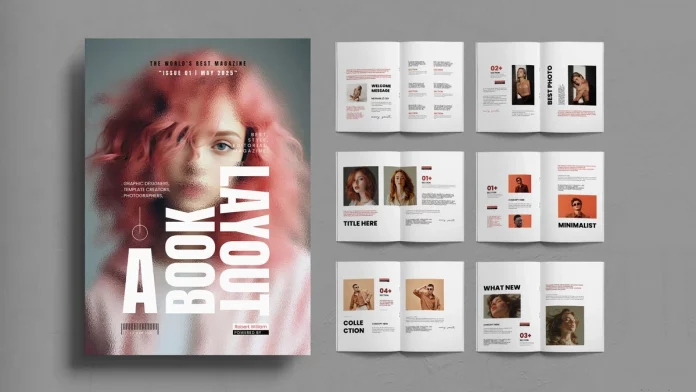
Finally, we look at a template that embodies the spirit of 2026 publishing trends. Created by ContestDesign, this modern editorial template balances rigid structure with artistic creativity. It features specialized sections like “Best Photo” and “Minimalist” spreads that guide the reader’s eye effectively. The 16-page A4 layout remains concise but powerful. It serves photographers and editorial designers who want to showcase work without distraction. The strong grid system ensures that every element feels intentional. By using this template, you ensure your work resonates with a contemporary audience that values both beauty and order.
Frequently Asked Questions
What are InDesign magazine templates?
InDesign magazine templates are pre-designed layout files created with Adobe InDesign. They contain established grids, master pages, paragraph styles, and placeholders for text and images. Designers use them to jumpstart the creative process. Instead of building a magazine from scratch, you simply replace the placeholder content with your own. This saves hours of work while ensuring a professional structure.
Do I need advanced InDesign skills to use these templates?
You generally do not need expert-level skills. Most premium templates are designed with the end-user in mind. They utilize features like “drag-and-drop” for images and defined character styles for text. However, a basic understanding of the Adobe InDesign interface—such as how to use the Type tool and Selection tool—is necessary.
Can I use these templates for digital publications?
Yes, absolutely. While many templates are set up with print specifications (like CMYK color mode and 300 DPI), you can easily export them for digital use. InDesign allows you to export your file as an Interactive PDF or an ePub. You might need to convert the color mode to RGB for the best on-screen experience, but the layout itself works perfectly for digital magazines.
Are the fonts and images included in the download?
This depends on the specific license of the template. Usually, templates include the layout structure but not the stock photography due to copyright restrictions. You will see grey placeholders where images belong. Regarding fonts, designers often use free fonts (like Google Fonts) and provide links to download them. Always check the documentation file included with your download for specific details.
How do I print a magazine created from a template?
Once you finish your design, you must export the file for printing. Most templates come with “bleed” settings pre-configured. Bleed is the area of the artwork that extends beyond the edge of the page to ensure no white edges appear after cutting. You export the file as a “Press Quality” PDF, including crop marks and bleeds, then send this file to your commercial printer.
Can I change the size of the template?
Yes, but it requires some effort. InDesign has a “Liquid Layout” or “Adjust Layout” feature that helps resize pages (e.g., from A4 to US Letter). However, you will likely need to manually adjust some elements to ensure the design remains balanced. It is often easier to choose a template that already comes in your desired paper size.
Why should I use a template instead of designing from scratch?
Speed and consistency are the main benefits. A template guarantees that your page numbers, margins, and typographic hierarchy remain consistent throughout the entire publication. It allows you to focus on content creation—writing and photography—rather than worrying about technical layout specifications. For freelancers and small agencies, this efficiency increases profitability.
All images © by the respective designers. You can find more Adobe InDesign magazine templates and other design assets here on WE AND THE COLOR. Feel free to browse our Graphic Design and Templates categories for more.
Subscribe to our newsletter!