This post contains affiliate links. We may earn a commission if you click on them and make a purchase. It’s at no extra cost to you and helps us run this site. Thanks for your support!
What Are the Best Brand Guidelines Templates for Adobe InDesign in 2026?
Consistency defines the success of modern visual identities. Designers understand that a logo alone does not build a legacy. Rather, a comprehensive system ensures a company speaks with one voice. However, building these manuals from zero consumes valuable creative hours. Therefore, creative professionals utilize brand guidelines templates to accelerate their workflow. These tools provide a structured foundation. Consequently, designers can focus on strategy rather than grid construction. We selected the top ten brand guidelines templates for 2026 to help you maintain impeccable standards.
Why Do Professional Designers Use Brand Guidelines Templates?
Efficiency drives the modern design industry. Clients expect rapid turnarounds without a drop in quality. A well-crafted template solves this paradox effectively. It offers a pre-designed grid, established type styles, and logical swatches. Thus, the designer simply applies the specific brand assets to the framework. Furthermore, these brand guidelines templates ensure that no critical section is missing. They often include placeholders for typography, color usage, and logo exclusion zones.
Moreover, utilizing a template is not about cutting corners. Instead, it is about allocating energy where it matters most. Smart creatives leverage these resources to standardize their output. Additionally, these layouts for Adobe InDesign allow for full customization. You retain full control over the aesthetic. Ultimately, the template acts as a silent partner in your creative process.
1. The Blueprint for a Powerful Brand Identity
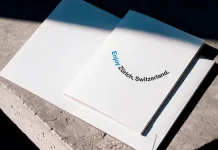
Structure creates freedom in design. This specific brochure template acts as a comprehensive blueprint for any corporate identity. It offers a clean, rigid grid that supports heavy content without looking cluttered. Designers often struggle to balance information with white space. However, this layout solves that issue effortlessly. It includes sections for mission statements and visual rules. Therefore, it serves as an excellent starting point for detailed brand guidelines templates.
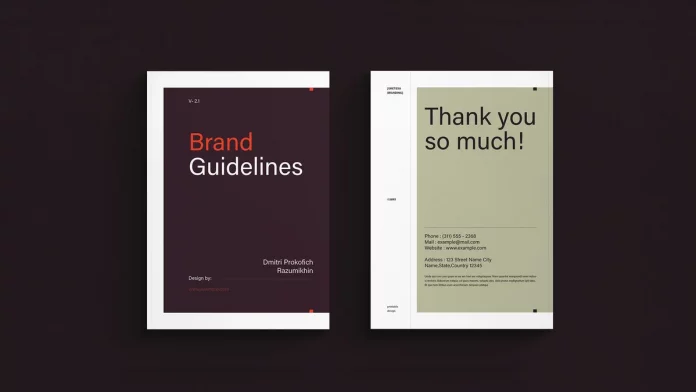
The typography settings in this file are particularly strong. They establish a clear hierarchy immediately. Consequently, the reader navigates the document with ease. You can adapt the color palette to match any client’s needs swiftly. This flexibility makes it a staple for 2026.

2. A4 Landscape Layout for Visual Flow
Format influences how a client perceives the brand manual. The A4 landscape orientation provides a cinematic quality to the presentation. This template capitalizes on horizontal space to display wide logo variations. Additionally, it allows for side-by-side comparisons of correct and incorrect usage. Many brand guidelines templates ignore the power of landscape formatting. Yet, this file embraces it fully.

The horizontal flow feels natural on digital screens. Since most clients view PDFs on monitors, this orientation makes sense. The grid system here accommodates large imagery alongside technical text. Thus, it keeps the viewer engaged. Use this when your visual assets demand more lateral space.
3. Creating Unforgettable Brand Experiences
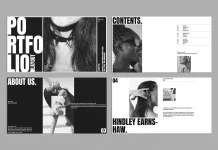
Impact matters when presenting a new identity. This template focuses on creating an emotional connection through layout. It uses bold image placeholders to break up technical data. Consequently, the document feels more like a lookbook than a rulebook. High-quality brand guidelines templates should inspire the marketing team. This layout achieves that goal by prioritizing visual storytelling.
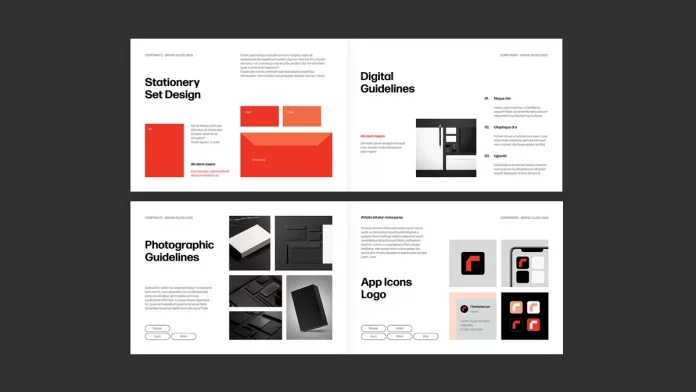
The sections flow logically from the core logomark to application examples. Transitions between chapters feel smooth and intentional. Furthermore, the master pages make editing global elements simple. This ensures your document remains consistent throughout the design process. It transforms dry rules into an engaging narrative.
4. The Pro A4 Landscape Standard
Professionalism requires precision and clarity. This Pro A4 template strips away unnecessary decoration to focus on the brand data. It suits corporate clients who value data over flair. The modular grid system allows for easy rearrangement of content blocks. Therefore, you can scale the document up or down based on project needs. Versatile brand guidelines templates like this are essential tools.
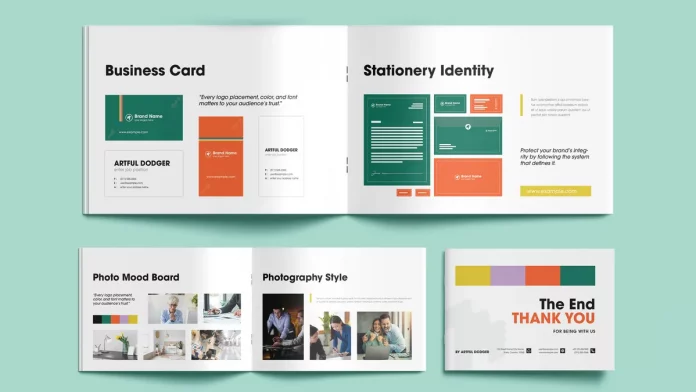
The clean lines and ample negative space project authority. Readers trust the content because the presentation looks organized. Additionally, the file includes paragraph styles that automate text formatting. This feature saves hours of manual tweaking. It represents the gold standard for corporate manuals in 2026.
How Do Cross-Platform Needs Shape Brand Manuals?
Brands live across physical and digital realms today. A logo must work on a billboard and a smartwatch screen. Therefore, modern manuals must address these diverse applications.
5. OSLA: The New Standard for Consistency
The OSLA template addresses the multi-channel reality of modern branding. It specifically includes layouts for digital application rules. Many older brand guidelines templates neglect web and app interfaces. However, OSLA puts them front and center. It defines how the brand behaves in interactive spaces. Thus, it ensures coherence across all user touchpoints.
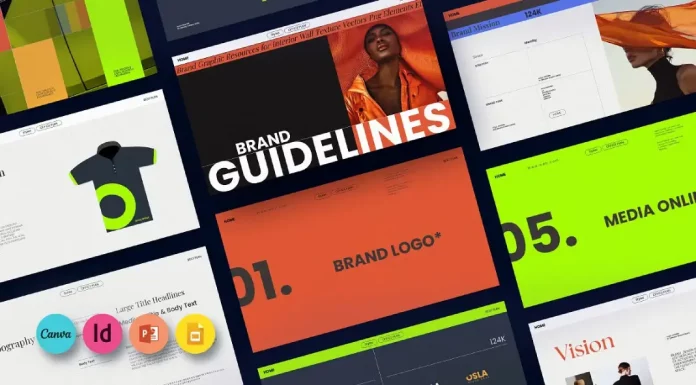
Designers appreciate the minimalist aesthetic of this file. It allows the brand colors to pop without distraction. Furthermore, the structure encourages detailed explanations of UI elements. If your client relies heavily on digital presence, this is the correct choice. It bridges the gap between print heritage and digital future. In addition to Adobe InDesign, you can customize this template in PowerPoint, Google Slides, and Canva.
6. The Massive Tool for Total Consistency
Some brands require an exhaustive set of rules. This “massive” template caters to complex identity systems. It contains a high volume of pages to cover every possible scenario. Consequently, it works best for large enterprises or conglomerates. Comprehensive brand guidelines templates prevent confusion in large marketing teams. This file leaves no stone unturned.
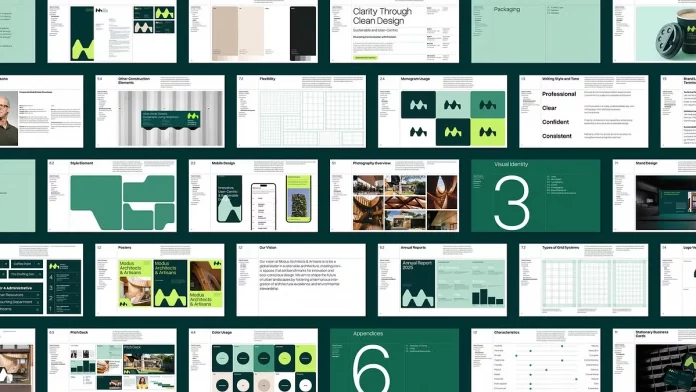
It includes sections for merchandise, vehicle wraps, and environmental signage. The depth of the template is its greatest strength. However, the navigation remains intuitive thanks to a smart table of contents. You can delete unused pages easily. Therefore, it remains flexible despite its size. You can customize it in Adobe InDesign and Adobe Illustrator.
7. Minimalist Presentation for Modern Systems
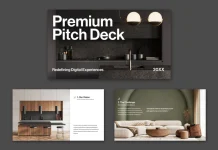
Simplicity often communicates sophistication best. This minimalist layout doubles as a presentation deck. It works perfectly for client meetings where you reveal the guidelines. The large type and focused imagery keep the audience attentive. Dual-purpose brand guidelines templates add value to your service. You get a manual and a slide deck in one file.
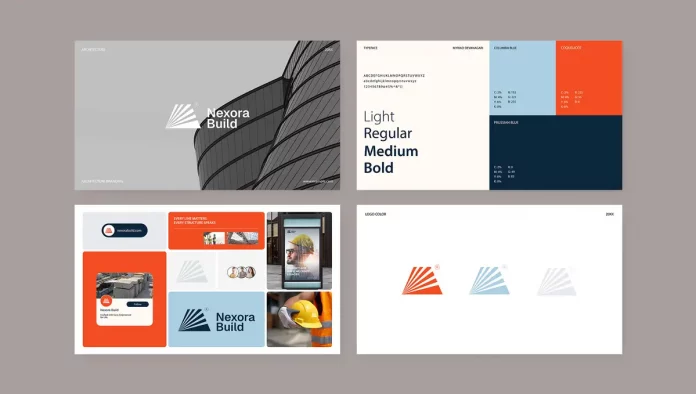
The design relies on strong contrast and bold typography. It avoids clutter entirely. Consequently, the viewer focuses solely on the brand assets. This approach suits luxury or tech brands effectively. It communicates that the brand is confident and modern.
8. The Modern Standard for Visual Identity
Trends evolve, but good design principles remain constant. This template balances contemporary aesthetics with timeless usability. It uses a dynamic grid that feels fresh for 2026. The layout encourages the use of large, bleeding images. Thus, it showcases the brand’s visual culture effectively. Finding stylish brand guidelines templates can be difficult, but this one delivers.
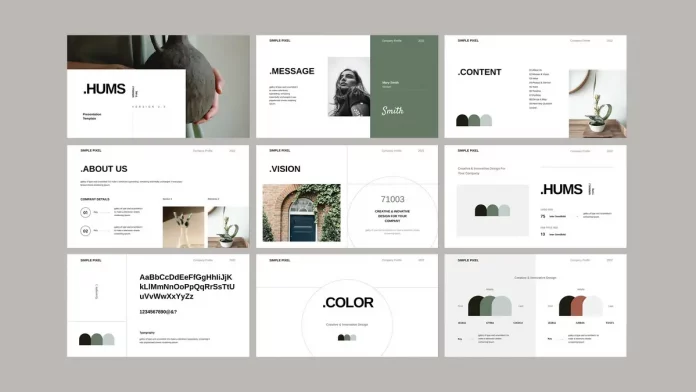
The typography pairings are contemporary and readable. It makes the technical specifications look interesting. Additionally, the file structure organizes assets by category efficiently. Designers will find the editing process smooth and logical. It elevates the perceived value of your work.
9. Clean Presentation for Visual Consistency
Clarity is the ultimate goal of any guide. This clean presentation template removes all friction for the reader. It uses a light, airy aesthetic that feels welcoming. Often, technical manuals feel dense and intimidating. However, this design invites the user to read. Approachable brand guidelines templates ensure clients actually follow the rules.
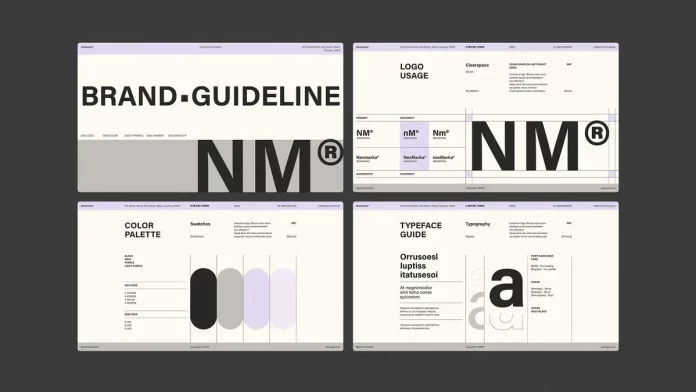
The whitespace usage here is masterful. It separates distinct topics clearly. Therefore, the document serves as a quick reference guide efficiently. Marketing managers will appreciate the straightforward layout. It simplifies the task of maintaining brand integrity.
10. Mastering Identity with PixWork
Details define the quality of a brand system. The PixWork brochure template focuses on the granular details of identity. It provides specific layouts for grid construction and color breakdowns. This level of detail establishes professional authority. Expert brand guidelines templates demonstrate a deep understanding of design mechanics.
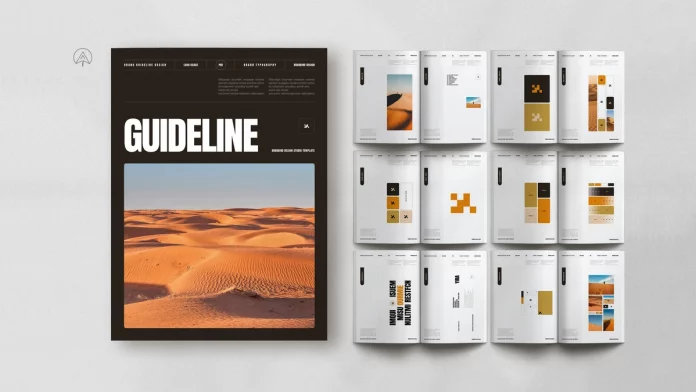
The aesthetic is technical yet elegant. It suggests precision and engineering. Consequently, it suits architectural, engineering, or industrial firms well. The template guides you to explain the “why” behind the logo. It validates your design decisions through a structured presentation.
Frequently Asked Questions
What should successful brand guidelines templates include?
A robust template must include sections for logo usage, color palettes, and typography. Additionally, it should cover imagery style, tone of voice, and incorrect usage examples. The best templates also provide grids for stationery and digital application rules.
Can I customize these InDesign templates fully?
Yes, these files are fully editable within Adobe InDesign. You can change fonts, colors, graphics, and page counts to match your project. The templates serve as a structural base for your unique creative work.
Why are InDesign templates better than other formats?
Adobe InDesign handles multi-page layout and typography better than Illustrator or Photoshop. It offers features like master pages and paragraph styles. These tools ensure global consistency and speed up the editing process significantly.
Do these templates work for digital-first brands?
Absolutely. Many of the listed layouts, especially the landscape and presentation formats, cater to digital viewing. They include sections for web typography, social media assets, and user interface elements.
How do I choose the right template for my client?
Consider the client’s industry and the complexity of their identity. A corporate bank might need a “Massive” comprehensive manual. Conversely, a boutique startup might prefer a “Minimalist” presentation style. Match the template’s tone to the brand’s personality.
Feel free to find other professional graphic design templates here at WE AND THE COLOR.
Subscribe to our newsletter!