This post contains affiliate links. We may earn a commission if you click on them and make a purchase. It’s at no extra cost to you and helps us run this site. Thanks for your support!
Honestly, most Prime Deals are often a disappointment. They trim a few dollars and call it a sale. But hey, three listings I found today on Amazon.com cut deeper, and they totally matter to professional designers. Today, October 6, those tools carry real discounts of 12, 20, and 23 percent.
Amazon calls the event Prime Big Deal Days. Everyone else says Prime Day. It runs only on October 6 and 7, so the window is pretty short. I went through today’s listings and kept only tools that professionals actually want on their desks. Cheap gadgets, RGB lamps, and no-name styluses stayed out.
Which Prime Day Design Deals Are Worth a Professional’s Money?
A design deal is a discount of at least 10 percent on a tool a professional already wants. That definition sounds strict, but it removes most of the noise. A 5 percent cut on a stylus nobody needs fails. A 12 percent cut on a flagship pen display passes.
I also apply what I call the Full-Price Regret Test. It’s my own editorial method, not an industry standard. The test asks one question. Would you buy this tool next month at list price? If yes, the discount is a bonus. If not, the discount is bait.
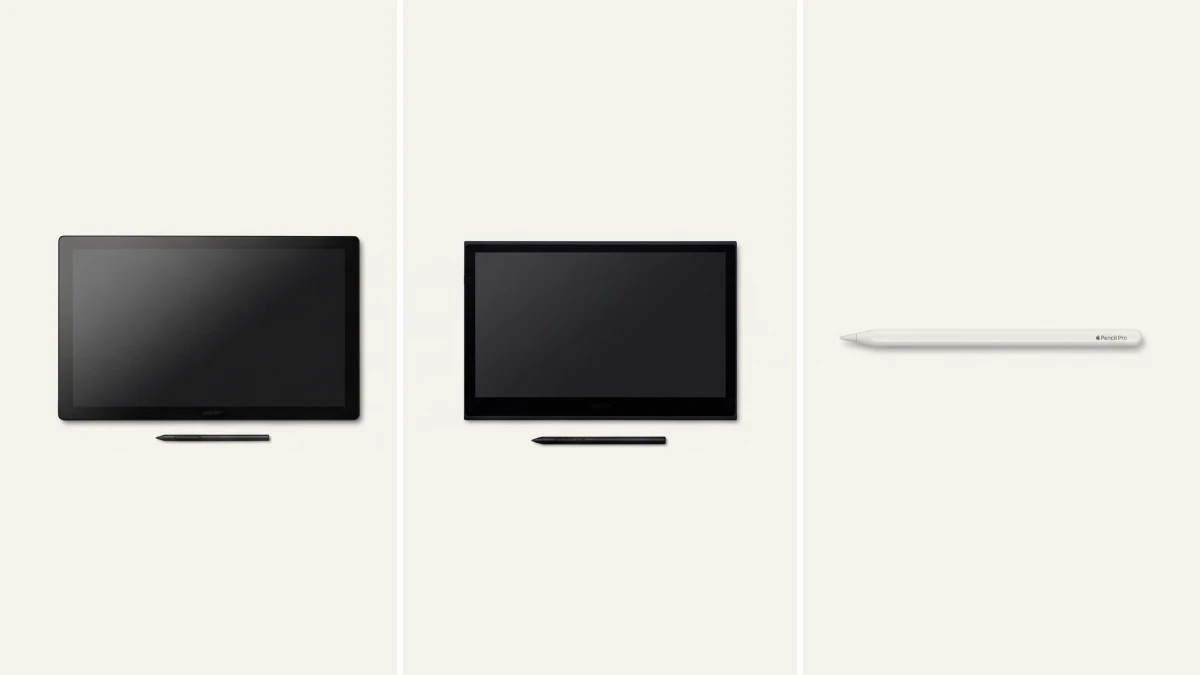
All three tools below pass. Still, they serve different designers, so I sorted them by where they live. I call this the Anchor, Carry, Pocket Model. The Wacom Cintiq Pro 17 anchors a studio desk. The Wacom Movink 13 travels in a bag. The Apple Pencil Pro slips into a pocket.

Prime Day Design Deals at a Glance
This table sums up the best design deals I found for professionals. Prices reflect the list and sale figures published for the event.
| Tool | List price | Sale price | You save | Best for |
|---|---|---|---|---|
| Wacom Cintiq Pro 17 | $2,499.00 | $2,199.99 | $299.01 (12%) | Studio illustration, retouching, animation |
| Wacom Movink 13 | $499.95 | $399.99 | $99.96 (20%) | Portable drawing and travel |
| Apple Pencil Pro | $129.00 | $99.00 | $30.00 (23%) | iPad Air, iPad Pro and iPad mini users |
Prices can change within hours. So confirm the final number at checkout before you commit.
Wacom Cintiq Pro 17: The Studio Anchor at $2,199.99
What the Discount Buys
The Wacom Cintiq Pro 17 drops from $2,499 to $2,199.99. That saves $299.01, or 12 percent. The percentage looks modest, but the dollar figure doesn’t. Few Prime Day design deals take $300 off a professional pen display.
The hardware earns its price. The screen measures 17.3 inches and runs at 4K resolution. The refresh rate reaches 120 Hz, so pen strokes feel nearly instant. Wacom also lists Pantone-certified color accuracy, which matters when a client signs off on color.
The Pro Pen 3 supports 8,192 pressure levels and three customizable side switches. Eight ExpressKeys sit on the frame. Multi-touch gestures handle zoom and rotation. Those controls cut keyboard trips, and keyboard trips break concentration.
The Cost per Drawing Hour
Here is the Cost-Per-Drawing-Hour Method, another editorial construct. Divide the sale price by the hours you will draw over three years. At 10 hours a week, that equals 1,560 hours. So the Cintiq Pro 17 costs about $1.41 per hour. A café latte costs more, and it doesn’t last three years.
Who Should Skip It
Hobbyists should skip it. At $2,199.99, the Wacom Cintiq Pro 17 passes the Full-Price Regret Test only for people who draw daily. It also needs a computer, because the display doesn’t run apps on its own. Plus, Wacom’s own summer Prime Day post advertised up to $500 off, so today’s cut may not mark this year’s low.
Wacom Movink 13: The Carry Tool at $399.99
Why OLED Matters at This Price
The Wacom Movink 13 falls from $499.95 to $399.99. You save $99.96, or 20 percent. That’s the deepest percentage cut among the pen displays I found.
This portable pen display pairs a 13.3-inch Full HD OLED screen with a thin, light body. OLED delivers deep blacks and strong contrast, so dark illustrations keep their depth. The display uses the Pro Pen 3, the same pen family as the Cintiq Pro 17. Yes, a $400 tool shares its pen with a $2,200 one.
Where It Falls Short
Full HD isn’t 4K, and 13.3 inches isn’t a studio canvas. Heavy retouching feels cramped here. Also, the Movink 13 works with a computer, so you still need a laptop in the bag. Instead of a desk anchor, think of it as a sketchbook with an OLED screen.
The Cost-Per-Drawing-Hour Method gives $0.26 per hour over the same 1,560 hours. That makes it the cheapest pen display on this list. My prediction: by late 2028, most pen displays under $500 will use OLED.
Apple Pencil Pro: The Pocket Instrument at $99
What $99 Buys
The Apple Pencil Pro drops from $129 to $99. That saves $30, or 23 percent. It’s the deepest percentage cut of the three, and the smallest dollar amount.
The Pencil Pro adds a squeeze gesture, barrel roll, and haptic feedback. Find My support helps when it vanishes under the couch. It attaches magnetically for pairing and charging, and it reads both tilt and pressure.
Compatibility matters. The Pencil Pro works with the iPad Air, iPad Pro, and the latest iPad mini. Base iPad models don’t support it. So check your iPad model before you click.
A Price Floor Worth Knowing
The $99 figure isn’t new. The Pencil Pro hit the same price during the October 2024 sale. Two Octobers, one price. That pattern suggests $99 is the floor for now. I expect it again at Black Friday, but that’s a prediction, not a promise.
Over 1,560 hours, the Pencil Pro costs about $0.06 per hour. Remember, though, that it needs a compatible iPad. The Cost-Per-Drawing-Hour Method must count that tablet too.
How to Choose Between These Design Deals
Choose the Anchor If You Draw at One Desk
The Wacom Cintiq Pro 17 suits illustrators, retouchers, and animators who sit down every day. The 4K panel and 120 Hz refresh reward long sessions. Buy it only if the Full-Price Regret Test returns a clear yes.
Choose the Carry If You Work Anywhere
The Movink 13 suits designers who sketch on trains and in cafés. The OLED screen looks good, and the price hurts less. However, you still need a computer nearby.
Choose the Pocket If an iPad Is Already Your Canvas
The Pencil Pro suits anyone who owns a supported iPad Air, iPad Pro, or iPad mini. It’s the smallest purchase and the easiest to justify. These three tools don’t work together, though. The Cintiq and Movink need a computer, while the Pencil needs an iPad. So buy one, maybe two.
How to Check Prime Day Design Deals Before You Buy
Deals move fast, and mistakes cost real money. Follow these four steps.
- Confirm your Prime membership, because the event is for members only.
- Open the listing and compare the checkout price with the table above.
- Check compatibility, especially the iPad model for the Pencil Pro.
- Read the return policy before you pay.
Missing Wednesday’s deadline isn’t a disaster for the Wacom tools. Wacom’s own promotion reportedly runs from October 5 to October 18. Amazon’s price may differ, though.
The Short Answer on Prime Day Design Deals
If you draw daily at one desk, buy the Cintiq Pro 17. If you work in cafés and on trains, buy the Movink 13. And if an iPad Pro or iPad Air already holds your sketches, buy the Apple Pencil Pro. If none of that sounds like you, buy nothing. A deal on the wrong tool still costs money.
My own pick is the Movink 13. It combines the best percentage on a pen display with an OLED panel. One honest note: I haven’t taken these tools through a client deadline. I write about design as an observer, so I judge them on specs, prices, and fit.
Frequently Asked Questions About Prime Day Design Deals
What are the best Prime Day design deals on Amazon.com?
The Wacom Cintiq Pro 17 at $2,199.99 (12 percent off), the Wacom Movink 13 at $399.99 (20 percent off), and the Apple Pencil Pro at $99 (23 percent off) lead the list for professional designers.
When do Prime Day design deals end?
Amazon’s Prime Big Deal Days run October 6 and 7, 2026. The event ends on October 7, so decide soon.
Do I need Amazon Prime for these design deals?
Yes. The event is exclusive to Prime members.
Is the Apple Pencil Pro compatible with every iPad?
No. It works with the iPad Air, iPad Pro, and the latest iPad mini. Base iPad models don’t support it.
Is the Wacom Movink 13 worth $399.99?
For travelers who want an OLED pen display, yes. The 13.3-inch Full HD screen and Pro Pen 3 deliver a lot at that price. However, it needs a computer, and the canvas stays small.
Is the Cintiq Pro 17 discount the best of the year?
Not necessarily. Wacom’s own summer Prime Day post advertised up to $500 off. So $299.01 may not be this year’s lowest price.
Check out WE AND THE COLOR’s Technology category for more.
Subscribe to our newsletter!