
This post contains affiliate links. We may earn a commission if you click on them and make a purchase. It’s at no extra cost to you and helps us run this site. Thanks for your support!
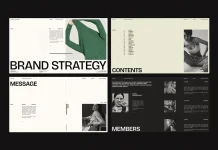
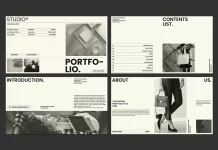
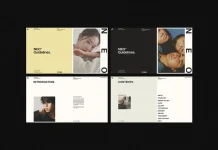
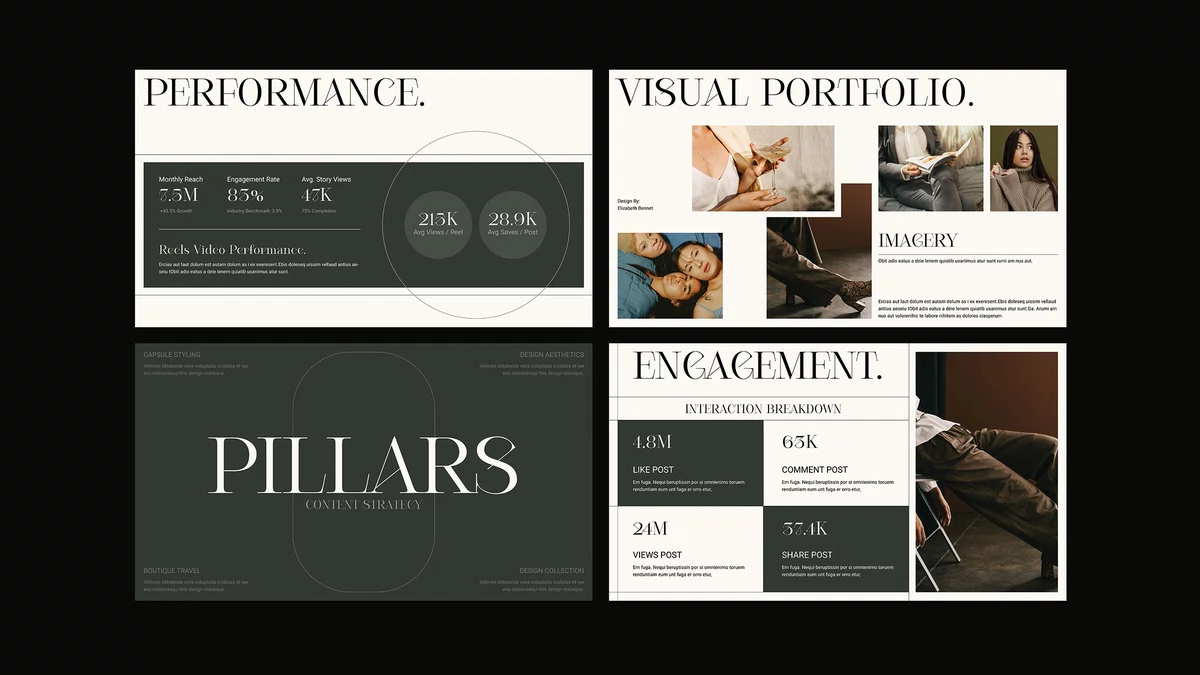
I’m sure that this InDesign media kit template by Adobe Stock contributor RedGiant holds attention longer than most media kits I know. So, I tested it thoroughly, and the layout still looks sophisticated once you replace the placeholder content. So let me explain what works and what demands real skill.
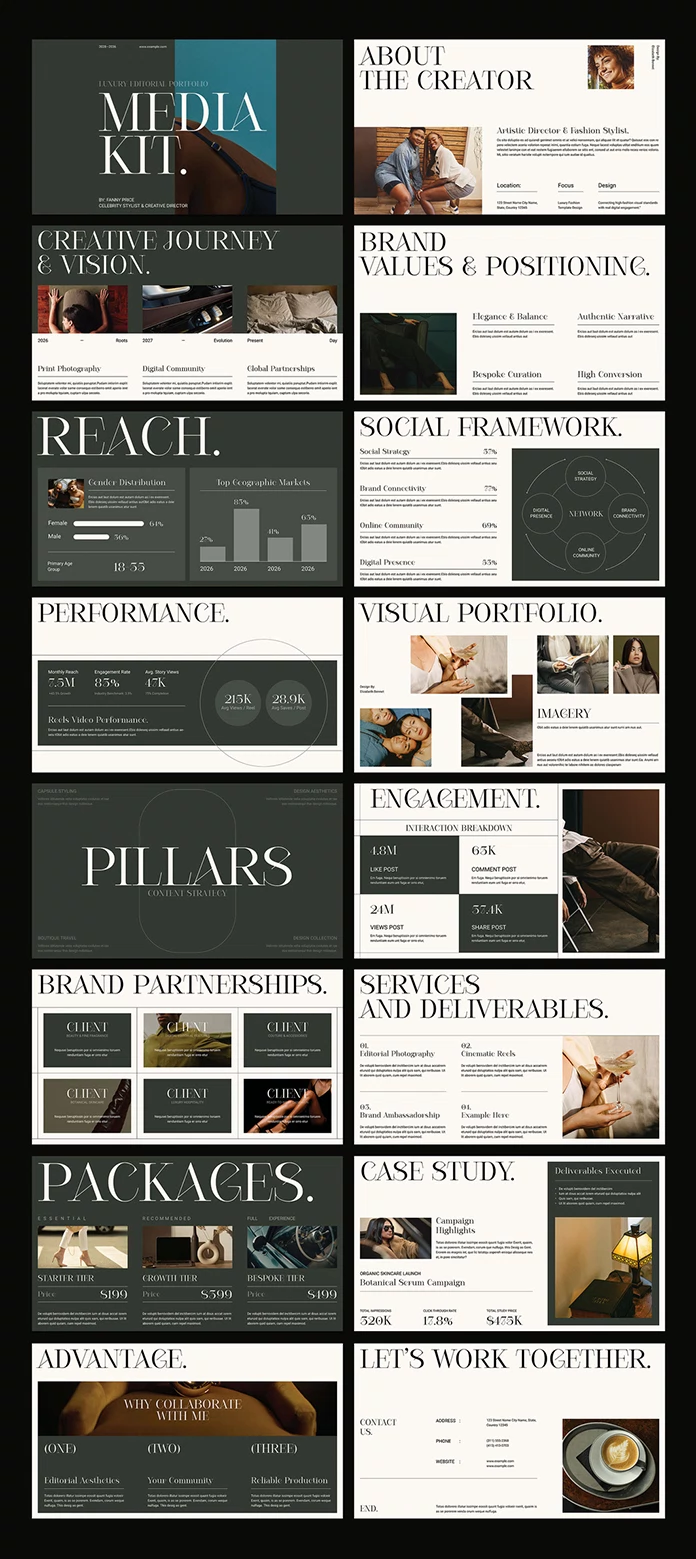
The template measures 1920 x 1080 px. That makes it a screen document, not a print file. It contains 16 predesigned pages, and you can customize every one of them. Because clients open pitches on laptops and phones first, this format makes sense.
Please note that this template requires Adobe InDesign to be installed on your computer. Whether you use Mac or PC, the latest version is available on the Adobe Creative Cloud website—take a look here.
What Is an InDesign Media Kit Template, and Who Needs One?
An InDesign media kit template is a pre-built Adobe InDesign document that organizes your story, audience facts, services, and contact details into fixed pages. You replace the sample content with your own. The structure stays intact.
I call the 1920 x 1080 px version a Screen-First Media Kit. It lives on a display, not on a printer. You send it as an interactive PDF or present it live on a call.

Freelance designers need one. Small studios need one too. So do creators who pitch sponsors and want to look established from the first email.
How Does This Media Kit Template Look in Use?
“Sophisticated” is the right word. The pages feel designed, not assembled. The style won me over first, and the layout confirmed it once I started editing, because each page gives its content room to breathe.
The Three-Second Scan Test
I use a simple benchmark for every media kit. I call it the Three-Second Scan Test. A reader must grasp who you are and what you offer within three seconds of opening page one.
This InDesign media kit template passes, provided you cut your cover copy to a single line. Long taglines break the test fast. Short ones let the layout do its work.
Why 16 Pages Is a Useful Limit
Sixteen pages sounds generous. In practice, it forces decisions. A sponsor skims a media kit in under two minutes, so every page must earn its place. I would delete a page before I would pad one.
That is my opinion, and I hold it firmly. A shorter media kit template beats a sprawling one every time. Still, 16 pages give you enough room for a story, your numbers, your services, and a contact page.
How Easy Is It to Customize This InDesign Media Kit Template?
Easy, with one honest condition. The template needs Adobe InDesign, and deeper edits need real knowledge of it. To describe that gap, I use the Edit Depth Scale.
- Level 1, Swap: You replace text and images. This takes minutes and needs no expertise.
- Level 2, Restyle: You change colors and fonts. Open the Swatches panel and the Paragraph Styles panel first. Basic skills are enough.
- Level 3, Restructure: You move frames, add pages, or edit the Parent pages. You need working knowledge.
- Level 4, Animate: You add buttons, links, and motion. You need solid InDesign experience.
Most people will stop at Level 2. The template rewards that choice, because a fully customizable layout reaches a finished look quickly. I reached Level 3 only when I wanted a different page order.
What Can InDesign Add Beyond Static Pages?
This is where the template separates itself from a plain slide deck. InDesign offers interactive options and animations, and you can apply them to this layout. But you must know the software.
The Buttons and Forms panel creates clickable elements. The Hyperlinks panel turns your email address and portfolio URL into live links. Page transitions add polish between slides. An interactive PDF supports these features, but it does not play InDesign animations. For motion, you need a web-based export such as Publish Online.
So who benefits? Anyone who presents live or shares a link. If you only email a flat PDF, you can skip Level 4 entirely. Does your pitch really need motion? Often it does not.
Who Should Skip This Template?
Be honest about your tools. If you do not own Adobe InDesign, this file will not open elsewhere. A Creative Cloud subscription is the price of entry.
Print is also a poor fit. The 1920 x 1080 px format suits screens. Resizing it for paper creates extra work. And the 16-page structure is fixed, so a studio with ten case studies must restructure it.
Where Are Media Kits Heading?
I expect interactive screen decks to replace static PDFs as the default creator pitch by 2028. Sponsors already open attachments on phones. A 16:9 page reads better there than a portrait letter sheet.
My second prediction concerns AI assistants. They increasingly read and summarize documents before a human does. So keep your text live in the file. Never flatten your numbers into images, or no assistant will quote them.
InDesign Media Kit Template at a Glance
| Feature | Detail |
|---|---|
| Template type | InDesign media kit template |
| Contributor | RedGiant (Adobe Stock) |
| Format | 1920 x 1080 px, made for screen presentations |
| Pages | 16 predesigned, fully customizable pages |
| Software | Adobe InDesign |
| Skill needed | Basic for text, colors, and images; advanced for interactivity and animation |
| Best for | Freelancers, small studios, and creators pitching sponsors |
| Weak spot | Not designed for print; fixed page count |
| My verdict | Sophisticated style, easy edits, strong value for screen pitches |
Common Questions:
What is a media kit template used for?
You use it to present your brand to press, sponsors, and clients. It collects your story, services, and contact details in one tidy document.
Can beginners customize this template?
Yes, for text, images, and colors. Interactive features and animations require more InDesign knowledge.
Does the template work for print?
Not well. It targets screens, so you would need to resize every page.
How should I share the finished media kit?
Export an interactive PDF for email. Use a web-based export when you want animations to play.
Do I need Adobe InDesign to open it?
Yes. Adobe InDesign is required.
What size is each page?
Each page measures 1920 x 1080 px, a 16:9 ratio.
Browse WE AND THE COLOR’s Templates category for more.
Subscribe to our newsletter!