This post contains affiliate links. We may earn a commission if you click on them and make a purchase. It’s at no extra cost to you and helps us run this site. Thanks for your support!
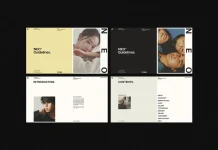
An art book template is only as good as the restraint behind it, and McLittle Stock’s new minimalist art book template for Adobe InDesign, built for A4 layouts, bets everything on restraint. No color. No decoration. Just type, texture, and negative space doing the heavy lifting. That’s a bold bet for a stock template, and after laying out every spread with real content, I think it mostly pays off.
Please note that this digital presentation template requires Adobe InDesign to be installed on your computer. Whether you use Mac or PC, the latest version is available on the Adobe Creative Cloud website—take a look here.
Is This Art Book Template Actually Worth Building a Catalog Around?
Short answer: yes, if your project is visual and your budget for a custom designer isn’t. This art book template isn’t trying to be a magazine. It isn’t trying to be a novel layout either. It sits in a narrower lane: portfolios, exhibition catalogs, photography monographs, brand lookbooks, anything where the images need to breathe, and the type needs to get out of the way.
McLittle Stock has built this same discipline into a whole family of Adobe Stock templates before. The pattern repeats: A4 sizing, print-ready CMYK output at 300 dpi, paragraph styles baked in, master pages doing the grid work, and support back to InDesign CS4. That consistency matters more than any single feature. It means the file behaves the way an experienced InDesign user expects it to behave, without surprises buried in a locked layer.
What Actually Ships in the File
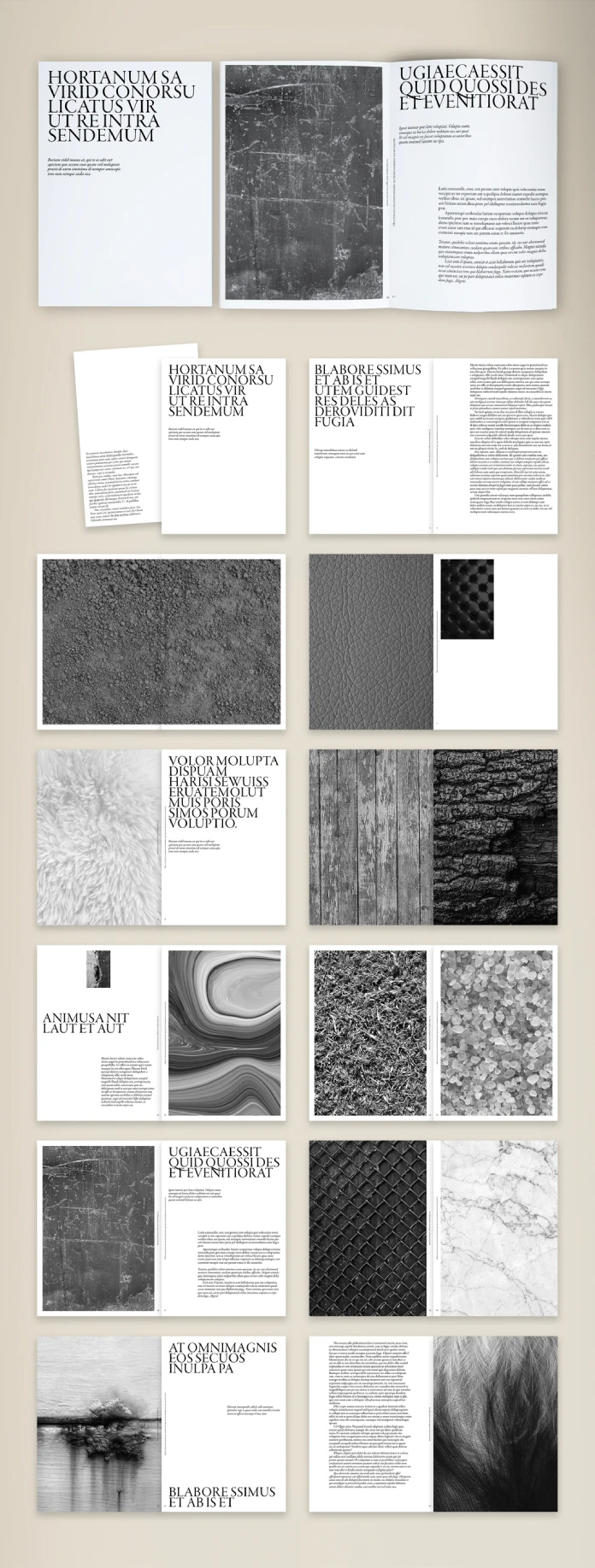
Open the package and you get a set of fully customizable spreads, ready to receive your own photography and text. The photos in the preview grid exist only to show scale and cropping logic. They’re not included in the download, so budget separately for imagery or plan to shoot your own. That’s standard for the category, but worth repeating because first-time buyers assume otherwise more often than you’d think.

Design System: What the Grid Is Actually Doing
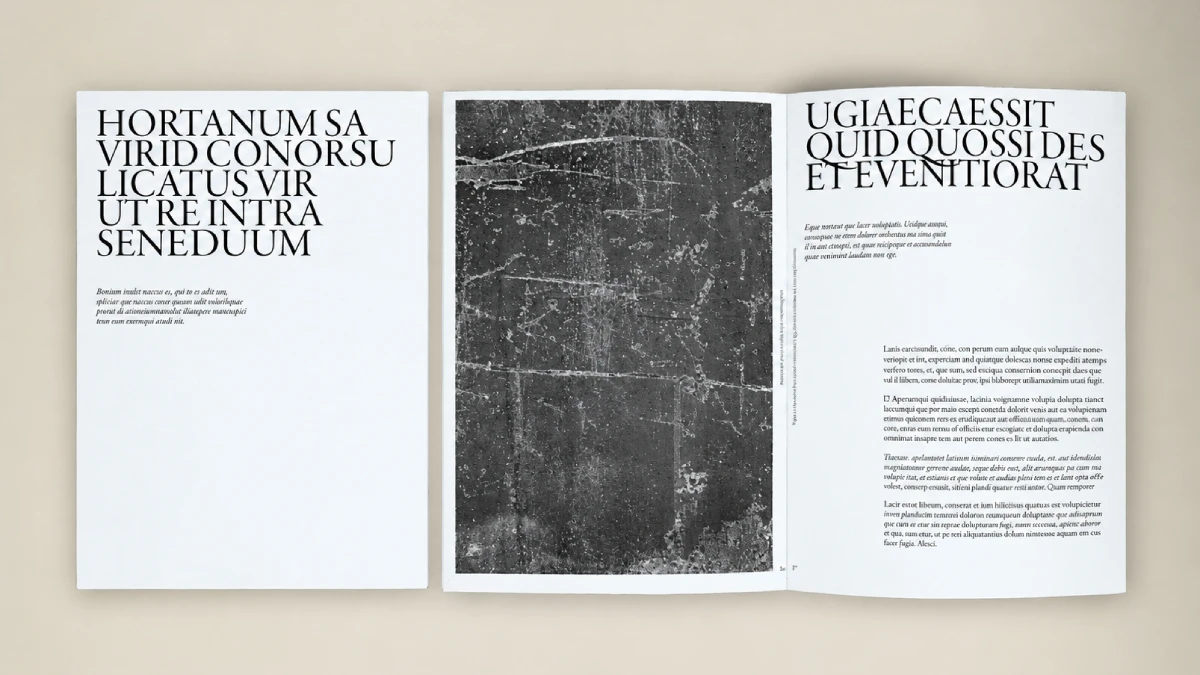
Here’s where this art book template earns its name. Every spread runs on a strict left-aligned or centered column system, heavy on white space, with type set almost entirely in a bold, tightly tracked sans-serif for headlines and a quiet serif or grotesque for body copy. Headlines run large, sometimes spanning the full page height in a single vertical stack of words. Body text stays small and disciplined, usually confined to a narrow column that leaves the rest of the spread open.
That contrast, oversized headline against a thin column of body text, is the entire visual argument of this template. It’s not subtle. It’s not trying to be. A minimalist art book template lives or dies on exactly this kind of tension, and this one commits to it on nearly every spread rather than softening it halfway through.
Texture Does the Work Color Would Normally Do
Instead of a color palette, the template leans on full-bleed photographic textures: raw concrete, wood grain, cracked leather, matte fur, gravel, marble, woven fabric, and chain-link mesh. Each texture spread pairs with a plain type spread next to it, so the rhythm through the book alternates between quiet text pages and loud, tactile image pages. That alternation is doing the job a color system would do in a less disciplined layout. It gives the eye something to land on without ever breaking the black-and-white restraint.
If your project depends on brand color, this isn’t your template. If your project depends on texture, material, and grayscale photography carrying emotional weight, this is closer to exactly what you’re looking for.
Working With This Art Book Template Inside InDesign
Because the whole system runs on master pages and paragraph styles, swapping content is fast. Drop a new photo into a frame, and the fitting options handle the crop. Retype a headline, and the paragraph style keeps the tracking and leading consistent with the rest of the book. This is the actual value proposition of buying a template instead of building from scratch: the tedious styling decisions are already made, and made consistently across every page.
Where it gets slower is the full-bleed texture spreads. Swapping a background photo across a two-page spread with a title overlaid on top means checking the text contrast against the new image every time, because the layout doesn’t build in an automatic scrim or gradient behind the type. On a dark, busy texture, thin sans-serif type can lose legibility fast. Budget a few extra minutes per texture spread to test contrast before you finalize.
Font Licensing Is Your Job, Not the Template’s
Like most InDesign templates sold through Adobe Stock, the typefaces are either bundled Adobe Fonts, synced through Creative Cloud, or listed separately for you to source. Confirm licensing before you print or publish commercially. This is the single most common support question across McLittle Stock’s other InDesign products, and it’s worth solving before you’re two hundred pages into a layout.
Who Should Actually Buy This Art Book Template
Photographers building a leave-behind portfolio. Independent designers pitching an exhibition catalog on a tight deadline. Architecture studios that need a lookbook without touching Illustrator. Students assembling a thesis book who want something that reads as professional, not templated. All of these fit the intended use case cleanly.
Who shouldn’t buy it: anyone needing heavy infographics, data tables, or a color-coded editorial system. The grid isn’t built for that, and forcing it there will fight the template’s whole design logic.
| Attribute | Detail |
|---|---|
| Format | A4, portrait, print-ready CMYK at 300 dpi |
| Software | Adobe InDesign, CS4 and newer (INDD/IDML files) |
| Layout system | Master pages, grid-based, automatic page numbering |
| Typography | Bold sans-serif headlines, quiet body type, full paragraph styles |
| Color palette | Black, white, and grayscale photographic texture |
| Included imagery | Preview only, not included in the download |
| Best for | Portfolios, exhibition catalogs, photo books, lookbooks |
| Not ideal for | Data-heavy reports, color-branded editorial, infographics |
Where This Art Book Template Falls Short
Minimalism is a discipline, and discipline has a cost. There’s no built-in variation for a spread that needs a pull quote, a caption block, or a small inset image next to a large one. You’ll be duplicating and hand-editing frames for anything the master pages didn’t anticipate. That’s fine for a design-literate user. It’s a real barrier for someone who’s never touched InDesign’s frame tools before.
The all-caps, tightly tracked headline treatment also gets loud fast if you’re not careful with hierarchy. Run three consecutive spreads with the same scale of shouting headline, and the rhythm collapses. Vary the type scale deliberately, page by page, or the book starts to feel like one long headline instead of a considered sequence.
The Verdict on This Minimalist Art Book Template
For the price of a stock template, you get a genuinely coherent design system, not just a stack of pretty pages loosely held together. The grid logic is sound. The typography choices are confident. The texture-driven spreads give a black-and-white book real physical presence instead of feeling flat. If you need a fast, professional-looking art book template for A4 print or PDF distribution, and you’re comfortable adapting InDesign frames by hand when the content doesn’t fit the mold exactly, this earns its spot in the shortlist.
Frequently Asked Questions About This Art Book Template
Does this art book template include the photos shown in the preview?
No. The preview images exist to demonstrate scale, cropping, and layout only. You’ll need to supply your own photography or license images separately.
What version of Adobe InDesign do I need?
McLittle Stock’s InDesign templates in this line typically support CS4 and later, delivered as INDD and IDML files. Check the specific product listing before purchase to confirm compatibility with your InDesign version.
Can I change the layout from black and white to color?
Yes, but expect real rebuilding work. The template’s whole visual logic depends on grayscale contrast and texture rather than a swatch-based color system, so adding color means rethinking hierarchy, not just recoloring swatches.
Is this art book template suitable for a print run, or just PDF?
Both. It’s built at 300 dpi CMYK for print, and it exports cleanly to a shareable PDF for digital portfolios or online submissions.
Do I need advanced InDesign skills to use this template?
Basic to intermediate skills help. Swapping images and text through the existing paragraph styles is straightforward. Adding new spread types that weren’t part of the original design takes more comfort with frames, master pages, and text threading.
Is this template a good fit for a photography monograph?
Yes, this is close to the ideal use case. The alternating text and full-bleed texture rhythm was clearly built with exactly this kind of project in mind.
Hungry for more? If so, feel free to browse WE AND THE COLOR’s graphic design and templates categories.
Subscribe to our newsletter!