This post contains affiliate links. We may earn a commission if you click on them and make a purchase. It’s at no extra cost to you and helps us run this site. Thanks for your support!
E-Type’s new creative resume template for Adobe InDesign was designed on the bet that a job application can look sharp without a portrait photo pinned to the top of it. The download file comes in US Letter and A4, prints in CMYK, and opens in InDesign as an editable layout rather than a locked graphic. That combination puts it in a specific lane. Not every InDesign resume template tries to work with or without a face on the page. This one does, and the decision shapes almost everything else about the design.
Please note that this digital presentation template requires Adobe InDesign to be installed on your computer. Whether you use Mac or PC, the latest version is available on the Adobe Creative Cloud website—take a look here.
Does a Creative Resume Template Really Need a Photo?
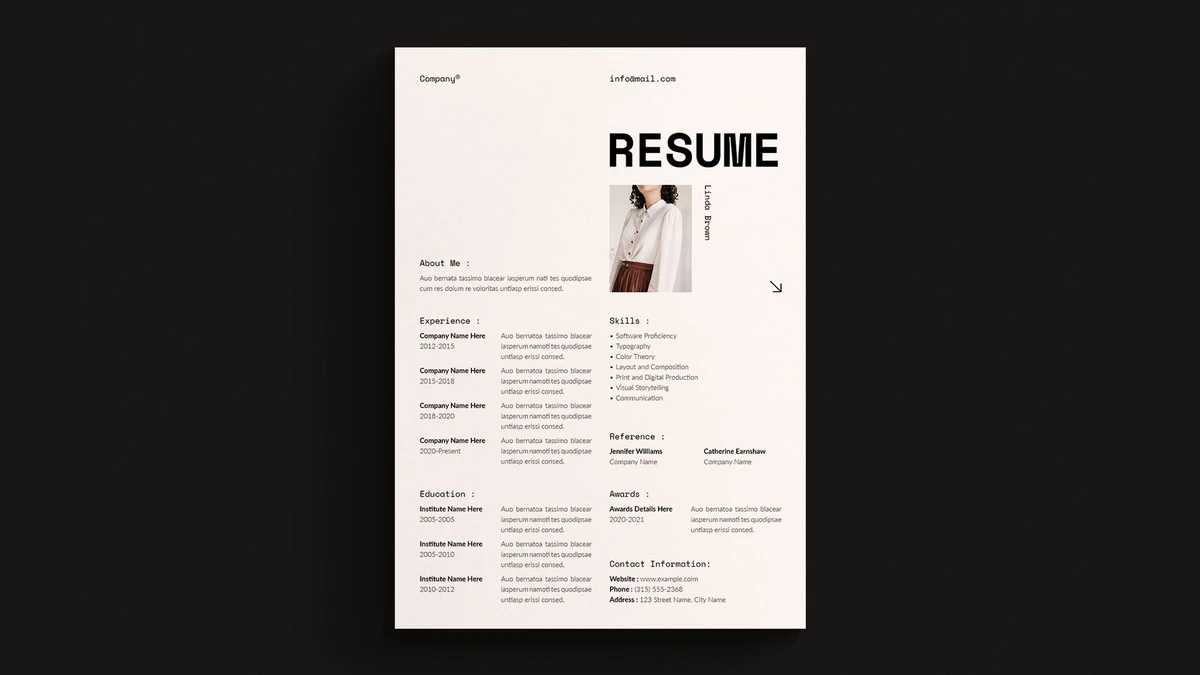
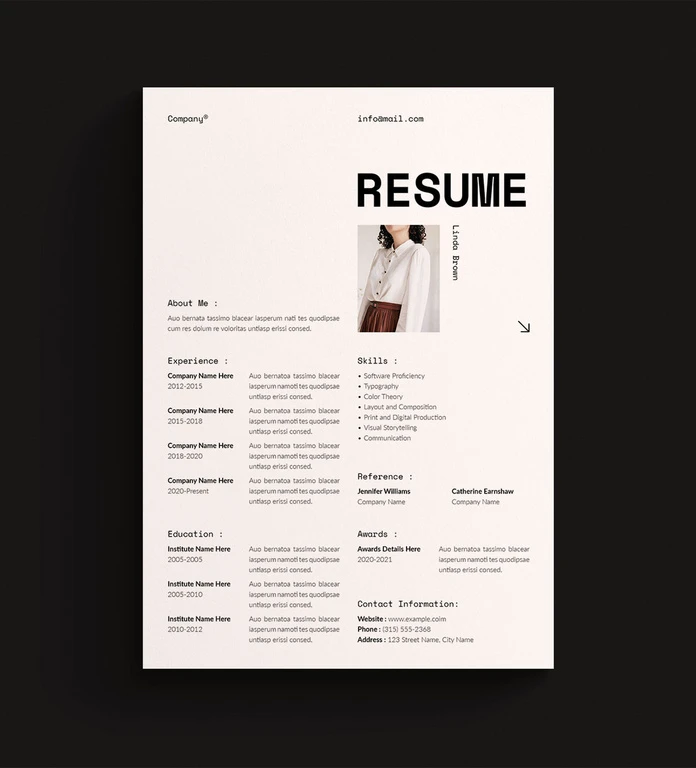
Look at the layout, and the photo reads as an accessory, not a foundation. The masthead carries the weight: a heavy, condensed “RESUME” wordmark set large against a cream background, with the candidate’s name running vertically beside a small square image. Pull the photo out, and the grid barely notices. That’s a deliberate structural choice, and it solves a real problem. Plenty of creative resume template buyers work in regions or industries where a headshot on a resume is discouraged or flagged as a bias risk. A template that treats the photo as optional instead of load-bearing serves both audiences without a second file.
It also means the typography has to do more work. Here it does. The section labels, “About Me”, “Skills”, “Experience”, use a technical, monospace-leaning face with a colon after each word. It borrows the tone of a spec sheet or a blueprint annotation. On a design portfolio resume, that reads as intentional. On a resume aimed at a finance or legal recruiter, it might read as trying too hard. Know your audience before you commit to this file.
How the Layout Actually Splits the Page
Left Column: Story
The left side carries About Me, Experience, and Education. Each experience entry gets a company name, a date range, and three lines of placeholder body copy. That’s generous space for someone with a long work history and awkward space for someone with two jobs and a lot of white left over. If your career history is short, plan to either stretch your descriptions or manually tighten the column, because the template’s default rhythm assumes four solid experience entries.

Right Column: Proof
The right side holds Skills, Reference, Awards, and Contact Information. The skills list runs as seven short bullet points, no bars, no star ratings, no visual skill-meter gimmick. That’s a good call. Skill-level graphics on resumes look confident and mean almost nothing to a hiring manager. A plain list reads faster and claims less than it can prove.
The Two-Column Weight Problem
Call this the Column Balance Test, a quick check I use on any resume template split into two unequal content zones: does the left column’s length depend on user input in a way the right column’s doesn’t? Here, yes. Experience entries expand with real content. Skills, references, and awards stay roughly fixed in length regardless of what the user writes. That asymmetry means the template looks best on a resume where the left column runs long. Shorter resumes will need manual rebalancing, most likely by enlarging the photo, adding a pull quote, or extending the About Me paragraph. None of that is difficult in InDesign. It’s just not automatic, and buyers expecting a drop-in-text-and-done experience should know that going in.
Where This InDesign Resume Template Helps, and Where It Doesn’t
The CMYK setup is a genuine win if you’re printing physical copies for a portfolio drop-off or an in-person interview. Most free resume templates online are built for screen viewing only and print with color shifts. This one won’t.
The two-column structure carries a real, separate cost, though. Many applicant tracking systems still parse multi-column layouts and side-positioned text boxes inconsistently, sometimes reading the columns in the wrong order or dropping content entirely. If you’re applying through a large company’s online portal, export a plain-text or single-column version as a backup. Keep this template for direct submissions, portfolio sites, and in-person handoffs, where a human opens the file and a parser never gets involved.
A Note on Editing
Adobe Stock InDesign templates in this category typically ship with named paragraph and character styles built in, which means changing the typeface across every section takes one click instead of dozens. Confirm that’s true of this specific file before you buy if consistent one-click restyling matters to your workflow, since style-tagging quality varies by contributor even within the same marketplace.
Quick Reference
| Detail | Specification |
|---|---|
| File type | Adobe InDesign (.indd) |
| Page sizes | US Letter and A4 |
| Color mode | CMYK, print-ready |
| Photo | Optional, works with or without |
| Layout style | Two-column, minimalist, monospace-style section labels |
| Best for | Creative, design, and portfolio-facing job applications |
| Watch for | Uneven column length on short resumes; ATS parsing risk for online portals |
| Contributor | E-Type, via Adobe Stock |
Who This Creative Resume Template Actually Suits
This fits a graphic designer, art director, illustrator, or brand strategist submitting directly to a studio, agency, or hiring manager who will open the file as a person, not run it through a parser. It fits someone building a print portfolio for a networking event or a design school application. It’s a weaker fit for anyone applying at scale through corporate ATS portals, where plain formatting still wins on delivery even when it loses on style.
Frequently Asked Questions
Can I edit this creative resume template without Adobe InDesign?
Not natively. It’s built as an .indd file, so you’ll need InDesign or a compatible layout application to edit the text and structure. Check the product listing if you specifically need a Word or Canva version, since Adobe Stock InDesign templates rarely include one.
Does this InDesign resume template work for online applications?
It works well as a PDF export for direct email applications and portfolio sites. For large-company online portals with automated screening, keep a plain single-column backup ready, since multi-column layouts can parse unreliably.
Is a photo required?
No. The layout holds together with or without the headshot, which is one of its stronger design decisions.
What’s the real difference between the US Letter and A4 versions?
Page proportions and margin math. US Letter runs 8.5 by 11 inches, A4 runs 210 by 297 millimeters, and the included files handle both so you don’t have to manually rescale the grid yourself.
Can someone with no InDesign experience use this template?
Basic text swaps are simple even for a first-time InDesign user. Rebalancing the two columns for a shorter resume takes more familiarity with text frames and threading, so budget extra time if that’s your situation.
Don’t hesitate to find other trending graphic design templates here at WE AND THE COLOR.
Subscribe to our newsletter!