This post contains affiliate links. We may earn a commission if you click on them and make a purchase. It’s at no extra cost to you and helps us run this site. Thanks for your support!
The template is a 16-page corporate brochure InDesign template from Adobe Stock contributor RedGiant, built specifically for company profiles and annual reports. It ships in two complete versions, one for US Letter and one for A4, both fully customizable and both set up in CMYK for professional printing. I spent a week testing this corporate brochure InDesign template. That’s the short version. Here’s the long one.
Please note that this template requires Adobe InDesign installed on your computer. Whether you use Mac or PC, the latest version is available on the Adobe Creative Cloud website—take a look here.
What Makes a Corporate Brochure InDesign Template Actually Worth Using?
A brochure template earns its keep in three places: layout logic, print readiness, and how much rework it demands before you can hand it to a printer. Most templates fail at least one of these.
I tested this specific corporate brochure InDesign template against all three, and it’s the dual-format setup that stood out first. You get 16 pages in US Letter and 16 pages in A4, built as separate files rather than one document with a resize hack bolted on. That distinction matters more than it sounds like it should.
Here’s a term I’ll use throughout this piece: the Two-Format Tax. It’s the hidden cost every international studio pays when a template only supports one paper size. You either rebuild the layout by hand for the second format, or you ship a brochure with margins that look slightly wrong to half your audience. RedGiant’s template pays that tax for you before you even open the file.

The second thing worth checking in any brochure template is color mode. This one is CMYK throughout, which means what you see on screen is closer to what a print shop will actually produce. RGB templates dressed up as “print-ready” are common on stock marketplaces, and they cause more color surprises at the print stage than any other single mistake I’ve seen clients make.
Third: customization depth. Sixteen pages sounds generous until you realize some templates only let you swap text, not structure. This one lets you touch grids, image frames, and section order without fighting the file.
Inside the 16 Pages: What You’re Actually Getting
Sixteen pages is a specific number, not a round one, and it’s worth breaking down because it tells you what this template is built to do.
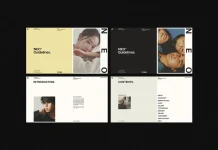
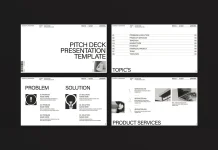
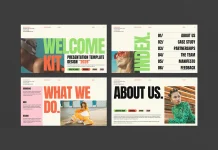
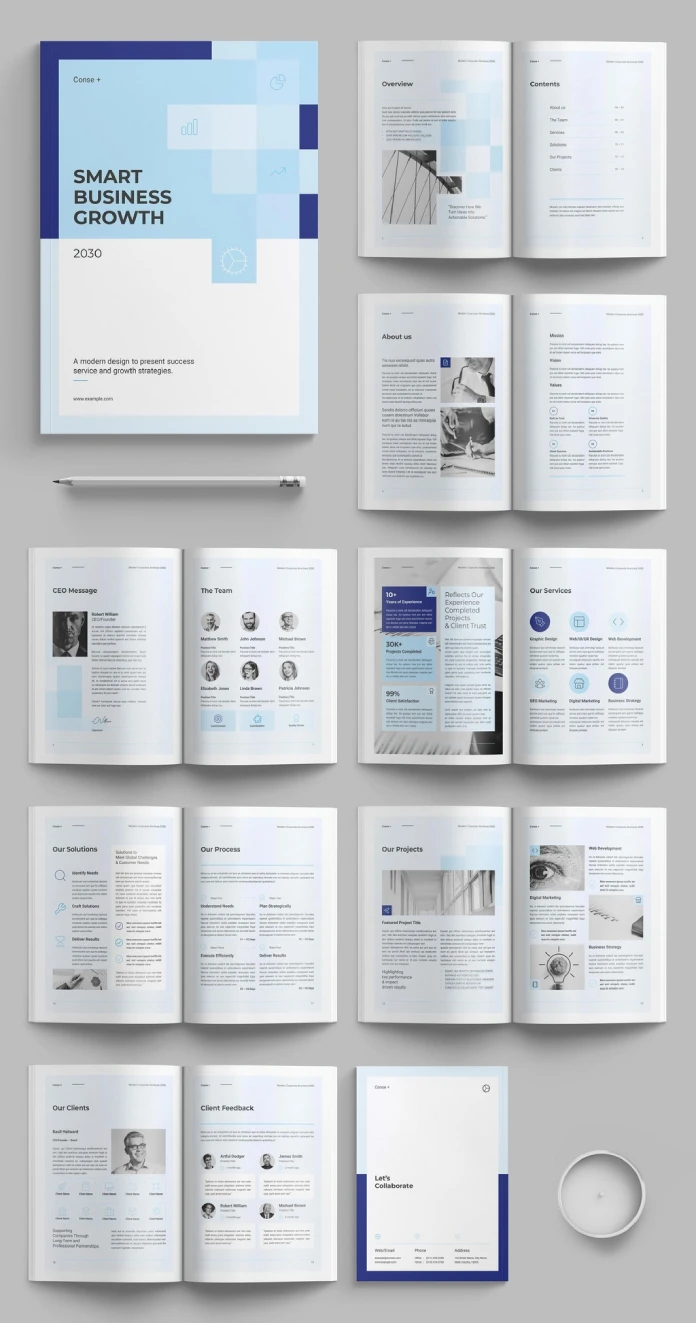
The layout covers a cover spread, an overview and contents section, a company “about us” spread with mission and values, a CEO message paired with team bios, a services section with icon-driven categories, a solutions and process breakdown, a project showcase spread, and a clients and testimonials section, closing with a contact page.
That’s not filler. It’s the actual skeleton of an annual report or a company profile, and it maps closely to what clients ask for when they say, “We need a brochure that explains who we are.” I call this the Sixteen-Page Ceiling: the point at which a corporate brochure template stops being a generic multi-page document and starts functioning as a structured business narrative with a beginning, middle, and end.
A few pages deserve a closer look.
The Services and Process Spreads
The services page uses a clean icon grid, six categories across two columns, each with its own short description block. It’s simple, but simple is correct here. Nobody reads a services page top to bottom. They scan it, and this layout is built for scanning, not reading.
The process spread breaks work into four numbered steps, each with a day-range placeholder. That’s a small detail, but it signals the template was designed by someone who has actually delivered a client project, not just someone who knows InDesign’s grid tools. Clients ask, “How long will this take?” constantly, and this page answers that question before it’s even asked.
The Data and Stats Page
There’s a dedicated stats spread with three large numbers: years of experience, projects completed, and client satisfaction percentage. I want to flag this because stat pages are where a lot of corporate brochures collapse into meaningless marketing noise. This one keeps the numbers isolated, large, and paired with short labels instead of paragraphs. Restraint here does more work than decoration would.
Testing the CMYK Setup for Real Print Output
I don’t take “print-ready” claims at face value anymore, so I ran the standard checks. Color mode was CMYK across every page, no stray RGB elements hiding in placed graphics or text boxes, which is the most common thing that slips through in templates built quickly for stock marketplaces.
I’m calling this check the CMYK Confidence Check, and it’s a three-step process I’d recommend for any brochure template, not just this one. First, open the color panel and confirm the document color mode. Second, select every placed image and check its embedded color profile individually. Third, run a preflight check in InDesign before you export anything for a print shop.
This template passed all three without a single flag. That’s rarer than it should be, honestly. I’ve reviewed templates that looked flawless in the preview and then threw four RGB warnings the moment I ran preflight.
One caveat worth stating plainly: the photos shown in the preview images are for display purposes only. They’re not included in the downloaded file. You’ll need your own photography or a stock subscription to fill those frames, and that’s standard practice across Adobe Stock templates, but it catches first-time buyers off guard often enough that it’s worth repeating here.
Who Is This Template For?
I’ll be direct about this instead of pretending every template suits every buyer.
This corporate brochure InDesign template makes the most sense for small- to mid-size agencies producing annual reports or company profile documents for clients on a recurring basis. If you’re building one brochure a year, the dual-format setup is a nice bonus but not a dealbreaker. If you’re building six a year for clients across the US and Europe, the Two-Format Tax I mentioned earlier becomes a real line item on your invoice, and this template removes it.
Freelancers working solo will also get value here, particularly because the 16-page structure means you’re not staring at a blank page trying to figure out what sections a company profile even needs. The template answers that question for you, and you edit from there instead of building from zero.
Where it’s less useful: if your client needs something wildly unconventional, an asymmetric editorial layout or a brochure that breaks grid on purpose. This template is disciplined and grid-based, which is a strength for corporate work and a limitation for anything experimental.
Corporate Brochure InDesign Template: Quick Reference
| Detail | Specification |
|---|---|
| Designer | Adobe Stock contributor RedGiant |
| Page count | 16 fully customizable pages |
| Formats included | US Letter and A4 (separate complete files) |
| Color mode | CMYK, print-ready |
| Best use case | Company profiles, annual reports |
| Photos included | No, preview images are for display only |
| Ideal user | Agencies and freelancers producing recurring corporate documents |
| Software required | Adobe InDesign |
Practical Advice Before You Start Editing
A few things I’d tell a colleague before they open this file for the first time.
Start with the text frames, not the images. Corporate brochure content changes more often than layout, so getting copy locked first saves you from reflowing image frames twice. Second, decide on your format before you touch a single page. Switching from the A4 file to the US Letter file mid-project means redoing your image crops, since the two aren’t just scaled versions of each other; they’re built with format-appropriate margins.
Third, if you’re sourcing photography, match the tone of the placeholder images as closely as possible. The layout’s grid ratios are built around the aspect ratios shown in the preview, and swapping in wildly different crops will fight the design instead of filling it.
Where This Template Fits in a Bigger Shift
Stock-based InDesign templates aren’t going away, but the market around them is getting more selective. Buyers increasingly compare templates the way I just did here, checking color mode, format flexibility, and structural logic instead of just eyeballing the preview thumbnails. My prediction is that dual-format support, US Letter and A4 shipped as genuinely separate builds rather than a resize trick, will become a baseline expectation within the next couple of years, not a differentiator. Templates that skip it will start looking dated fast, the same way templates without responsive layouts eventually looked dated in web design.
Frequently Asked Questions
Does this corporate brochure InDesign template include both US Letter and A4 versions?
Yes. The download includes two complete, separate template files, one built for US Letter and one for A4, each with all 16 pages.
Is the template ready for professional printing?
Yes. It’s built in CMYK color mode throughout, which is the standard requirement most print shops need for accurate color output.
Are the photos in the preview images included in the file?
No. The photography shown in the preview is for display purposes only. You’ll need to add your own images or source them separately.
How many pages does the template include?
Sixteen fully customizable pages per format, covering cover, overview, about us, team, services, solutions, process, projects, clients, and contact sections.
Do I need any plugins to use this template?
No. It’s a standard Adobe InDesign file and opens with a normal InDesign installation; no additional plugins required.
Is this template suited for annual reports specifically, or just general brochures?
Both. The page structure, particularly the stats spread, process breakdown, and client testimonial pages, maps closely to what annual reports typically require, while staying flexible enough for general company profile use.
Browse WE AND THE COLOR’s Templates category for more.
Subscribe to our newsletter!