This post contains affiliate links. We may earn a commission if you click on them and make a purchase. It’s at no extra cost to you and helps us run this site. Thanks for your support!
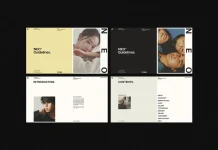
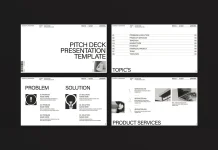
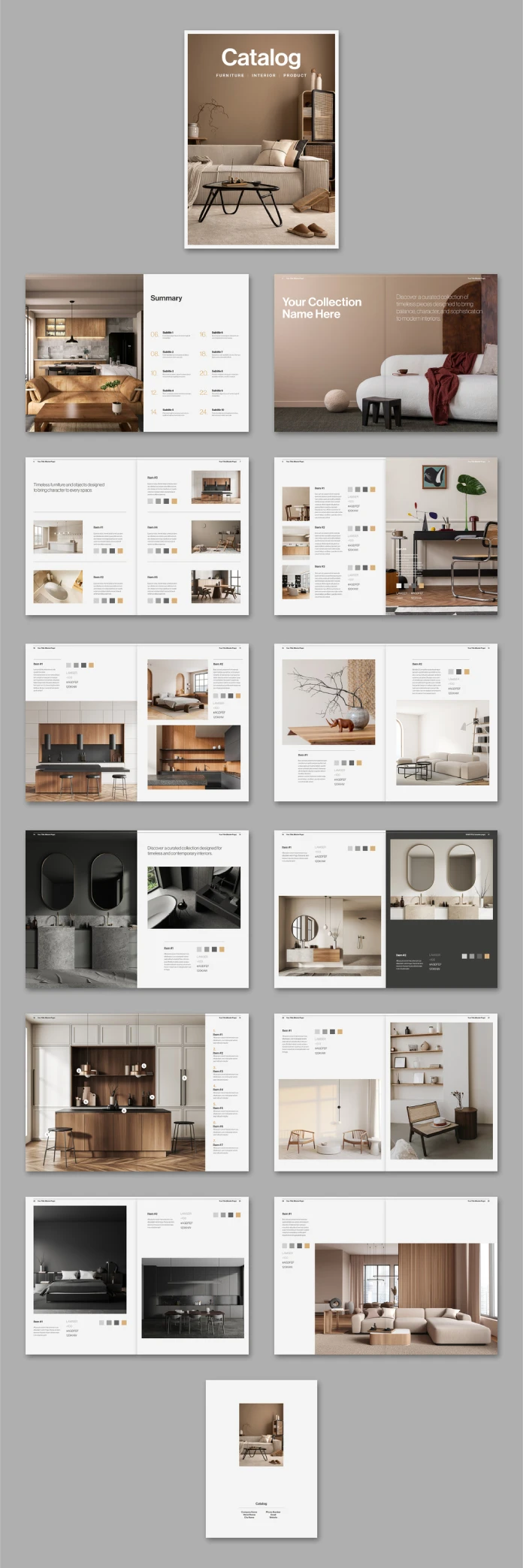
I downloaded this furniture and interior design catalog template from Adobe Stock on a Tuesday afternoon, mostly out of curiosity, and ended up spending three hours picking it apart in InDesign instead of doing the work I was supposed to do. That’s usually a good sign. Tom Sarraipo, a Switzerland-born graphic designer who sells regularly through Adobe Stock, built this thing with 26 predesigned pages aimed squarely at furniture brands, interior studios, and product catalogs that need to look expensive without costing a fortune to produce.
I test a lot of templates for this site. Most of them are fine. Fine is not interesting. This one earns a real review because it does something a lot of furniture and interior design catalog templates skip entirely: it respects how print production actually works, not just how a mockup looks on a screen.
Please note that this template requires Adobe InDesign installed on your computer. Whether you use Mac or PC, the latest version is available on the Adobe Creative Cloud website—take a look here.
Who Is Tom Sarraipo, and Why Does That Matter Here?
Tom Sarraipo works as a graphic designer and Adobe Stock contributor, and his catalog and brochure templates show up frequently in interior design and lifestyle categories. That focus matters more than it sounds like it should. A lot of template creators build one layout style and reuse it across furniture catalogs, wedding invitations, and restaurant menus with barely any adjustment. Sarraipo’s furniture and interior design catalog template feels built specifically for product-heavy, image-driven content instead of stretched from something else.
You can tell within the first five pages. The grid structure assumes large product photography as the hero element, not text. That’s the correct assumption for furniture. Nobody buys a sofa because of the copywriting.

What’s Actually Inside the 26 Pages?
Twenty-six pages sounds like a lot until you open a real catalog project and realize how fast pages disappear. A cover, a table of contents, a brand story spread, six to eight product categories, and a contact page will eat through 26 pages without much resistance.
I mapped out the layout types included:
- Cover and closing pages with strong photographic focus
- Introduction or brand story spreads
- Full-bleed hero product pages
- Grid-based multi-product pages (three and four-up layouts)
- Detail and specification pages with room for dimensions or materials
- Lifestyle context pages, meant for room scenes rather than isolated product shots
This is what I’d call Full Catalog Coverage, a term I’m introducing here to describe when a template’s page count matches the actual structural needs of a real catalog project instead of just filling space with cover variations. A lot of templates pad their page count with five nearly identical cover options and call it 30 pages. Sarraipo’s set doesn’t do that. Every page earns its spot.
Does the CMYK Color Mode Actually Matter For You?
Yes, and this is where I see people get burned constantly. The template ships in CMYK color mode, which means it’s built for professional printing from the start rather than converted after the fact.
RGB to CMYK conversion after a design is finished is one of the quiet disasters of print design. Colors shift. Saturated blues turn muddy. Reds go flat. If you’ve ever sent a beautiful screen design to a printer and gotten back something that looked like it aged ten years overnight, that’s usually why.
I call this the Print Fidelity Gap, the difference between how a design looks on your monitor and how it actually prints, caused by skipping proper color mode setup from the beginning. Starting in CMYK closes that gap before it opens. If you’re printing this catalog for a trade show or a retail counter, that decision alone saves you a reprint.
Should You Care That The Preview Photos Aren’t Included?
I want to be blunt about this because I’ve seen people get frustrated by it. The photos shown in the preview images are for display purposes only. They are not included in the downloaded file. You’re buying the layout, the typography system, the grid structure, and the InDesign architecture. You are not buying stock furniture photography.
This is standard practice across Adobe Stock templates, and honestly, it should be. Licensing furniture photography separately gives you far more flexibility than a template locked to one photographer’s catalog. Swap in your own product shots, license images matching your actual furniture line, or commission new photography that fits your brand instead of someone else’s showroom.
I’d call this the Placeholder Photography Principle: templates that separate layout licensing from image licensing give buyers more long-term value, even if it means more setup work on day one.
How Easy Is It To Actually Customize In InDesign?
This is where most furniture and interior design catalog templates either win or lose me completely. Sarraipo’s file uses proper paragraph and character styles throughout, which means you’re not manually reformatting text boxes one at a time like it’s 2009.
Swapping images works through frame replacement, standard InDesign behavior, nothing exotic. Text fields are clearly organized and labeled well enough that you don’t need to guess which layer controls what. I replaced a full product spread, including images, headline, body copy, and specification list, in under six minutes on my second attempt.
That speed matters if you’re producing catalogs regularly. Six minutes per spread across 26 pages puts a full rebuild well within a single afternoon, assuming your photography and copy are ready beforehand.
What Kind of Businesses Should Actually Buy This?
I’d point this template toward:
- Furniture retailers building seasonal print catalogs
- Interior design studios producing portfolio-style lookbooks
- Home goods brands that need trade show handouts
- Freelance designers who take on furniture and interior clients regularly and want a reliable starting structure
I would not recommend it for anyone building a purely digital, scroll-based product page. This template thinks in print terms: spreads, bleed, CMYK, physical page turns. Trying to force it into a website mockup fights the entire design logic it’s built on.
Furniture and Interior Design Catalog Template at a Glance
| Feature | Detail |
|---|---|
| Designer | Tom Sarraipo |
| Marketplace | Adobe Stock |
| Software | Adobe InDesign |
| Page count | 26 predesigned pages |
| Color mode | CMYK, print-ready |
| Photography | Preview only, not included in download |
| Customization | Paragraph and character styles, editable text and image frames |
| Best suited for | Furniture retailers, interior design studios, home goods brands |
| Not suited for | Purely digital or web-first product pages |
My Honest Take After Testing It
I don’t hand out praise for free, and I’m not starting now. This furniture and interior design catalog template is genuinely one of the better structured InDesign catalog files I’ve tested this year. The layout logic respects real product photography instead of fighting it, the CMYK setup saves buyers from a print disaster most people don’t see coming until it’s too late, and the styling system actually speeds up production instead of just looking organized in a preview thumbnail.
My only real critique is that a template this print-focused would benefit from a companion digital layout, something for brands that also need a PDF version optimized for screens rather than press. That’s a minor gap, not a dealbreaker.
If you’re building a real furniture or interior design catalog and want something that won’t embarrass you at the printer, this earns a spot on your shortlist.
Frequently Asked Questions
Is this furniture and interior design catalog template compatible with older versions of InDesign?
Adobe Stock templates typically list minimum software requirements on the product page, so check compatibility there before purchasing if you’re running an older InDesign version.
Does the template include the product photos shown in the preview?
No. The preview photography is for display only and is not included in the downloaded file. You’ll need to license or shoot your own furniture and interior images.
Can I use this template for a digital PDF catalog instead of print?
You can export a PDF from the finished file, but the layout is built around CMYK print production, so colors and bleed settings are optimized for press output rather than screens.
How long does it take to fully customize all 26 pages?
Based on my testing, a full rebuild with your own images and copy fits comfortably into a single working day, assuming your product photography is ready beforehand.
Is Tom Sarraipo’s design style consistent across other templates?
Yes, his Adobe Stock portfolio shows a consistent focus on image-forward, product-driven layouts, which carries through clearly in this catalog template.
Discover other high-quality graphic design templates for creative professionals here at WE AND THE COLOR.
Subscribe to our newsletter!