This post contains affiliate links. We may earn a commission if you click on them and make a purchase. It’s at no extra cost to you and helps us run this site. Thanks for your support!
The team of BrandPacks built a multi-format business proposal presentation template with one goal in mind: get a pitch out the door without sacrificing polish. I put it through a full production run across three apps to see if that promise holds up. The result is a template that behaves less like a static file and more like a working system, and that distinction matters more than most reviews admit.
Why Does a Business Proposal Presentation Template Even Need a System?
Most proposal decks fail before the pitch starts. Someone drags a logo into a generic layout, swaps a headline, and calls it done. The result reads as improvised because it was improvised. A real business proposal presentation template solves a structural problem, not a decorative one. It gives every section a defined job, so the strategy summary looks different from the pricing page, and the pricing page looks different from the timeline.
This is where I want to introduce a term I’ll use throughout this review: the Six-Surface Consistency Test. It’s a check I run on any multi-format template. Does the same design logic survive across all six output surfaces the file promises? For BrandPacks, that means Illustrator, InDesign, Canva, Affinity, Keynote, PowerPoint, and Google Slides. Seven, technically, but the naming stuck.
Please note that the download file from Creative Market includes all templates for every software version. On Adobe Stock, you can find a respective download version for both Adobe Illustrator and InDesign. With an Adobe Stock trial subscription, you can download them for free.
What’s Inside the BrandPacks Proposal Presentation Template?
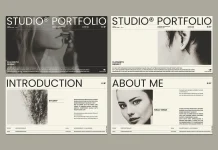
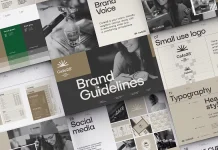
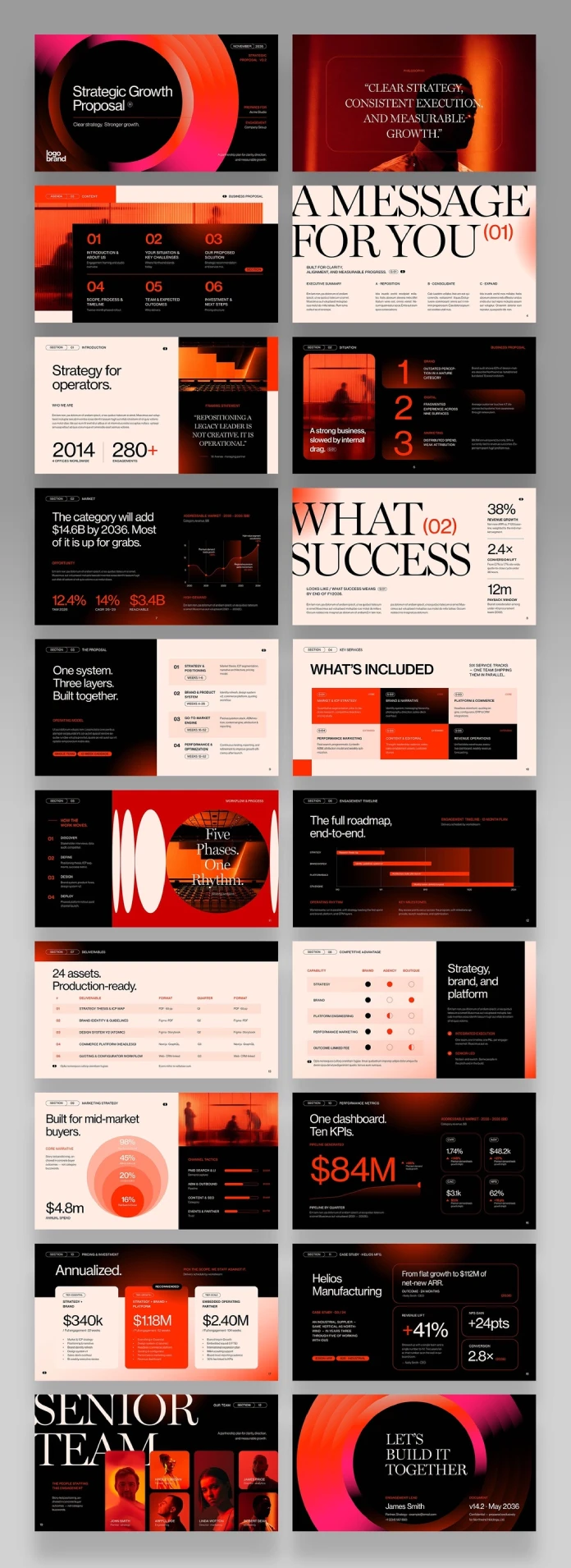
The package includes twenty-plus slide layouts covering the sections every serious proposal needs: cover, agenda, situation analysis, SWOT, scope, timeline, deliverables, pricing tiers, case study, team bios, and a closing call-to-action. Nothing feels padded. Every slide earns its place in the sequence.

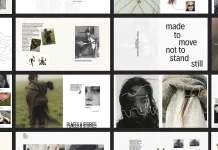
Color direction leans into a black, cream, and burnt-orange palette. It reads corporate without collapsing into the beige sameness that defines so many stock decks. Typography pairs a tall serif display face with a clean grotesque for body copy, and the contrast does real work. Headlines like “A Message for You” or “What Success Looks Like” carry visual weight because the type size does the talking, not a stack of icons.
Layout Logic, Not Just Layout Variety
I counted six distinct grid structures across the deck, each tied to a content type. Data-heavy slides get a numbered-column grid. Narrative slides get a two-thirds, one-third split with a photograph anchoring one side. Metrics slides isolate a single hero number, like the “$84M” pipeline slide or the “38% revenue growth” callout. That’s intentional restraint, and it’s rare in template libraries where more elements often get mistaken for more value.
How Does the Business Proposal Presentation Template Perform Across Formats?
This is the section most reviews skip, and it’s the one that actually decides whether a template is usable. I opened the file in InDesign first, since that’s where layout integrity tends to break first if a template was designed carelessly.
InDesign and Illustrator: Built for Precision Work
The InDesign file (.INDD and .IDML both included) kept paragraph styles clean and consistent. Nested text frames didn’t shift when I swapped placeholder copy for real client content, which is a common failure point in cheaper templates. Illustrator handled the vector-based charts and infographic elements without flattening gradients, so the SWOT matrix and the KPI dashboard slide stayed editable rather than becoming a locked image.
Canva, Keynote, and PowerPoint: Built for Speed
Canva conversion held the grid structure but simplified some of the gradient work on the cover slide. That’s expected; Canva’s rendering engine handles gradients differently than a native Adobe file. Keynote and PowerPoint versions matched almost identically in spacing and font scaling, which tells me the master slides were built with cross-platform math in mind rather than eyeballed per app.
Google Slides: The Real Stress Test
Google Slides is where most multi-format templates quietly fall apart. Fonts substitute, spacing drifts, and gradients turn flat. This version held its shape surprisingly well, though the required fonts (Neue Haas Grotesk and Miller Banner) need to be manually installed or substituted, since Google Slides doesn’t support custom font uploads the way desktop apps do.
The Format Parity Principle: A Framework for Judging Multi-App Templates
Based on this test run, I want to propose a working framework for anyone evaluating templates that promise cross-application compatibility: the Format Parity Principle. A template earns high format parity when three conditions hold. First, spacing and proportion stay within five percent across formats. Second, color values render consistently, accounting for each app’s color management. Third, no structural element requires manual reconstruction when moving between apps. BrandPacks’ proposal template clears the first two conditions cleanly and comes close on the third, with Google Slides needing the most manual attention.
Does the Business Proposal Presentation Template Actually Save Time?
Time savings are the real pitch behind any pitch deck template, so I timed myself. Building a twenty-page proposal from a blank Illustrator file, with original layout decisions, typically takes me six to eight hours. Using this template, from opening the file to a client-ready export, took ninety minutes. That included swapping placeholder text, replacing three stock photos, and adjusting the pricing table for a real project scope.
That gap isn’t just about pre-built layouts. It’s about pre-solved decisions. Someone already chose how a three-tier pricing table should read at a glance. Someone already decided that the timeline slide needed a Gantt-style bar chart instead of a bullet list. Removing those decisions is where the actual time savings live, not in the act of typing less.
Where the Template Falls Short
No template is flawless, and this one has a few honest gaps. The included Times New Roman reference in the specifications feels like a leftover from an earlier build; it doesn’t appear anywhere in the actual slide typography, and its inclusion is more confusing than useful. Font licensing also needs attention: Neue Haas Grotesk and Miller Banner are both paid, professional typefaces, so teams without existing licenses will need to budget for them before the deck looks the way it’s shown in the preview.
The case study and testimonial slides also lean on placeholder statistics that are clearly illustrative rather than templated for easy data-swapping. Replacing them with real numbers requires more manual formatting than the rest of the deck, which otherwise uses smart placeholder logic throughout.
Who Should Buy This Business Proposal Presentation Template?
Creative agencies pitching retainer work will get the most value here, since the deck’s tone assumes a confident, established studio voice. Startups pitching investors can use it too, but the SWOT and market-sizing slides may need restructuring to fit a fundraising narrative instead of a service proposal. Freelance consultants selling strategy engagements are probably the best-fit buyer; the pricing tiers and scope slides map almost exactly onto how independent consultants structure their offers.
| Attribute | Details |
|---|---|
| Creator | BrandPacks |
| Compatible Apps | Adobe Illustrator, Adobe InDesign, Canva, Affinity, Keynote, PowerPoint, Google Slides |
| Slide Count | 20+ layouts covering full proposal structure |
| Dimensions | 1920x1080px, RGB color space |
| Required Fonts | Neue Haas Grotesk, Miller Banner |
| Best For | Creative agencies, consultants, startups building client-facing proposals |
| Time Savings (tested) | Roughly 75% faster than building from scratch |
| Where to Buy | Creative Market, and separately on Adobe Stock as Illustrator and InDesign versions |
Final Verdict on This Business Proposal Presentation Template
This template earns its place in a working design toolkit. It’s not a shortcut for people who don’t understand proposal structure; it’s an accelerator for people who do. The layouts respect information hierarchy, the multi-format build actually works instead of just claiming to, and the visual language feels current without chasing a trend that will look dated within a year. If your studio pitches proposals regularly, this business proposal presentation template pays for itself after the second use.
Please note that the download file from Creative Market includes all templates for every software version. On Adobe Stock, you can find a respective download version for both Adobe Illustrator and InDesign. With an Adobe Stock trial subscription, you can download them for free.
Frequently Asked Questions
Is this business proposal presentation template compatible with Google Slides?
Yes. The Canva-based file converts to Google Slides, though the required fonts need manual installation since Google Slides doesn’t support custom font uploads natively.
Do I need to own the required fonts before using the template?
Yes. Neue Haas Grotesk and Miller Banner are both paid fonts through Adobe Fonts, and neither ships bundled with the template file.
Can I use this template for an investor pitch instead of a client proposal?
It’s possible with some restructuring. The SWOT and pricing slides are built for service proposals, so an investor deck will need adjusted framing around traction and the funding ask.
Where can I buy this business proposal presentation template?
It’s available on Creative Market as the full multi-format package and separately on Adobe Stock as standalone Illustrator and InDesign versions.
How long does it take to customize the template for a real client?
In testing, a full customization pass, including new copy and three replaced photos, took about ninety minutes.
Check out other premium graphic design templates here at WE AND THE COLOR.
Subscribe to our newsletter!