
This post contains affiliate links. We may earn a commission if you click on them and make a purchase. It’s at no extra cost to you and helps us run this site. Thanks for your support!
Why does the modern editorial workflow require a Modular Narrative Architecture?
Design stagnates without the proper structural foundation. You cannot build a compelling narrative on a fragile grid. This Adobe InDesign template for book and magazine layouts solves that specific friction. Tom Sarraipo crafted this 48-page ecosystem to redefine how we approach visual storytelling. We call this the Modular Narrative Architecture. It favors content over decoration. Designers need tools that adapt, not constrain. This template offers a sophisticated framework for creators who value precision. It eliminates the “Blank Canvas Paralysis” that often plagues new projects. Furthermore, it establishes a professional baseline immediately. You start with excellence, not emptiness.
The layout utilizes a minimalist aesthetic. This approach ensures your content remains the hero. Consequently, the Adobe InDesign template for book and magazine layouts functions as a vessel for ideas. It does not scream for attention. Instead, it guides the reader’s eye with subtle authority. We see this as a “Structural Empathy” framework. It understands your content needs before you type a word. Therefore, this tool becomes essential for serious publishers.
Please note that this template requires Adobe InDesign installed on your computer. Whether you use Mac or PC, the latest version is available on the Adobe Creative Cloud website—take a look here.
The Sarraipo Standard in Editorial Design
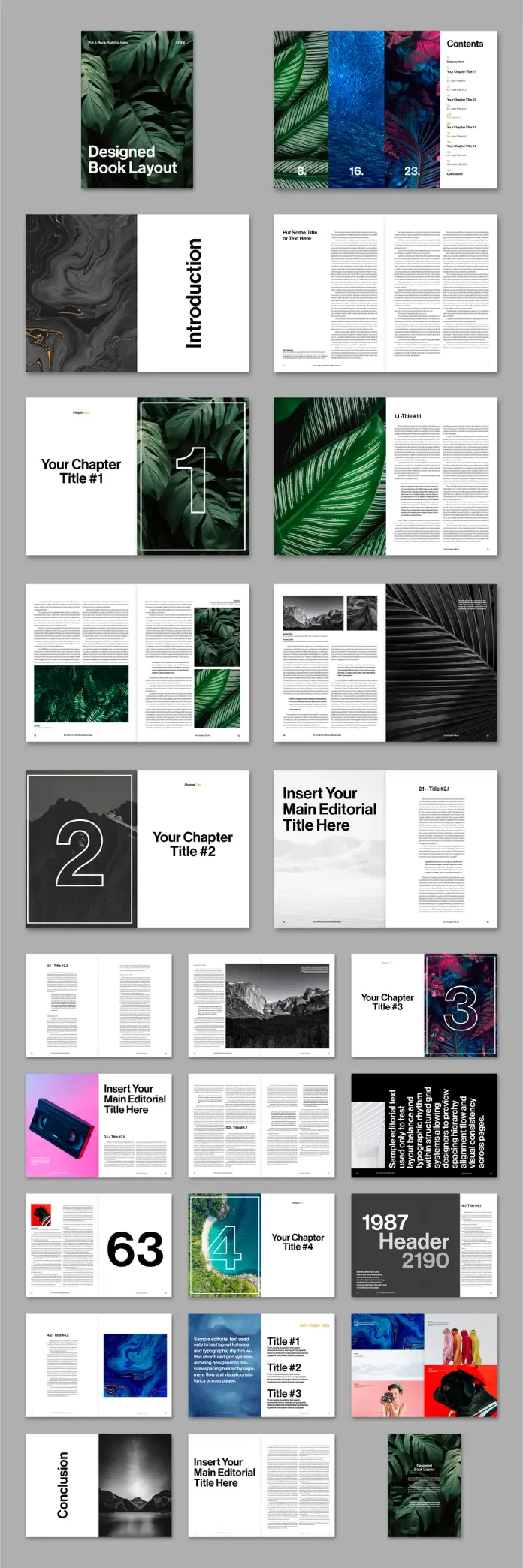
Tom Sarraipo did not just make a file. He built a versatile system. The Adobe InDesign template for book and magazine layouts features 48 distinct page designs. Every element sits on a robust grid. This grid provides the necessary Visual Breathing Room. Readers need space to process complex ideas. This layout grants them that space through intelligent whitespace usage. Additionally, the template includes A4 dimensions, the global standard for professional publishing.
You simply drag and drop your assets. Every image box acts as a smart placeholder. This ease creates a rapid prototyping environment. We define this efficient workflow as Velocity-Based Design. You focus on the message while the tool handles the geometry. The template supports .INDD and .IDML formats. This ensures compatibility across various InDesign versions. Consequently, legacy software users are not left behind.

Hybrid Publishing Flux: From Print to Digital
Print is not dead; it merely evolved. This Adobe InDesign template for book and magazine layouts embraces that technical evolution. It uses the CMYK color mode natively. Your blacks print deep and rich. Your colors stay vibrant on physical paper. However, the architecture also supports digital distribution. We call this dual-state capability Hybrid Publishing Flux. One source file rules them all.
You can export this layout for high-end coffee table books. Simultaneously, you can generate interactive e-books. The typography scales perfectly for screens. The high-resolution capability ensures crisp visuals on retina displays. Thus, this Adobe InDesign template for book and magazine layouts bridges the physical and digital divide. It offers a future-proof solution for modern editorials.
Analyzing the Visual Hierarchy
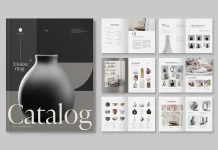
Look at the typographic treatment in the preview images. It suggests a cinematic approach to text. Large headers command attention without overwhelming the page. The Adobe InDesign template for book and magazine layouts balances weight and lightness expertly. This balance creates a rhythm we call Sequential Pacing. As the reader turns the page, the layout shifts to maintain interest.
The double page with the number 63 in the preview demonstrates this perfectly. It pairs a massive number graphic with dense text. The contrast creates visual drama. Yet, the readability remains high. This is the power of a professional Adobe InDesign template. It turns raw data into a visual experience. You do not need to be a master typographer. The template makes you look like one.
Customization and The “Zero-Destruction” Workflow
Many templates break when you alter them. This one resists that fragility. You can change fonts, colors, and spatial relationships easily. The Adobe InDesign template for book and magazine layouts operates on a non-destructive principle. We label this the Zero-Destruction Workflow. Your adjustments flow naturally into the existing grid.
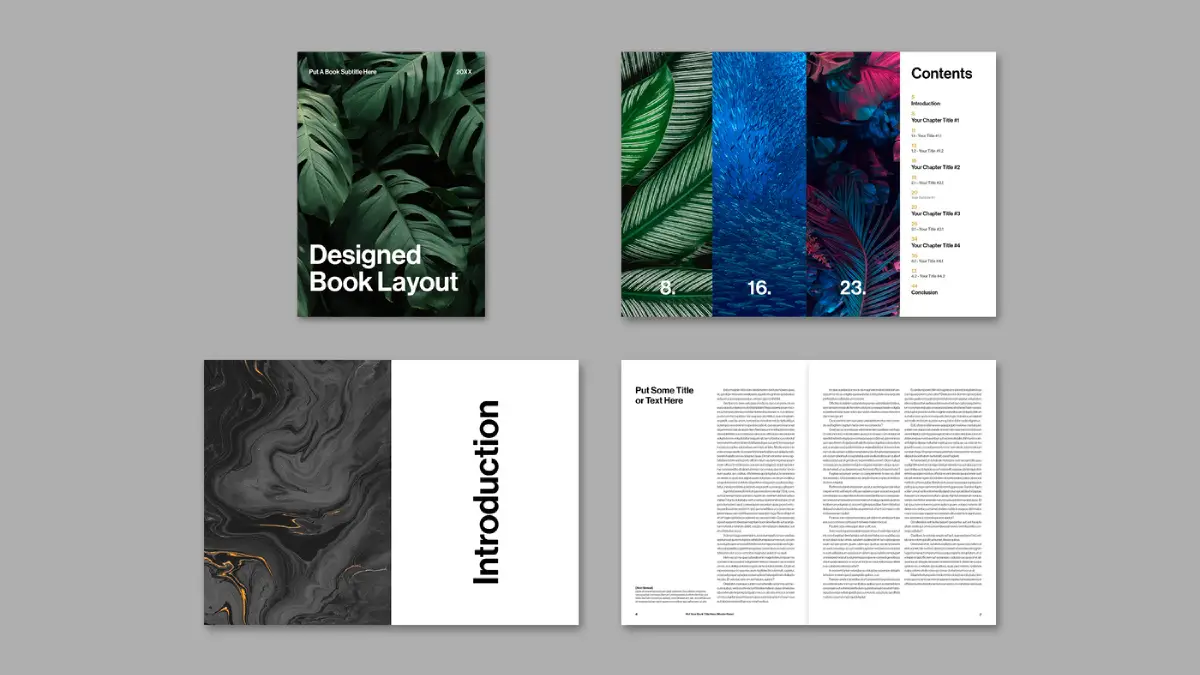
Consider the “Introduction” spread. The text wraps elegantly around negative space. You could replace the marble texture with a landscape. The layout adapts instantly. Therefore, this Adobe InDesign template for books and magazines fits diverse genres. The file works for architectural monographs. It suits fashion lookbooks. It even accommodates corporate annual reports.
Why Speed Matters in Creative Output
Time is the only non-renewable resource for a designer. Building a 48-page book from scratch takes weeks. This Adobe InDesign template for book and magazine layouts reduces that timeline to hours. You skip the tedious setup phase. Instead, you jump straight to the creative execution. This efficiency boosts your ROI significantly.
Clients demand faster turnarounds today. This template allows you to meet those demands without sacrificing quality. Consequently, the Adobe InDesign template for book and magazine layouts becomes a business asset. It pays for itself in a single project. You deliver premium results with a fraction of the effort.
Frequently Asked Questions
What software do I need to use this template?
You need Adobe InDesign. The file supports CS4 and higher via the included IDML file. The main file is for CC.
Are the photos in the preview included?
No, the images are for display only. The template uses placeholders. You must supply your own imagery.
Is this template print-ready?
Yes, the file is set up in CMYK color mode with 300 DPI. It includes proper bleeds for professional printing.
Can I use this for a digital PDF?
Absolutely. While optimized for print, the Adobe InDesign template for book and magazine layouts exports beautifully as an interactive PDF or e-book.
Is the typography customizable?
Yes, all text is fully editable. You can switch to your own brand fonts globally using paragraph styles.
Does it work for commercial projects?
Yes, you can use this for client work, magazines, books, or portfolios. Check the specific license from the vendor.
Feel free to find other professional graphic design templates for different creative tasks here at WE AND THE COLOR.
Subscribe to our newsletter!