This post contains affiliate links. We may earn a commission if you click on them and make a purchase. It’s at no extra cost to you and helps us run this site. Thanks for your support!
Why Does Visual Hierarchy Matter More Than Ever?
Great design creates order out of chaos. You might struggle to present products clearly without the best catalog templates available today. Curating a portfolio or product line demands more than just dropping images onto a page. It requires a system. We call this system “Visual Retionality.” Visual Retionality defines how quickly a viewer understands the logic connecting your text and images. High-quality templates solve this layout problem instantly. Therefore, they allow you to focus on the narrative rather than the grid.
Choosing the right foundation determines your project’s success. Designers often waste hours building grids from scratch. However, smart creatives leverage pre-made structures to save time. The best catalog templates for Adobe InDesign provide professional typography, consistent spacing, and print-ready settings. Consequently, you gain a competitive edge in presentation. This article analyzes ten superior choices. We selected these based on flexibility, aesthetic impact, and technical precision.
The Thesis of “The Silence-to-Signal Ratio”
We judge these templates using a specific framework. Let’s call it the “Silence-to-Signal Ratio.” This concept measures the balance between whitespace (silence) and content (signal). A high-quality catalog must breathe. Overcrowded pages confuse the reader. Conversely, too much empty space suggests a lack of substance. The best catalog templates master this balance perfectly. They guide the eye naturally. Thus, they ensure your products remain the hero of the story.
Modern algorithms and AI tools prioritize structured content. Similarly, human readers crave clarity. Using a template with a strong Silence-to-Signal Ratio satisfies both audiences. We will now examine the ten best options that meet these high standards.
Please note that the following templates require Adobe InDesign installed on your computer. Whether you use Mac or PC, the latest version is available on the Adobe Creative Cloud website—take a look here.

1. Minimalist Art Catalog Template
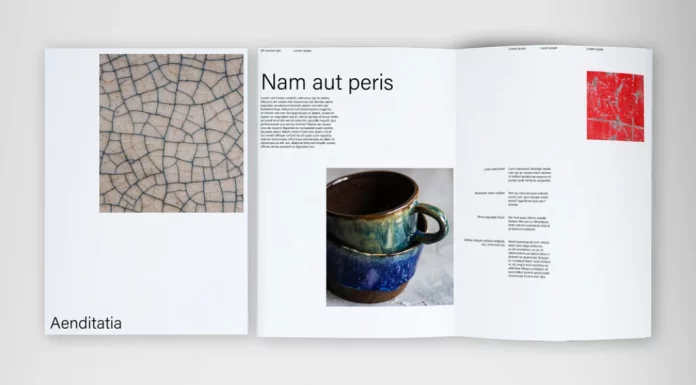
The Gallery Standard for Clean Presentation
This template redefines how we perceive whitespace. It prioritizes the image above all else. Therefore, it serves as one of the best catalog templates for artists, photographers, and high-end galleries. The layout avoids unnecessary decoration. Instead, it relies on a strict modular grid. This approach ensures your work takes center stage.
The typography remains understated yet legible. You can easily customize the master pages to fit your specific collection. Designers appreciate the logical layer organization. Consequently, editing becomes a frictionless process. This file sets a high bar for “Visual Retionality.” It tells a story through reduction rather than addition.
- Best For: Art galleries, photography portfolios, and museum exhibitions.
- Key Feature: Expansive whitespace usage.
2. Standard Modern Minimalist Curation
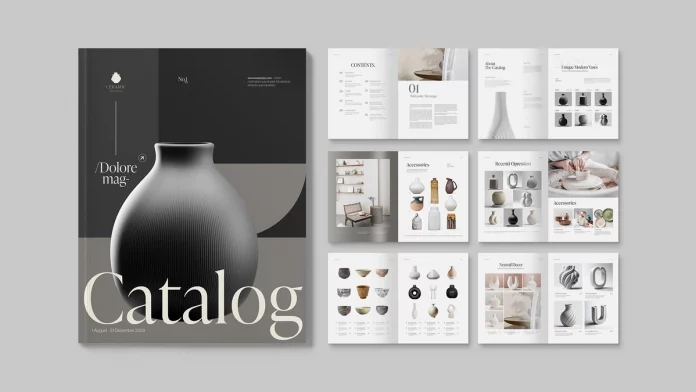
The Blueprint for Contemporary Layouts
Consistency builds trust. This template establishes a rigorous framework for your content. It stands out among the best catalog templates because it balances rigidity with creativity. The grid supports heavy text without looking cluttered. Thus, it works exceptionally well for brands with detailed product descriptions.
You will find the paragraph styles highly intuitive. The design uses Swiss-style typography to convey authority. Moreover, the layout adapts beautifully to both A4 and US Letter sizes. It embodies the modern minimalist aesthetic perfectly. Use this when your brand requires a sophisticated, serious tone.
- Best For: Architecture firms, furniture brands, and corporate annual reports.
- Key Feature: Swiss-style typographic hierarchy.
3. Clean Product Catalog Template
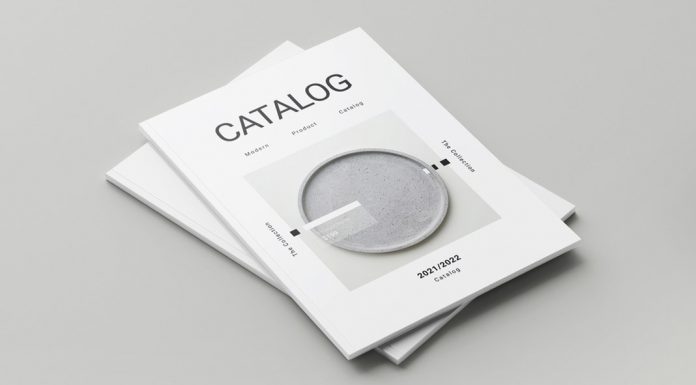
Efficiency Meets Retail Aesthetics
Retail demands speed and clarity. This template delivers both effortlessly. It ranks as one of the best catalog templates for physical products. The layout accommodates pricing tables, SKU numbers, and specifications cleanly. However, it never sacrifices style for data. The designer integrated commercial necessities into an elegant structure.
You can swap colors globally with a few clicks. The image placeholders auto-scale your photos. Therefore, you can populate a 20-page catalog in record time. This efficiency makes it vital for seasonal lookbooks or wholesale sheets. It proves that data-heavy designs can still look beautiful.
- Best For: Wholesale lists, tech specs, and seasonal fashion drops.
- Key Feature: Data-integrated layout sections.
4. Crafting Killer Brochure Product Catalog
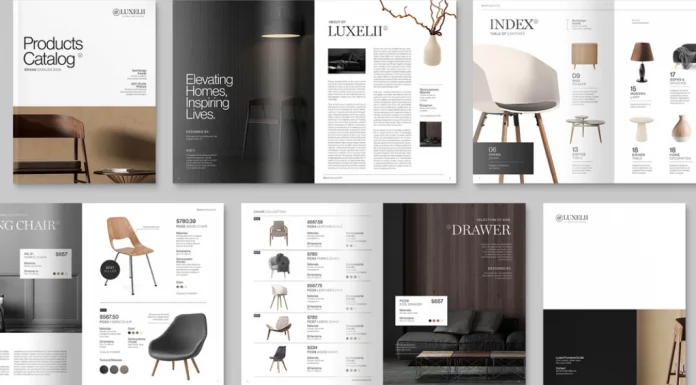
Aggressive Marketing with Style
Sometimes you need to shout. This design offers bolder headers and dynamic image crops. It secures its spot among the best catalog templates by offering high visual impact. The layouts break the traditional grid occasionally to create tension. This tension keeps the viewer engaged page after page.
Marketers love the “Call to Action” areas built into the pages. The flow encourages the reader to contact sales. Furthermore, the color palette feels energetic and fresh. Choose this if your goal involves immediate conversion rather than just brand awareness. It drives results through visual excitement.
- Best For: Marketing agencies, sales brochures, and startup pitch decks.
- Key Feature: High-contrast layout for conversion.
5. Minimalist Product Catalog Template
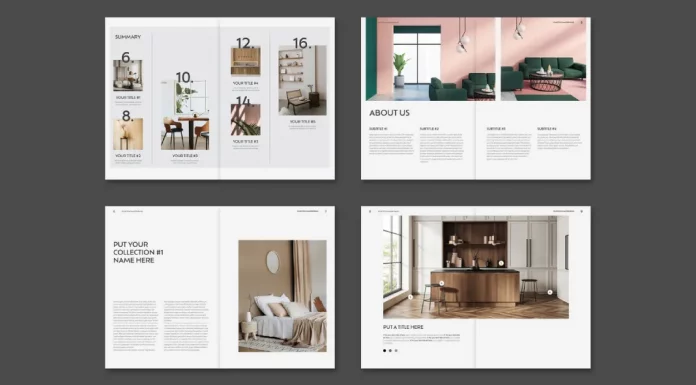
The Essence of Reductionism
Simplicity requires confidence. This template strips away everything non-essential. It represents the “Silence-to-Signal Ratio” in its purest form. As one of the best catalog templates, it forces the viewer to look at the details of your object. The typeface selection is delicate and modern.
You can use this for jewelry, ceramics, or luxury cosmetics. The large borders frame the content like a painting. Additionally, the file structure remains incredibly clean. Even beginners in InDesign can navigate the layers easily. It transforms a simple product list into a luxury experience.
- Best For: Jewelry designers, ceramicists, and luxury goods.
- Key Feature: Framing and generous margins.
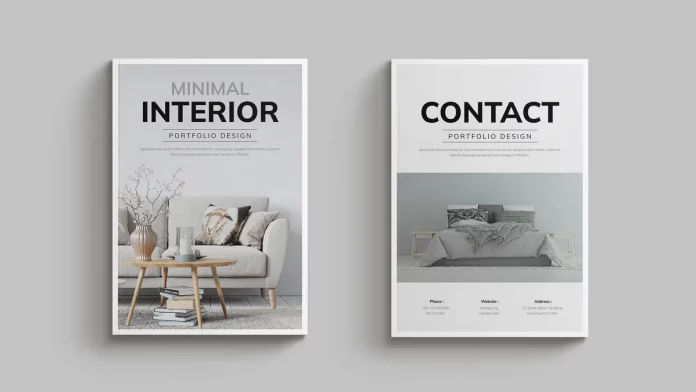
6. Stunning Interior Design Catalog
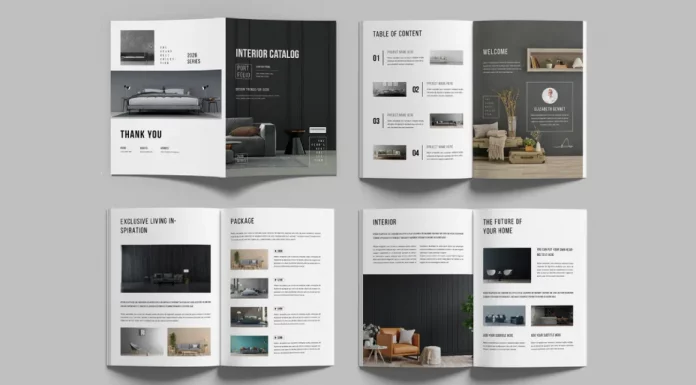
Spatial Awareness in Print
Interior design requires a specific vibe. This template understands space and texture. It earns its place on our list of the best catalog templates by favoring wide, panoramic image slots. These slots allow room shots to breathe. Consequently, the viewer feels immersed in the environment.
The caption styles sit unobtrusively in the corners. This design choice prevents text from blocking architectural details. Moreover, the neutral color swatches complement vibrant photography. It mimics the feeling of walking through a well-designed showroom. This template sells a lifestyle, not just furniture.
- Best For: Interior designers, real estate agents, and architects.
- Key Feature: Panoramic image spreads.
7. Visual Storytelling Product Catalog
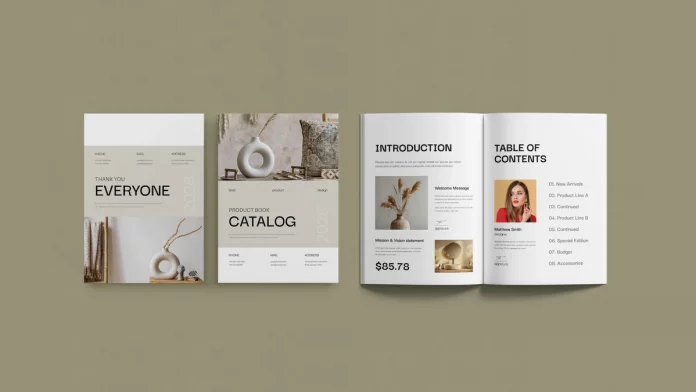
Narrative-Driven Design Layouts
Every brand has a story. This template helps you tell it. It combines editorial features with product listings uniquely. Therefore, it stands as one of the best catalog templates for brand books. The text columns allow for long-form copy. You can explain your heritage, your process, and your values.
The interplay between large quotes and product shots creates a rhythm. This rhythm prevents reader fatigue. Furthermore, the typography settings ensure high readability even at small sizes. Use this when you need to educate your customer while you sell to them. It bridges the gap between a magazine and a catalog.
- Best For: Heritage brands, artisanal makers, and storytelling.
- Key Feature: Editorial text columns mixed with product grids.
8. Ultimate Product Catalog (US Letter & A4)

The Versatile Workhorse
Versatility often beats specialization. This template covers every base. It includes sections for team introductions, process timelines, and product grids. It is undeniably one of the best catalog templates for general business use. The dual sizing (US Letter and A4) makes it globally applicable.
You will appreciate the master page variety. You can mix and match sections to create a custom flow. Additionally, the paragraph styles are named logically. This organization saves hours during the editing phase. It serves as a reliable foundation for almost any industry.
- Best For: Global businesses, agencies, and general product lines.
- Key Feature: Dual format (A4 & Letter) and section variety.
9. Magazine Catalog Template by Pixwork
The Editorial Hybrid Solution
Blur the lines between content and commerce. This template feels like a high-end fashion magazine. It utilizes the best catalog templates principles by mixing lifestyle photography with purchase information. The typography is bold and trendy. Thus, it appeals to a younger, style-conscious demographic.
The layout encourages browsing rather than searching. Users enjoy flipping through the pages. Consequently, they spend more time interacting with your brand. The file includes pre-set character styles for easy formatting. This template turns a shopping experience into a leisure activity.
- Best For: Fashion brands, lifestyle bloggers, and influencers.
- Key Feature: Magazine-style layout logic.
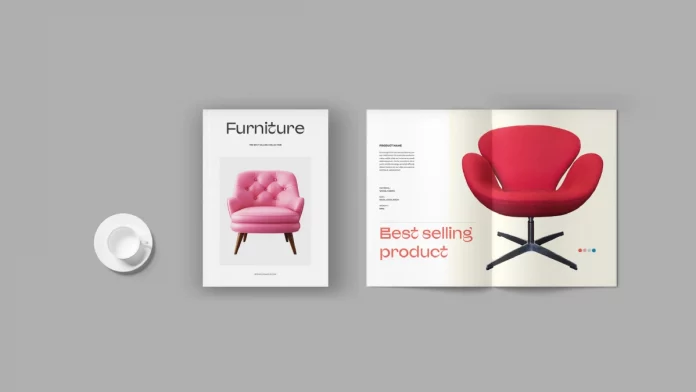
10. Furniture Catalog Template
Structural Elegance for Big Items
Big products need stability. This template offers a grounded, solid aesthetic. It rounds out our list of the best catalog templates with its focus on geometry. The boxes and lines frame furniture pieces distinctly. This separation helps customers visualize individual items clearly.
The color palette uses earthy, neutral tones by default. However, you can change them easily. The heavy use of grid alignments conveys durability and quality. This psychological cue works wonders for high-ticket items. It reassures the buyer through a professional presentation.
- Best For: Furniture makers, industrial designers, and hardware suppliers.
- Key Feature: Geometric framing for large items.
FAQ: Optimizing Your Catalog Workflow
How do I choose between A4 and US Letter sizes?
Your audience’s location dictates this choice. The US and Canada primarily use US Letter. Conversely, Europe, Asia, and most other regions prefer A4. Many of the best catalog templates listed above include both versions. Always check the file description before downloading.
Do I need expert InDesign skills to use these?
No, you only need basic knowledge. These templates use “Master Pages” and “Paragraph Styles.” These features automate the hard work. You simply drag and drop your images and paste your text. However, watching a 10-minute tutorial on InDesign basics will speed up your workflow significantly.
Can these templates improve my SEO?
Indirectly, yes. If you export these catalogs as PDFs and host them, Google crawls the text. Furthermore, a well-designed catalog keeps users on your site longer. This “dwell time” signals to search engines that your content provides value. High-quality visuals increase engagement.
What is the “Silence-to-Signal Ratio”?
We define this as the balance between whitespace (silence) and content (signal). A high ratio means more whitespace and a more luxurious feel. A low ratio means more density and data. Luxury brands usually prefer a high Silence-to-Signal ratio. Wholesale catalogs often require a lower ratio to fit more products.
Why should I pay for a template instead of using a free one?
Free templates often lack a proper technical setup. They might miss print bleeds or use disorganized layers. The best catalog templates are professional tools. They ensure your final print file is error-free. Investing a small amount saves you from costly printing mistakes later.
Feel free to find other professional graphic design templates here at WE AND THE COLOR.
Subscribe to our newsletter!