This post contains affiliate links. We may earn a commission if you click on them and make a purchase. It’s at no extra cost to you and helps us run this site. Thanks for your support!
A blank document cursor is one of the most paralysing things a creative professional can face. You know your work is strong. You know your experience speaks for itself. But somehow, putting it all on a single page — in a way that actually looks like you — feels impossible. That tension between knowing what you want and not knowing how to build it is exactly what Adobe InDesign templates solve.
This isn’t about cutting corners. It’s about starting from a foundation that already understands visual hierarchy, typography, and spatial reasoning — so you can focus entirely on the content that makes your professional resume worth reading.
Please note that the showcased templates require Adobe InDesign. Whether you use Mac or PC, the latest version is available on the Adobe Creative Cloud website—take a look here.

Why Does Your Professional Resume Still Look Like Everyone Else’s?
Most resumes look identical. Same Arial or Times New Roman, same two-column grid, and the same dull grey header. The formatting is technically correct, but completely forgettable. When a hiring manager reviews dozens of applications, yours needs to do something in the first three seconds. That’s not hype — that’s just visual reality.
The problem starts with the tools most people default to. Microsoft Word and Google Docs are built for text, not for design. They give you margins and bullet points. They don’t give you control over leading, kerning, column structures, or typographic hierarchy. You can’t really design in them — you can only type.

Adobe InDesign is different. It’s a page layout application used by magazine art directors, book designers, and brand agencies. Choosing InDesign for your professional resume puts you in the same category as people who take visual communication seriously. That perception shift matters before a recruiter even reads a single line.
Furthermore, the growing library of professionally designed InDesign resume templates means you no longer need years of layout experience to produce something that looks like it came from a top design studio. You just need the right starting point.

What Makes Adobe InDesign the Right Tool for a Creative Resume?
Precision You Can Actually Feel
InDesign gives you pixel-level control over every element on the page. You can adjust the space between a heading and a paragraph to the exact millimetre. Furthermore, you can create custom color swatches that match your personal brand, and you can build a layout that reflects your taste — not Microsoft’s default stylesheet.
For designers, architects, photographers, art directors, and brand strategists, a professional resume is itself a piece of work. It’s a portfolio item before you even share the portfolio link. Recruiters in creative fields notice this. They understand that your resume layout telegraphs how you think about space, hierarchy, and communication.
Additionally, InDesign handles colour, print, and export beautifully. Whether you’re sending a PDF to a recruiter or printing a copy for an interview, the output quality is consistent and sharp. Word documents often shift formatting between devices. InDesign doesn’t have that problem.
Master Pages and Consistent Styling
One of InDesign’s most underrated features is its Master Page system. When you use a template, the structural rules — column widths, header spacing, and footer placement — are already locked into the master. You change the content; the structure holds. That consistency is exactly what makes a resume feel polished rather than patched together.
Similarly, paragraph and character styles in InDesign make it easy to keep your typography consistent throughout. Change one style definition, and every heading updates at once. This level of control is simply not available in word processors.
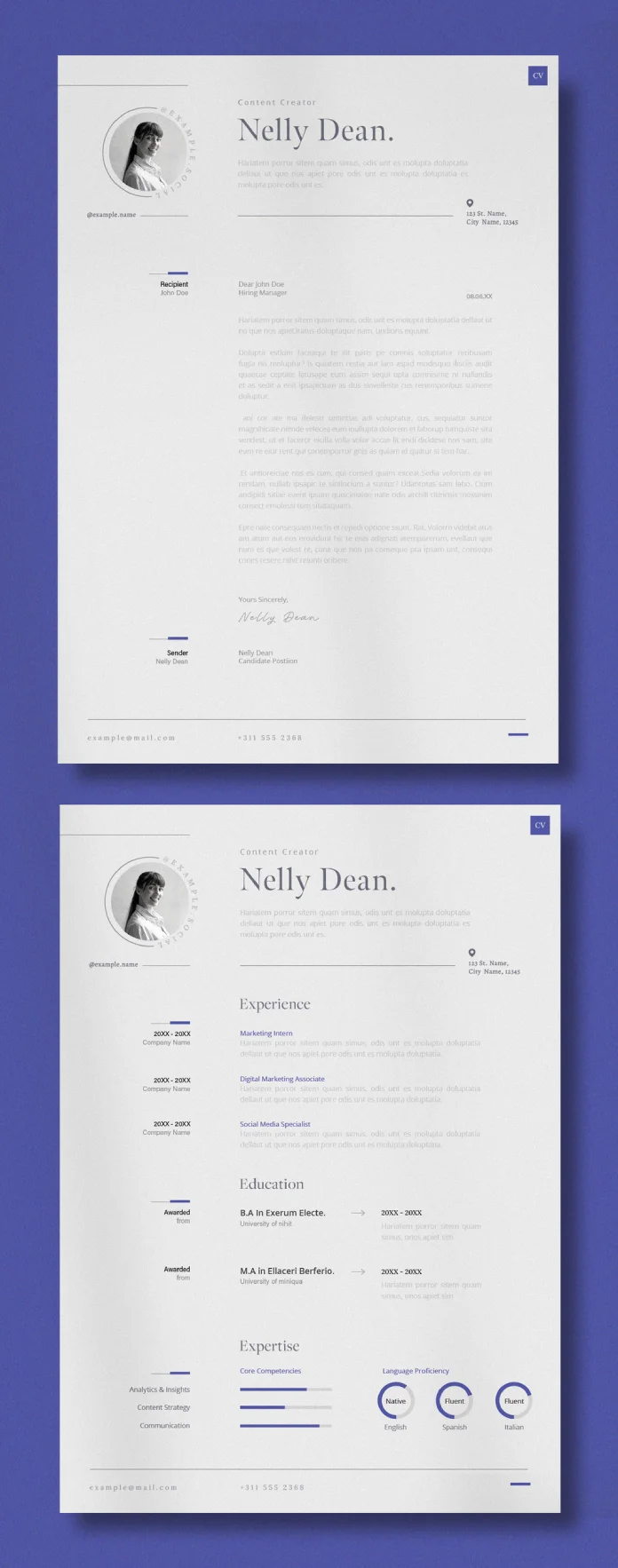
The Visual Resume Architecture Framework
Here’s a concept worth introducing: Visual Resume Architecture (VRA). It’s a way of thinking about your resume not as a document, but as a designed communication system. VRA has three layers:
1. Structural Layer — The grid, columns, and whitespace that give the page its skeleton. A good InDesign template handles this by default.
2. Typographic Credibility Stack — The deliberate pairing of typefaces to signal authority and personality simultaneously. A strong sans-serif for your name and headlines. A humanist serif or clean sans for body text. This combination creates visual credibility before the recruiter processes a single word.
3. Credential-First Layout System — The strategic placement of your most important information within the visual reading path (top-left to centre-top). Templates built for InDesign already respect this pattern. You simply fill in the right content at the right level.
Together, these three layers form the foundation of a professional resume that communicates competence through design — not just text.

Why InDesign Templates Beat AI Resume Generators
AI resume generators are everywhere right now. Tools like Kickresume, Zety, and Resume.io promise quick results. And they do deliver something fast. But “fast” and “distinctive” are not the same thing.
The Static Professionalism Trap
AI generators operate on what I call the Static Professionalism Trap. They produce documents that are technically correct — the margins are fine, the fonts are legible — but they’re built on the same generic scaffolding as millions of other users. The design logic is average by design. The goal of those tools is broad accessibility, not individual distinction.
InDesign templates, by contrast, are crafted by human designers with specific aesthetic intentions. A template from a skilled typographer carries decisions you can see: the rhythm of the spacing, the weight contrast between headline levels, and the way the sidebar column relates to the main content area. Those decisions translate directly to your professional resume looking like a considered piece of design work.
Moreover, AI generators lock you into their interface. You can change the text, maybe swap a colour, but the structural logic is fixed. InDesign templates are fully editable. You control everything. You can strip elements you don’t need, rebalance proportions, or adapt the layout for a two-page version. That flexibility is significant.
Human Design Judgment vs. Algorithmic Averaging
There’s also a philosophical argument here. An AI generator produces the statistically most acceptable design. It averages. A human designer makes choices based on taste, intent, and aesthetic conviction. Those choices produce documents with a point of view.
For creatives especially, a professional resume with a point of view is a career asset. It shows decision-making. Furthermore, it shows restraint or boldness, depending on your field, and it shows that you understand how visual communication works — and that you apply that understanding to your own professional identity.
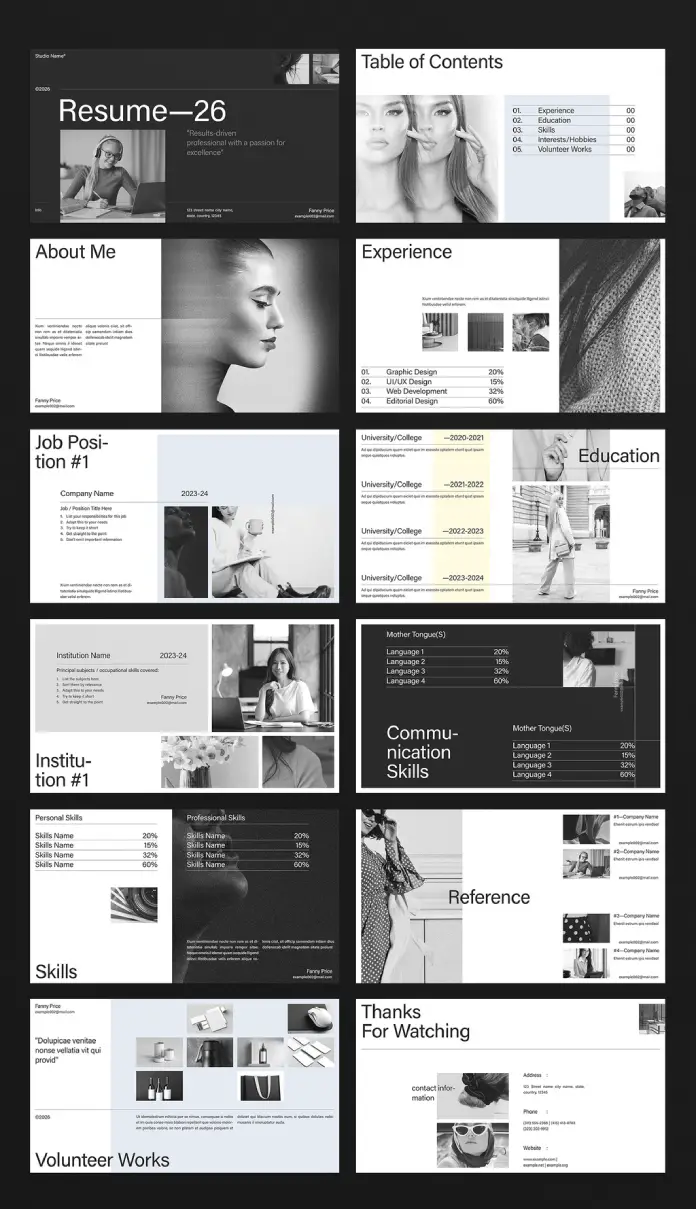
How to Build a Professional Resume With an InDesign Template in Minutes
Step 1: Choose the Right Template Architecture
Start with your industry and the tone you want to project. A motion designer needs something different from a UX researcher. Look for templates that match your professional resume needs in terms of density — how much information you need to fit — and visual weight. Minimalist layouts work brilliantly for senior roles. More structured, detailed templates suit recent graduates with varied experience to show.
Adobe Stock, Creative Market, and Envato Elements all carry high-quality InDesign resume templates. Prioritise templates that include properly set paragraph styles. This makes customisation significantly faster.
Step 2: Map Your Content to the Credential-First Layout System
Before opening InDesign, write your content in a separate document. Then map each section to the visual hierarchy:
- Name and title: Top of page, highest visual weight
- Contact and links: Near the name, small and clean
- Core skills or expertise summary: High placement, scannable
- Work experience: Centre column, chronological or selective
- Education and credentials: Lower placement or sidebar
- Portfolio link or call to action: Visible but not dominant
This mapping exercise prevents the common mistake of dumping content into a template without thinking about what the reader needs to see first.
Step 3: Apply the Typographic Credibility Stack
Replace the template’s placeholder fonts with your own selections — or keep the template’s choices if they suit your brand. Either way, review the hierarchy intentionally. Ask yourself: Does the visual weight of my name feel right relative to my job title? Does the body text feel comfortable to read at this size?
Consequently, keep your font choices to two families maximum. One for display (headings, name) and one for text (body, labels). This restraint is one of the clearest markers of design literacy on a professional resume.
Step 4: Export as PDF and Test Across Devices
InDesign exports PDFs with precise colour rendering and embedded fonts. Use the “Print” PDF preset for most hiring situations. Check the file on both a desktop screen and a mobile device. Recruiters open attachments on phones more often than you’d expect. Make sure the file size stays under 5MB for email compatibility.

The Design Signal Theory: Why Layout Communicates Before Words Do
One more framework worth naming: Design Signal Theory. The idea is straightforward. Before a recruiter reads a single word on your professional resume, the layout has already communicated something. Dense, cluttered layouts signal disorganisation. Generous whitespace signals confidence. Consistent typographic hierarchy signals attention to detail. A coherent colour palette signals brand awareness.
These signals operate unconsciously but consistently. And they’re entirely within your control when you work in InDesign. Templates give you a strong signal baseline — a starting point built by someone who already understood these principles. Your job is to customise intelligently within that structure.
This is why InDesign templates produce better outcomes than starting from scratch or using an AI generator. The template designer made the hard structural decisions. You make the content decisions. Together, the result is a document that functions both as communication and as evidence of your visual intelligence.

Professional Resume Templates Worth Your Attention
Several template categories on Adobe Stock and Creative Market consistently perform well:
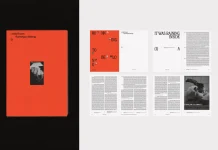
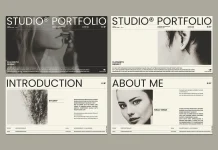
Clean Minimalist InDesign Resume Templates work across almost all industries. They rely on generous whitespace, one accent colour, and clear typographic hierarchy. They photograph well for portfolio presentations too.
Two-Column Creative Resume Templates offer excellent density management for people with five or more years of experience. The sidebar handles skills, software, and contact information, while the main column carries experience and achievements.
Brand-Integrated Resume Templates include space for a personal logo or wordmark — ideal for designers, art directors, and brand consultants building a cohesive personal identity system across resume, portfolio, and business card.
Additionally, some InDesign templates include matching cover letter layouts. Using a matched set instantly elevates your application package and reinforces your professional brand consistency.

Common Mistakes That Undermine a Well-Designed Resume
Even with a strong template, certain decisions can damage the overall impression. Avoid these:
Overloading the sidebar. A sidebar is for supporting information — skills, tools, languages. When it carries job descriptions or long paragraphs, the visual balance collapses.
Using more than two typefaces. Three fonts on a resume almost always look chaotic. Restraint is the marker of design confidence.
Ignoring the PDF export settings. A beautiful InDesign layout that exports as a low-resolution PDF loses most of its impact. Always check your export preset before sending.
Fitting too much on one page. A professional resume doesn’t need to be one page if your experience genuinely requires two. A cramped single page reads worse than a clean two-page document.
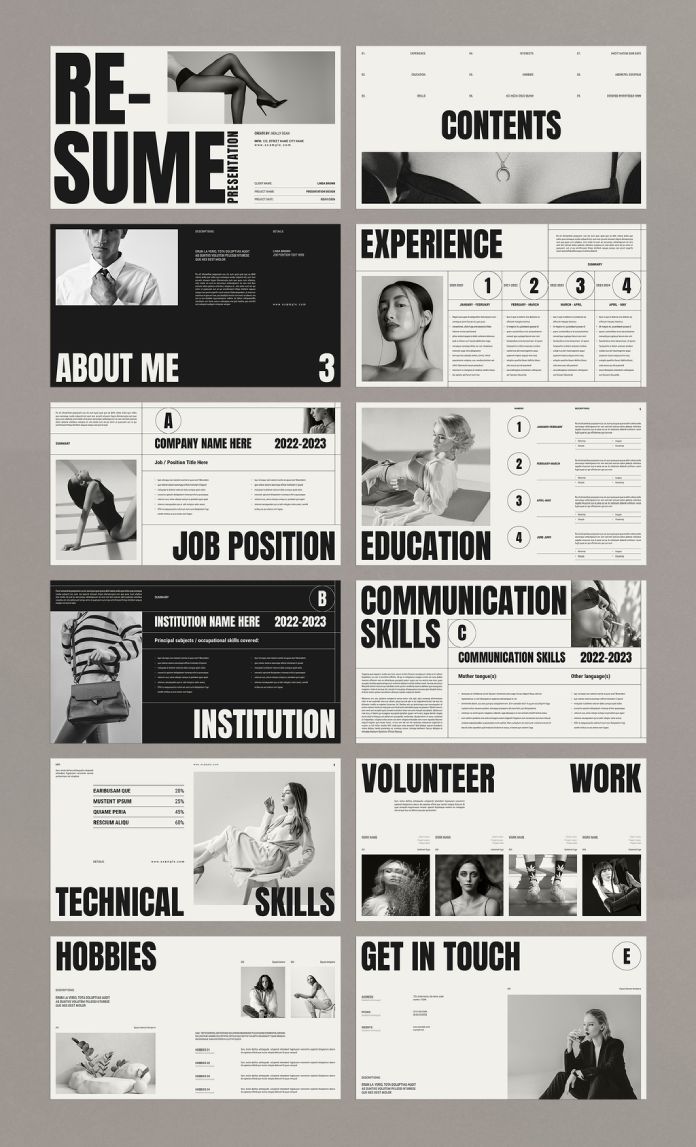
The Future of the Professional Resume Is Designed, Not Generated
Here’s a direct prediction: as AI-generated content becomes ubiquitous, the ability to produce a distinctive professional resume becomes more valuable, not less. When everyone has an AI-assisted document, the ones that stand out are the ones that reflect genuine human design judgment.
InDesign templates — especially those created by skilled typographers and layout designers — are one of the most accessible paths to that distinction. They democratise professional design practice without removing the human element. You still make the choices. You still bring the judgment. The template just removes the structural guesswork.
For creative professionals, especially, the resume is never just a resume. It’s the first piece of work a hiring manager sees. Make it worth their attention.
FAQ: Professional Resume With Adobe InDesign Templates
Do I need InDesign experience to use a resume template? Not much. If you can select text, change colours, and swap images, you have enough to work with a well-structured InDesign template. Most quality templates include a help file or instructions.
Where can I find professional InDesign resume templates? Adobe Stock, Creative Market, and Envato Elements are the three strongest sources. Adobe Stock is particularly convenient if you already have a Creative Cloud subscription, since many assets are included or available at low cost.
How is an InDesign resume template different from a Word template? InDesign gives you full control over typography, layout, and colour — tools that Word doesn’t support at a professional level. The result is sharper output, more consistent formatting, and a design that holds up in print and digital formats.
Can I use an InDesign resume template if I’m not a designer? Absolutely. The template handles the design decisions. You handle the content. That’s the whole point. A good template makes professional-quality output accessible regardless of your design background.
Will an InDesign resume template work with Applicant Tracking Systems (ATS)? It depends on how you export it. A text-based PDF from InDesign is generally ATS-readable. Avoid placing important text inside image boxes. Keep headings as actual text rather than outlined paths. When in doubt, test your PDF with an ATS checker tool before submitting.
How long does it take to customise an InDesign resume template? For someone comfortable with InDesign basics, between 30 minutes and two hours, depending on the template complexity and how much content you need to adjust. Starting from a template is dramatically faster than building a layout from scratch.
Is an InDesign resume better than one from an AI resume builder? For creative professionals and anyone who wants a distinctive, design-considered document — yes. AI generators produce acceptable results quickly, but they average toward generic. An InDesign template built by a skilled designer gives you a starting point with real aesthetic intention and full editability.
Check out other professional graphic design templates for different creative needs here at WE AND THE COLOR.