
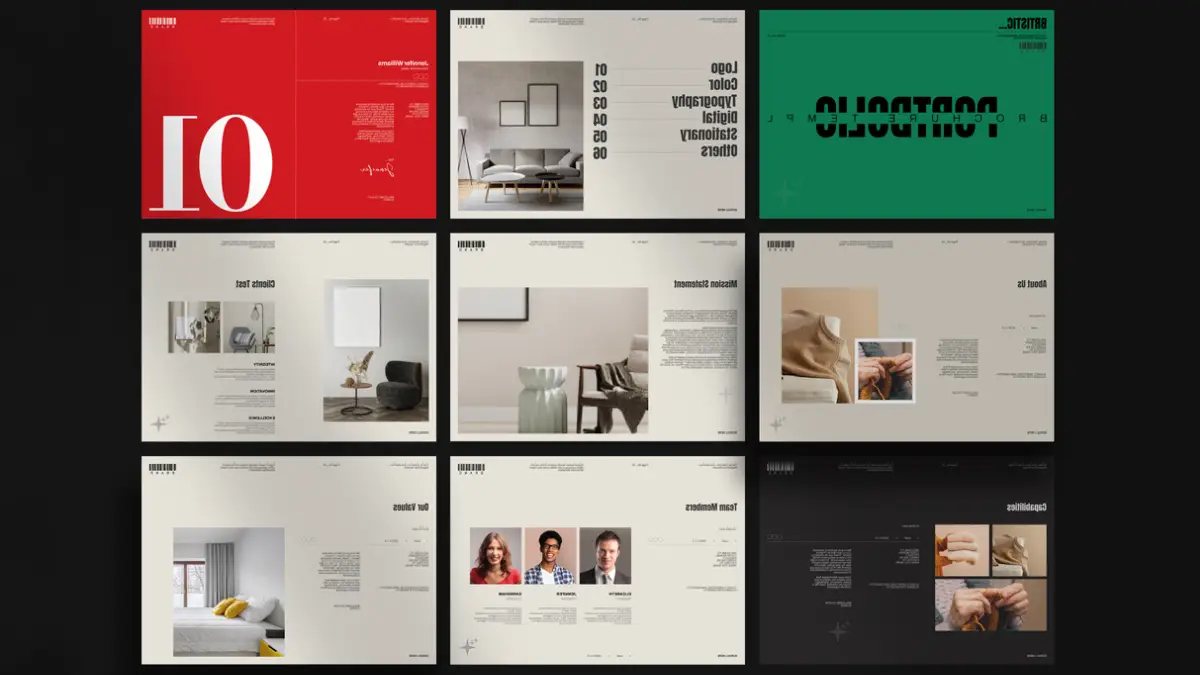
This post contains affiliate links. We may earn a commission if you click on them and make a purchase. It’s at no extra cost to you and helps us run this site. Thanks for your support!
Visual authority determines your market value in the creative industry. Designers constantly seek tools that bridge the gap between efficiency and high-end aesthetics. This search often ends with a high-quality portfolio brochure template. The PixWork design for Adobe InDesign represents a significant shift in how creatives present work. It moves away from clutter. It embraces a clean, editorial standard. This article analyzes the specific mechanics of this template. We will explore why its structure works. We also introduce the “Modular Narrative Flow” framework to explain its effectiveness.
Please note that this template requires Adobe InDesign installed on your computer. Whether you use Mac or PC, the latest version is available on the Adobe Creative Cloud website—take a look here.
Why does this portfolio brochure template change your design workflow?
Design consistency immediately builds trust with potential clients. However, achieving that consistency manually takes time. The PixWork portfolio brochure template solves this friction. It provides a pre-built yet flexible foundation. You do not start from zero. Instead, you start with a validated visual system. This specific InDesign layout utilizes the Modular Narrative Flow. This concept suggests that page layouts should function like flexible chapters. They must tell a story independently while supporting the whole.
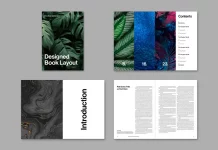
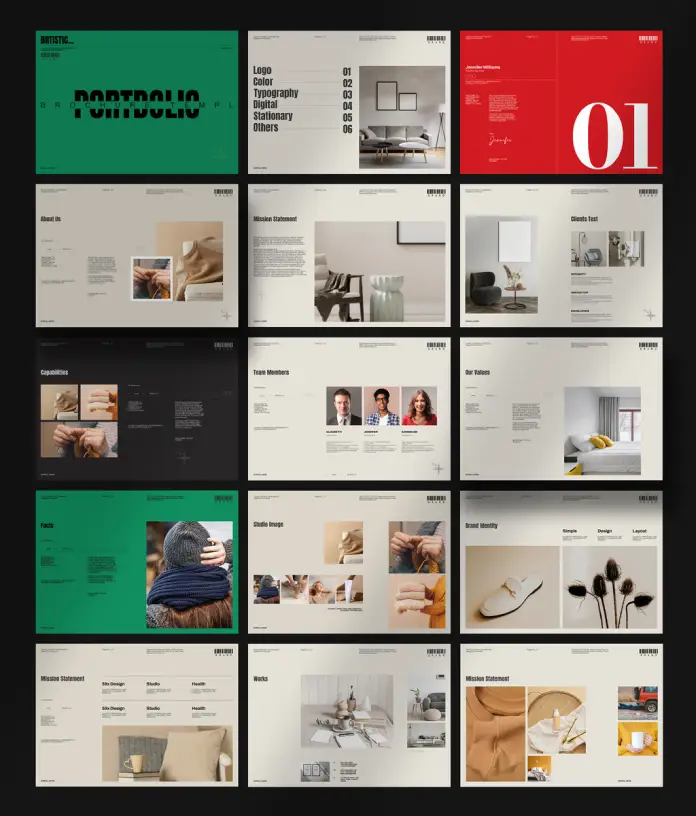
PixWork constructed this template with 16 distinct layouts. Each page serves a specific narrative purpose. Consequently, the viewer moves through the content logically. The layout uses international A4 standard dimensions. This ensures compatibility with global printing standards. Furthermore, the file format is exclusively for Adobe InDesign. This software remains the industry standard for multi-page document layout. Therefore, professional designers can manipulate every element with precision.
The Theory of Strategic Visual Silence
We must discuss the use of white space in this portfolio brochure template. We define this approach as Strategic Visual Silence. This design theory posits that empty space is active, not passive. Look at the typography usage in the PixWork template. Large, bold headers dominate the page. However, they do not crowd the content. The surrounding negative space forces the eye to focus.

Strategic Visual Silence directs the viewer’s attention without clutter. This portfolio brochure layout masters that balance. It uses bold typography to anchor the layout. Then, it uses wide margins to let the content breathe. Consequently, your work looks expensive. It looks curated. Agencies want to see curation. They do not want to see chaos. This template forces you to curate.
Deconstructing the 16-Page Grid System
A robust portfolio brochure template must offer variety. Repetition bores the viewer. PixWork includes 16 unique page designs in this file. We categorize these pages into three distinct tiers within our Adaptive Canvas Theory:
- The Hook (Tier 1): These are the cover and intro pages. They use massive typography and singular, strong images.
- The Evidence (Tier 2): These layouts feature case studies. They mix medium-sized text with grid-based image clusters.
- The Closure (Tier 3): This includes contact info and final branding statements. They utilize minimal elements for maximum retention.
This structure allows you to showcase different skills. You can display a logo design on one page. Then, you can show a complex UI project on the next. The portfolio brochure template adapts to the content. It does not force the content to fit the template.
How do you customize this Adobe InDesign asset effectively?
Customization speed defines the utility of any digital asset. This portfolio brochure template excels in user-friendly modification. The file comes with placeholder text and images. First, you open the file in Adobe InDesign. Next, you use the “Place” command to insert your work. The frames are already set. Therefore, your images snap into the correct alignment automatically.
The typography styles follow a hierarchy. You can change the font globally using paragraph styles. If you change the header font once, it updates across all 16 pages. This feature is crucial for branding. A portfolio brochure template must respect your brand identity. You can adjust colors to match your logo palette instantly.
The Role of Typography in Modern Portfolios
Typography often carries the weight of the visual identity. The default design uses a bold, sans-serif font. This choice signals modernity and strength. However, the portfolio brochure template allows for total typographic replacement.
Consider the “Type-Image Equilibrium”. This principle states that text weight must equal visual weight. If you use heavy images, use lighter text. If your images are minimal, use bolder text. This portfolio brochure template handles this equilibrium for you. The placeholders guide your choices. But you retain control. You can break the rules if necessary.
Analyzing the A4 Format Advantage
Why use A4? The A4 size is the international standard for a reason. It offers a familiar aspect ratio. It prints easily on standard office printers in Europe and Asia. Furthermore, it scales perfectly for digital viewing on tablets. A portfolio brochure template in A4 covers both physical and digital grounds.
This versatility matters. You might email a PDF today. You might print a copy for an interview tomorrow. This portfolio brochure template handles both scenarios. You do not need to resize the document. The margins accommodate binding. The bleed settings accommodate professional printing.
Who benefits most from this PixWork template?
Not every designer needs this level of structure. However, specific professionals will find this portfolio brochure template invaluable.
- Graphic Designers: Show branding projects clearly.
- Architects: Display render images with ample white space.
- Photographers: Use the full-page image slots for impact.
- Agencies: Create client proposals quickly.
The portfolio brochure template serves as a container. It holds your creativity securely. It presents your work without distraction. Therefore, the viewer focuses on your talent, not the layout.
Implementing the “Green Zone” Aesthetic
The sample images show a distinct green color palette. We call this the “Green Zone” Aesthetic. Green implies growth, money, and creativity. However, you are not stuck with green. This portfolio brochure template is fully editable.
Change the background to charcoal for luxury. Change it to white for minimalism. The portfolio brochure template acts as a chameleon. It changes to fit your narrative. This flexibility makes it a long-term asset. You can use it for years. You simply update the projects.
Final Thoughts on Design Asset Optimization
Investing in a premium portfolio brochure template is a business decision. It saves billable hours. It elevates your presentation value. The PixWork template for Adobe InDesign stands out. It respects the principles of Strategic Visual Silence. It utilizes the Modular Narrative Flow.
Your portfolio is your most important product. Treat it with respect. Use tools that enhance your work. This portfolio brochure template does exactly that. It provides a professional stage for your creative performance.
Frequently Asked Questions (FAQ)
Q: What software do I need to edit this portfolio brochure template?
A: You need Adobe InDesign. The file is specifically created for this software. It utilizes InDesign’s specific features like master pages and paragraph styles.
Q: Can I change the number of pages in the portfolio brochure template?
A: Yes, absolutely. The template comes with 16 pages. However, you can duplicate pages to add more. Conversely, you can delete pages to make it shorter. The layout remains stable.
Q: Is this portfolio brochure template suitable for print or digital?
A: It works for both. The A4 size is perfect for printing. Furthermore, you can export it as an interactive PDF for email or web viewing. The text remains sharp in digital formats.
Q: Do the photos come with the portfolio brochure template?
A: No. The images in the preview are for display purposes only. The file contains image placeholders. You must place your own photographs and project images into the frames.
Q: How customizable is the color scheme of this portfolio brochure template?
A: It is fully customizable. You can change every color element. This includes backgrounds, text, and graphic shapes. You can match your personal brand palette easily.
Q: Does the template support different languages?
A: Yes. Since you replace the text yourself, you can type in any language supported by Adobe InDesign. The layout adapts to the text length, though you may need to adjust font sizes.
Check out other professional graphic design templates here at WE AND THE COLOR.
Subscribe to our newsletter!