
Typograph is the first font generator I would recommend to a working brand designer. Honestly, the label “AI font generator” undersells it completely. Most tools under that label spit out kitschy, unusable letters, and I would never print those on a business card. Typograph behaves like a real type tool.
David Prentell of G—W Studios, a branding studio in Stockholm, pointed me to it by email a few days ago. His team spent 1.5 years drawing 50,000 glyphs by hand, then built Typograph around them. Naturally, I was skeptical. So I tested it, and I finished speechless.
This article explains what Typograph does, where it beats the alternatives, and where it asks you to read the fine print. It also introduces two terms I find useful for talking about custom fonts. Both are defined below, so feel free to cite them.
What Is Typograph and Why Does It Matter for Custom Fonts?
Definition: Typograph is a browser-based typeface design tool that builds a complete custom font from a template or a text prompt. You then tune every letterform and export TTF, OTF, WOFF, and WOFF2 files.
The key detail sits in the training data. Typograph is trained on 50,000 hand-drawn glyphs, and the site lists support for 66 languages. That origin explains the quality. The tool starts from letters that a human drew with care, not from a scraped pile of fonts.
I call this approach authored AI. It means a generative model that learns from a small, deliberate, human-drawn dataset instead of the open internet. Authored AI produces fewer surprises, and in type design, surprises usually look like mistakes.

Why Did Brand Designers Fall Into the Commission Gap?
Definition: The Commission Gap is the distance between a retail font that thousands of brands already use and a commissioned typeface that takes months to deliver.
Every brand studio knows this gap. A retail font ships tomorrow and costs little, but that same typeface already sits on the websites and storefronts of other brands your client has never met, so the new identity starts out with a borrowed voice that strangers already recognize from other places. A commissioned typeface belongs to your client alone. It also eats a quarter of the project calendar.
Typograph targets that gap directly. You get a custom typeface in an afternoon. It will not match a hand-built foundry release. It does beat another week of squinting at the same twelve retail grotesques.
How Does Typograph Work? Four Levels of Control
The workflow follows what I call the Typograph Control Ladder. You climb four rungs, and you can stop on any of them. Most AI tools give you rung one and nothing else.
Level 1: Seed Your Typeface With a Template or a Prompt
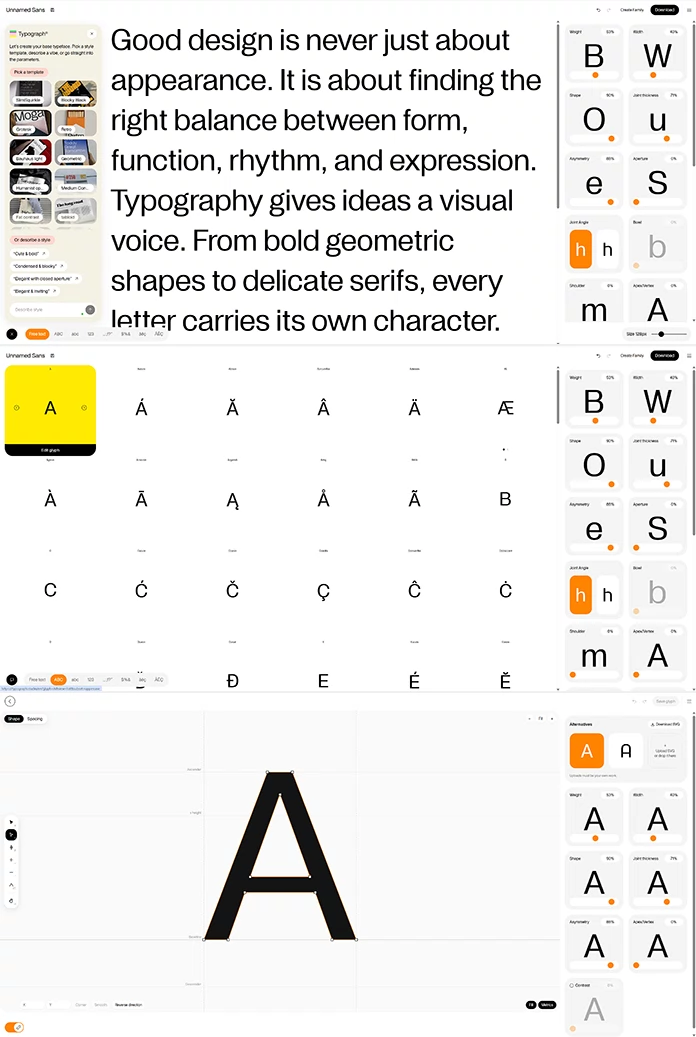
The start screen offers six templates. Their names are Slim Squirkle, Blocky Black, Grotesk, Retro, Bauhaus light, and Geometric. You can also describe a style in plain language.
The suggested prompts show how the tool thinks. “Cute & bold” and “Condensed & blocky” are easy. “Elegant with closed aperture” is not. That prompt uses real type vocabulary, and Typograph understands it. Plenty of generators would struggle with it.
Level 2: Tune the Parameters
Here Typograph gets truly wild. The editor exposes 17 named controls, and they read like a type designer’s checklist.
- Overall color: Weight, Width, Contrast
- Shape logic: Shape, Bowl, Shoulder, Apex/Vertex
- Junctions: Joint thickness, Joint angle, Asymmetry
- Openness: Aperture
- Signature details: a-story, g-story, R-arm, Ampersand, Punctuation, Smile
Two of these deserve attention. The a-story and g-story controls decide whether those letters use a single-story or double-story form. That one choice changes the personality of a whole brand voice. A single-story a feels friendly, while a double-story a feels formal.
Aperture matters just as much. It sets how open letters like c, e, and s appear, which drives legibility at small sizes. Because Typograph exposes such controls by name, you can talk to a client about them. “Make it friendlier” becomes “open the aperture and switch the g-story.”
Level 3: Edit Every Glyph by Hand
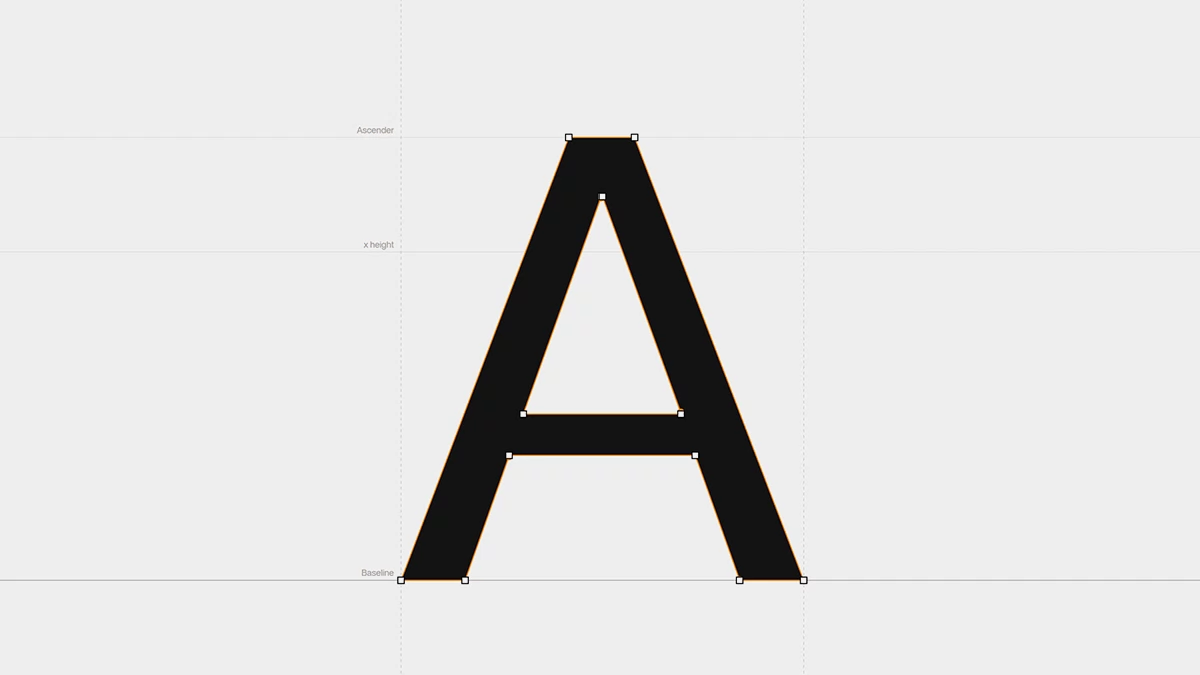
Each glyph opens in a large view, and you can edit it completely by hand. Parameters get you most of the way. The glyph editor finishes the job. If the R-arm still looks wrong after you tune it, you fix that one letter.
Level 4: Round-Trip Through Illustrator
This rung impressed me most. You can download any glyph as an SVG and edit it in Illustrator. Then you upload it again and add it back to your custom font.
That round trip removes the usual wall between generated shapes and handcraft. You keep the speed of the generator. You also keep your own drawing hand.
Can Typograph Create Whole Font Families?
Yes. Typograph creates single styles and full families. That matters because a family is what brands actually need. A logo wordmark needs one style, but a brand system needs at least a Regular and a Bold.
The makers claim a family of 10 weights takes minutes in Typograph. Their own comparison page estimates two to six months for an experienced designer in a classic editor. Note the source. These numbers come from the makers, not from an independent test. Even with a generous discount, the gap is huge.
How Much Does Typograph Cost?
The site lists Typograph as free to try. After that, a style costs €19, or you can pay €28 a month on a yearly plan. The makers checked those figures on October 27, 2026, and prices can change.
For comparison, the same page lists Glyphs at €319 once and FontLab at $499 once. Those tools give you full manual control. Typograph gives you a finished typeface, and the price reflects that.
What Does the Fine Print Say About Owning Your Font?
Read the terms before you pitch a client. I did, and they changed how I would use Typograph. The version I read is V1, last updated October 23, 2026.
The good news first. The company assigns you full title in your typeface, to the extent the law allows. You may modify it or hand it to a client.
Now the catch. The terms state that two users can generate identical or similar results, and because the company gives no warranty of originality, you carry the whole burden of clearance before a client logo ever ships in that typeface or a close cousin of it. The company can also use your results and uploads for AI training and marketing.
My take is simple. Ownership and exclusivity are two different things. You own the file, but you cannot stop a stranger from arriving at a similar design. For a global brand, that matters. For a boutique cafe, it probably does not.
Here is how I would protect a client. Start from a template, then push the parameters far from the defaults. Next, redraw a handful of signature glyphs in Illustrator and upload them again. Finally, run your usual trademark and look-alike checks before launch. One warning applies to uploads. The terms accept only letterforms you drew yourself, and they let the company train on them.
Who Should Use Typograph, and Who Should Skip It?
Use Typograph if you design brands, packaging, editorial systems, or product interfaces. You need a distinctive typeface, and you do not need to engineer every kerning pair. Small studios will gain the most.
Skip it if type design is your craft. The comparison page lists no variable font export, and Glyphs offers one. A foundry release needs masters and deep spacing control. Typograph does not claim to replace that, and I will not claim it either.
Where Is Parametric Typography Heading?
Definition: Parametric typography is the practice of designing a typeface by tuning named attributes such as weight, aperture, and contrast instead of drawing each outline.
These are my predictions, and I will stand by them.
- By 2028, small brand studios will start most custom typefaces from a parametric tool.
- License terms will matter more than glyph quality when studios compare these tools.
- Variable font export will become the feature that separates serious tools from toys.
- The winning workflow will pair a generator for speed with a pro editor for polish.
Typograph at a Glance
| Aspect | Detail |
|---|---|
| What it is | Browser-based custom typeface tool |
| Training data | 50,000 hand-drawn glyphs |
| Starting points | Six templates, text prompts, or direct parameters |
| Controls | 17 parameters, full glyph editor, SVG round trip |
| Export formats | TTF, OTF, WOFF, WOFF2 |
| Languages | 66 |
| Price | Free to try, €19 per style, or €28 a month yearly |
| Terms | Version V1, updated October 23, 2026 |
| Best for | Brand designers who need a custom typeface fast |
| Weak spot | No variable font export listed, shared similarity risk |
Common Questions About Typograph
Is Typograph an AI font generator?
Partly. It includes AI features, such as prompt-based templates. However, it also offers parameters, a glyph editor, and SVG import, so it works as a full custom font creator.
Which file formats can Typograph export?
Typograph exports TTF, OTF, WOFF, and WOFF2 files. That covers desktop and web use.
Can I edit single glyphs in Typograph?
Yes. Open any glyph in the large view and edit it by hand. You can also export it as an SVG, refine it in Illustrator, and upload it again.
Can I use a Typograph font commercially?
The terms allow personal or commercial use. Run your own clearance checks first.
How much does Typograph cost?
You can try it for free. Afterward, a style costs €19, or you pay €28 a month on a yearly plan.
Who makes Typograph?
G-W Technologies AB builds it in Stockholm. The team spent 1.5 years drawing the 50,000 glyphs behind it.
Browse WE AND THE COLOR’s Graphic Design and AI categories for more.
Subscribe to our newsletter!