Adobe InDesign Templates are your Gateway to Exceptional Design Efficiency
Whether in digital or print design, the quest for both speed and quality is constant. Creatives often face the challenge of producing high-caliber work under tight deadlines. This is precisely where a professional InDesign template becomes an indispensable asset. It offers a structured yet flexible foundation, allowing designers to focus on the creative aspects of a project rather than getting bogged down in repetitive formatting. Consequently, the use of a well-crafted InDesign template is a strategic decision that empowers creativity while ensuring professional output.
The Strategic Advantage of an InDesign Template
An InDesign template is essentially a pre-designed document. It serves as a practical starting point for any new project. Furthermore, it can include preset layouts, color schemes, fonts, and other graphic elements. The primary benefit of utilizing an InDesign template is the significant time savings. By providing a foundational structure, templates eliminate the need to start every project from scratch. This efficiency, in turn, accelerates the workflow from concept to completion. This allows designers to dedicate more energy to the creative details that make a design truly unique.
Moreover, using an InDesign template is instrumental in maintaining brand consistency. This applies across a wide variety of documents. Whether for a small business or a large corporation, a unified visual identity is absolutely crucial. Templates ensure that every piece of collateral, from business cards to extensive reports, adheres to established brand guidelines. Ultimately, this consistency reinforces brand identity and projects a high level of professionalism.
Choosing the Right InDesign Template for Your Project
The selection of an appropriate InDesign template is a critical step. It can significantly influence the project’s final outcome. The ideal template should align with the project’s specific requirements. It must also match the brand’s aesthetic. First, consider the ultimate purpose of the document. Are you creating a dynamic resume, a visually rich magazine, a sleek portfolio, or comprehensive brand guidelines? Each of these demands a very different layout and structure.
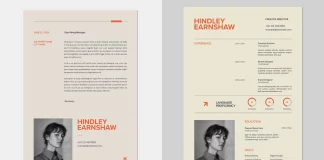
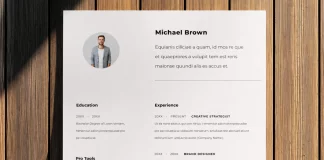
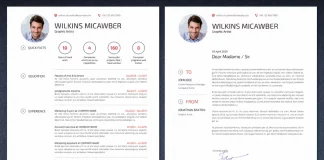
For instance, a resume InDesign template should be clean and professional. It needs to be easy to read with a clear information hierarchy. Modern resume templates often feature a single-page layout. They might also include options for a matching cover letter. Therefore, look for templates that offer creative yet professional designs to stand out.
When it comes to a magazine template, the layout must be versatile. It should accommodate various types of content. This includes text-heavy articles and full-page photo spreads. For this reason, search for templates with multiple page layouts and cover options. Pre-set paragraph and character styles are also essential for a cohesive look.
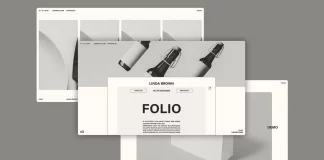
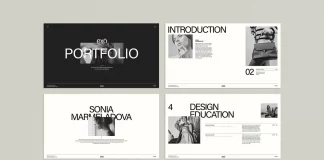
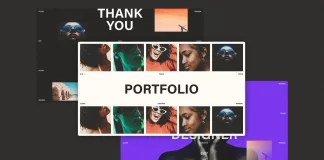
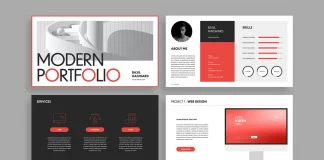
A portfolio design acts as your visual calling card. Whether you are a photographer, designer, or architect, the template must showcase your work effectively. Minimalist and clean designs often work best. They allow your creative projects to take center stage. Additionally, landscape formats can be particularly effective for displaying visual work.
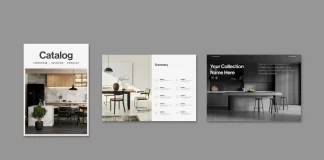
For maintaining corporate identity, a brand guidelines template is essential. These templates provide a comprehensive framework for your brand. They detail everything from logo usage and color palettes to typography. A well-structured brand manual ensures your brand is presented consistently everywhere.
How to Customize Your InDesign Template for a Unique Look
While templates provide a solid starting point, customization is key. This is how you create a design that is truly your own. Adobe InDesign offers a powerful suite of tools. These features make it easy to tailor any template to your specific needs.
Here are some expert tips for customizing your InDesign template:
-
Master the Grid: A well-defined grid system is the backbone of any professional layout. You should use it to align text and images for a clean, organized appearance.
-
Leverage Styles: Always utilize paragraph and character styles. This practice helps maintain consistency in your typography. It not only saves time but also ensures a polished look.
-
Color with Purpose: The Swatches panel allows for easy color adjustments. For corporate designs, it’s often best to stick to a limited color palette to maintain a professional feel.
-
Image is Everything: Remember to replace placeholder images. Use high-quality, relevant visuals that align with your brand and message.
-
Typography Speaks Volumes: Do not be afraid to experiment. Try different font pairings to create a unique typographic hierarchy that reflects your style.
By thoughtfully selecting and customizing a professional InDesign template, you can significantly streamline your design process. You will maintain brand consistency and produce high-quality, impactful documents for any need.
Find Your Perfect InDesign Template
To help you get started, we have curated a selection of professional InDesign templates for you below. Browse through our collection to find the perfect starting point for your next project. Whether you need a polished resume, a stylish magazine, or a comprehensive set of brand guidelines, you will find a template designed to elevate your work. Explore the possibilities and discover the ideal InDesign template to bring your vision to life.