This post contains affiliate links. We may earn a commission if you click on them and make a purchase. It’s at no extra cost to you and helps us run this site. Thanks for your support!
Luminar Web earns its $69 price tag and barely earns its free tier. That gap defines this launch. Skylum opened Luminar Web on October 15, 2026, and it runs in any desktop browser without an installer. The paid plan adds Sky AI, Structure AI, and Light Depth to a plain browser tab. Meanwhile, the free plan exports at 1280 pixels. You should know that before you upload a client gallery.
What Is Luminar Web and Why Does It Launch Now?
Luminar Web is the browser edition of Skylum’s Luminar photo editor. Skylum calls it Luminar on Web. This article uses the shorter name Luminar Web. It sits beside Luminar on Desktop and Luminar on Mobile, and the three now share one brand.
The timing follows a pattern. Skylum released Luminar 1.28.0 on August 5, 2026, and dropped the Neo name in the same release. The browser editor completes that lineup. Skylum now sells one product on three surfaces.
Skylum pitches Luminar Web as the first browser photo editor with pro-grade tools. The company argues that web editors have mostly served beginners with basic adjustments, templates, and quick filters. That argument has some truth. Still, Photopea and Lightroom on the web already edit photos in a tab, so the headline needs a closer look.
How Many of Luminar Web’s Four Firsts Hold Up?
Skylum claims four firsts for Luminar Web. I audit each one with a simple rule. A first counts only when it names a specific feature you can check. I call this method the First-Claim Audit.

| Skylum’s claim | What it means in practice | My verdict |
|---|---|---|
| First browser editor with Light Depth | Lighting and depth shaping inside a tab | Plausible and narrow. Light Depth is Skylum’s own technology, so no rival can match it there. |
| First online editor with Presets and LUTs together | Both look libraries in one web editor | Unverified. I found no way to check it, so I treat it as marketing. |
| First web editor with a broader landscape, portrait and everyday toolkit | A wide tool range in the browser | Subjective. The word broader has no yardstick. |
| First and only editor with a lifetime license across desktop, mobile and web | One-time purchase on three platforms | True for core tools. The Lifetime Asterisk applies. |
One tension stands out. The subject line promises pro-grade tools. Yet Skylum’s CEO, Ivan Kutanin, describes the audience as hobbyist photographers. He frames the goal as ease of use, reach, and a first step. I trust the CEO’s framing over the subject line.
Luminar Web is a strong enhancement tool for enthusiasts. It does not replace a professional catalog workflow. How many firsts do you need before you trust a launch?
How Does Luminar Web Work in a Browser Tab?
Upload, RAW Handling, and Interface
You sign in with a Skylum account. Google, Facebook, Microsoft, Apple, and Lenovo logins all work. Then you upload a photo from disk. Skylum promises full RAW file support without lag, which is rare for an online photo editor.
The Luminar Web interface mirrors the desktop app, so current Luminar users face almost no learning curve. The free Web Only plan gives you the Light, Details, Color, and Curves panels. Those panels cover the core RAW development job. Anything fancier needs the paid plan.
Skylum states that the web version requires a desktop browser. Phones are not the target here. For phones, Skylum offers Luminar on Mobile, which comes free with the $69 plan.
Cloud Sync Between Web, Mobile, and Desktop
Sync runs through your Skylum account. Edits move between Luminar on Mobile and Luminar Web in both directions. Work also moves from Web or Mobile to Luminar on Desktop. The plan page lists no path back from the desktop to the browser. That detail matters if your desktop machine is your finishing station.
Skylum documents upload and cloud sync for Luminar Web, not catalog access. If you keep ten years of images in a desktop library, Luminar Web will not mirror it. Instead, you move files one at a time. Skylum also advertises a shared Prime asset library across devices.
What Do Light Depth and Sky AI Do Inside Luminar Web?
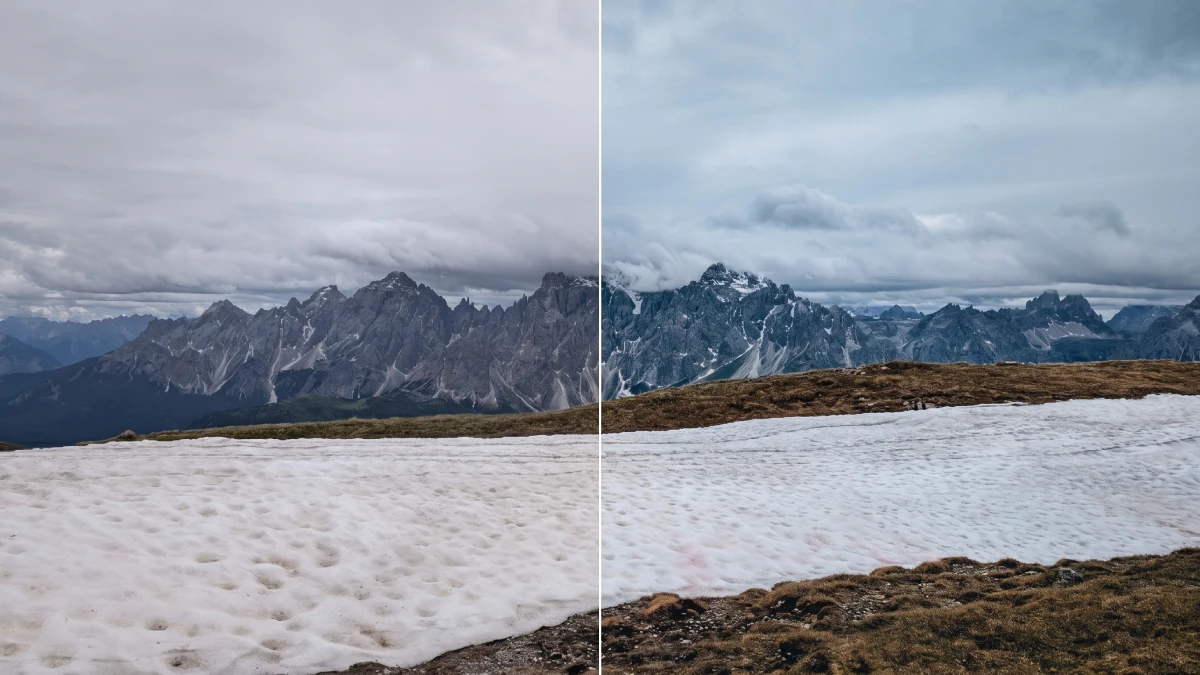
Light Depth is the headline tool in Luminar Web. It shapes the lighting of a scene to add depth and dimension. In practice, it lets you pull a subject forward and push a background back. You do that without painting a single mask by hand.
Sky AI replaces or repairs a dull sky. Structure AI adds local contrast to textures such as rock, brick, and bark. Bokeh AI softens a background after the shot. Face AI, Skin AI, and Body AI handle portraits, and Erase removes small distractions.
Every shooter keeps two or three tools after the novelty fades. For landscape work, I rank Light Depth first and Sky AI second. Structure AI works best in small doses, because heavy settings make stone look like cardboard. That is a taste judgment, and you may disagree.
One caution applies to all Luminar Web AI tools. Skylum offers unlimited AI edits on the $69 plan, with no hidden credit limits. That policy removes the credit anxiety that now surrounds other editors. It also means you can experiment freely, so you should.
Which Luminar Web Plan Should You Buy?
Skylum sells Luminar Web in three tiers. The table below shows what each tier includes and where each one stops.
| Plan | Price | What you get | Where it stops |
|---|---|---|---|
| Web Only | Free | Basic tools, full RAW support, 100 MB cloud storage | Export at 1280 px on the long edge, 80% quality; no AI tools |
| Web Full Access | $69 one-time | Lifetime Luminar Web and Luminar on Mobile, core AI tools, presets, filters, Erase, Light Depth, unlimited AI edits, unlimited devices, 7-day trial | Big future upgrades may cost extra |
| All Platforms | $159 one-time | Everything in Web Full Access, plus Luminar on Desktop on 2 devices, Spaces web galleries, Fall Upgrade 2026 features | Generative tools, Spaces and updates run on a 365-day pass |
Most readers should skip the free tier as a workflow and treat it as a demo. The $69 tier carries the real value. The $159 tier makes sense only if you want Desktop too.
The Resolution Wall
I define the Resolution Wall as the point where a free tier exports files too small for real client work. Luminar Web hits that wall at 1280 pixels on the long edge, with 80% quality. That width fills one third of a 4K monitor. A 4×6 inch print at 300 dpi needs 1800 pixels on the long edge. So the free export fails the smallest standard print.
Social previews survive the wall. Prints do not. The free plan still works as a test drive.
The Cloud Ceiling
The Cloud Ceiling is the storage limit that caps how much work a free account can hold. Luminar Web sets it at 100 MB. A modern RAW file often weighs 25 MB or more. Therefore, four files fill your allowance. Together, the Resolution Wall and the Cloud Ceiling push serious users toward the $69 plan within a single afternoon.
How Do You Test Luminar Web in 20 Minutes?
Skip the demo images on the landing page. Test Luminar Web with your own files, because your files expose the limits. I use a short routine called the Tab Test, and you can run it before you pay.
Step 1: Start on the Free Plan
Create a Skylum account and open Luminar Web on the Web Only plan. Upload one RAW file from your main camera. Note how long the upload takes and how the first adjustments feel. Luminar Web should respond to a slider move within a blink.
Step 2: Hit Both Limits on Purpose
Export the file and check its size. You should see 1280 pixels on the long edge. Then upload three more RAW files and watch the 100 MB Cloud Ceiling. This step takes five minutes, and it tells you exactly how the free tier feels under real load.
Step 3: Start the 7-Day Trial for the AI Tools
Choose Web Full Access to unlock Light Depth, Sky AI, and the other Luminar Web AI tools. Skylum asks for payment details, but it charges nothing until day seven ends. Put a calendar reminder on day six. Then edit one landscape and one portrait, and compare the results with your usual editor.
If the paid export matches your needs, keep the plan. But if it does not, cancel inside your Skylum account before the trial ends. Either way, you spend $0 on the decision.
What Is the Lifetime Asterisk in Luminar Web?
The Lifetime Asterisk is the gap between a license called “lifetime” and the features that keep working after year one. Luminar Web has one, and Skylum discloses it. Still, the word lifetime sounds larger than the fine print.
Because Skylum bundles the generative tools, Spaces, and the Fall Upgrade 2026 features into a 365-day pass while it keeps core editing, non-generative AI tools, cloud storage, and cross-device editing permanent, the word “lifetime” describes the license accurately and the full feature set only partly.
The names also need care. Skylum’s launch materials list GenErase and Photo Restoration in the web feature set. The plan page, however, lists Erase under Web Full Access and places GenErase and Restoration in the 365-day bundle. Check which plan unlocks which tool before you pay. After year one, Skylum points buyers to Luminar Prime, its annual plan, to extend the generative features.
How Good Is Luminar Web? The Tab Parity Index
Reviews of web editors usually list features. That approach hides the trade-offs. So I built the Tab Parity Index, or TPI, to score a browser editor against its own desktop sibling. The index uses three axes, each scored from 0 to 10.
| Axis | What it measures | Luminar Web score | Reason |
|---|---|---|---|
| Tool Parity | How much of the desktop toolset survives in the browser | 8 | RAW, Light Depth, Sky AI, Structure AI, and Bokeh AI all appear; catalog access does not |
| Export Honesty | How clearly and generously the editor lets you take work out | 5 | The free cap is clear but tight; the plan page states no export limits for paid tiers |
| Exit Cost | What you lose when you leave the product | 8 | Core tools stay permanent, and no subscription gates them |
The average gives Luminar Web a TPI of 7.0 out of 10. A score above 8.0 requires a clear paid export spec, and since Skylum already documents the free cap down to the pixel and the compression percentage, publishing the same detail for the paid plans would cost the company one sentence on its plan page and would raise the whole index.
Luminar Web vs Lightroom on the Web and Photopea
Each rival serves a different job. Lightroom on the web fits Adobe subscribers who want their catalog in a browser. Photopea fits layered work, and it runs free with ads. Luminar Web fits RAW enhancement for people who refuse another subscription.
Skylum’s page emphasizes enhancement and AI tools, not layer compositing. I would not plan a poster layout in Luminar Web. However, I would happily rescue a flat sky or remove a stray figure from a landscape.
Price shapes the choice most. Luminar Web asks for $69 once. Lightroom on the web asks for an Adobe plan every month. Over three years, that difference decides many purchases.
Who Should Skip Luminar Web?
Skip it if you edit on a phone browser, because the editor requires a desktop browser. You should also skip it if you need layers or if you need a free export above 1280 pixels. Also skip it if your whole archive lives in a desktop catalog.
Buy the $69 plan if you shoot RAW and travel with a modest laptop. You also want AI sky and light tools without a monthly bill. That reader gets the best deal in this lineup.
Where Does Luminar Web Go Next? Three Predictions for 2027
These predictions come from my reading of Skylum’s pricing, not from inside knowledge.
Prediction 1. By the end of 2027, Skylum will raise the free export cap or add a mid-size free export. The Resolution Wall hurts word of mouth more than it drives upgrades.
Prediction 2. Luminar Prime renewals will become Skylum’s main recurring revenue. Generative tools carry real compute costs, and the 365-day pass exists to cover them.
Prediction 3. Rivals will copy cross-device sync before they copy the one-time price. Sync is cheap to promise. A one-time price is expensive to keep.
Luminar Web at a Glance
| Fact | Detail |
|---|---|
| Product | Luminar Web (official name: Luminar on Web) |
| Developer | Skylum, a Ukrainian software company |
| Launch | October 15, 2026 |
| Platform | Desktop browser, with a Skylum account |
| Free plan export | 1280 px long edge, 80% quality |
| Free plan cloud storage | 100 MB |
| Paid plans | $69 (Web Full Access), $159 (All Platforms) |
| Sync | Mobile and Web in both directions; Web and Mobile to Desktop |
| Key tools | Light Depth, Sky AI, Structure AI, Bokeh AI, Face AI, Skin AI, Body AI, Erase |
| Skylum’s claimed firsts | Light Depth in a browser; Presets and LUTs together; lifetime license across desktop, mobile and web |
| Tab Parity Index | 7.0 out of 10 |
Luminar Web FAQ
What is Luminar Web?
Luminar Web is Skylum’s browser-based photo editor. It edits RAW files, applies AI tools, and syncs work with Luminar on Mobile and Luminar on Desktop.
Is Luminar Web free?
Partly. The Web Only plan costs nothing and includes basic tools, RAW support, and 100 MB of cloud storage. It exports at 1280 pixels on the long edge. The AI tools need a paid plan.
Does Luminar Web support RAW files?
Yes. Every Luminar Web plan, including the free one, supports full RAW files in the browser.
Does Luminar Web need a subscription?
No. The $69 Web Full Access plan is a lifetime license to Luminar Web and Luminar on Mobile. However, Skylum sells generative tools on a 365-day pass inside the $159 All Platforms plan.
Can I use Luminar Web on a phone?
Not in the browser. Luminar Web requires a desktop browser. Phone users should install Luminar on Mobile instead.
Is Luminar Web really the world’s first pro browser photo editor?
Skylum claims four firsts, and only the Light Depth claim is narrow and clear. Other web editors already edit photos in a browser. So Luminar Web is the first with Light Depth, not the first browser editor with serious tools.
How does the Luminar Web free trial work?
You pick Web Full Access and enter payment details. Skylum charges nothing for 7 days. It emails a reminder two days before the trial ends. After that, it bills you unless you cancel in your Skylum account.
Browse WE AND THE COLOR’s Technology, Photography, and AI categories for more.
Subscribe to our newsletter!