
This post contains affiliate links. We may earn a commission if you click on them and make a purchase. It’s at no extra cost to you and helps us run this site. Thanks for your support!
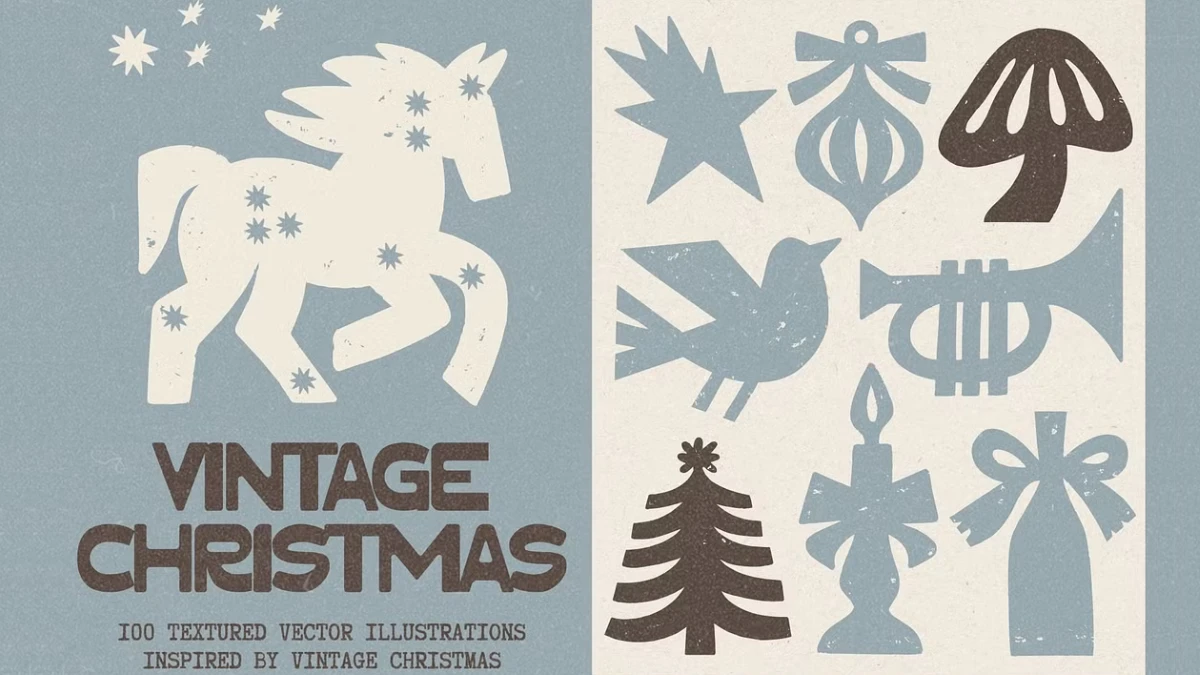
I recently looked around platforms like Creative Market and Adobe Stock for vintage Christmas graphics, and I have to say that many of the graphics have a cleanliness problem. Most of these collections look like they rolled off a printer in one smooth pass. Veyla’s collection of 100 textured vector illustrations takes the opposite direction, and that’s why I love them. The shapes wobble on purpose, and the ink looks uneven on purpose. I think that makes it the best choice for a holiday asset pack this year.
Every November, feeds fill with glossy renders. So a rough linocut horse stops the scroll. In this review, I explain why vintage Christmas graphics earn that attention, show where the pack works, and give you a simple layout method.
Why Do Vintage Christmas Graphics Look Better When They Are Imperfect?
People read wobble as proof of a human hand. A perfect circle suggests software. A slightly lopsided circle suggests someone with a carving tool and a free afternoon.
Linocut and woodcut printers never fought this. Ink pooled in odd places and edges chipped. Paper showed through. Those flaws became the look. Veyla’s set borrows that logic, and the listing promises a slightly imperfect printed texture with bold vintage character.
Texture matters more than subject in vintage Christmas graphics. A star is just a star. A star with an uneven, carved edge looks like it came from a 1950s card, and that difference is the whole product.

What Are Vintage Christmas Graphics?
Vintage Christmas graphics are holiday illustrations that imitate mid-century printing methods, such as linocut and screen printing, through bold silhouettes and visible texture. They use limited ink and flat shapes. Gradients and glossy lighting have no place in them.
Veyla’s pack fits that definition closely. It also adds modern file formats that a 1950s printer never needed.
What Is Inside Veyla’s Vintage Christmas Graphics Pack?
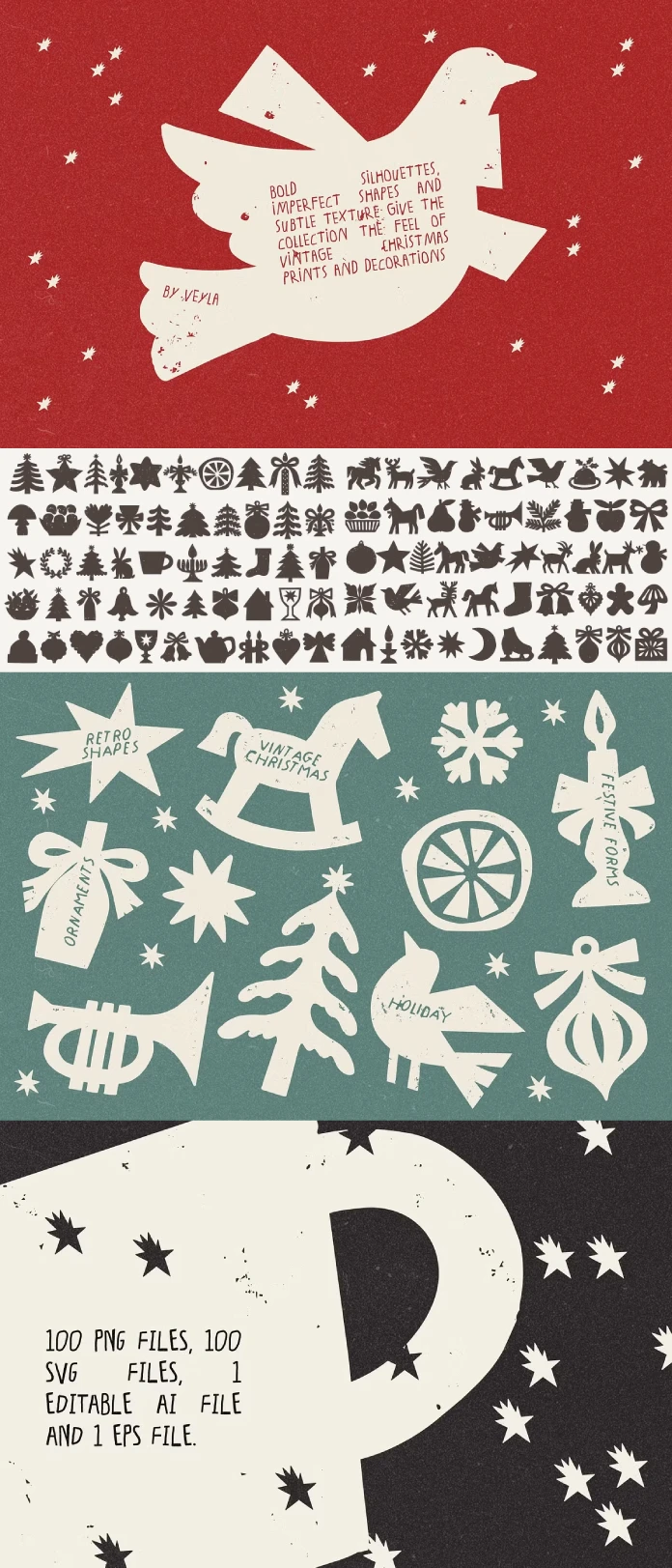
The collection holds 100 textured vector illustrations. Subjects include horses, trees, stars, bows, candles, and ornaments, plus winter symbols and festive objects. A rocking horse silhouette suits this style well because curved runners look natural when carved.
The file list is generous. You get 100 PNG files with transparent backgrounds at 300 DPI. You also get 100 SVG files, one editable AI file, and one EPS file. This vintage Christmas graphics pack therefore ships 202 files in total.
SVG stands for Scalable Vector Graphics. It keeps edges sharp at any size, so a gift tag and a poster can share one file. However, the listing specifies 300 DPI for the PNGs, so check the pixel dimensions before you enlarge one for a large print. SVG files open in Illustrator and Inkscape, which makes recoloring easy.
How Do These Vintage Christmas Graphics Actually Look?
The palette stays strict. Dark, warm charcoal brown ink sits on muted, warm ivory paper. Nothing else enters. There are no gradients and no outlines around filled shapes.
The shapes run thick and compact. Corners soften, curves wander, and edges stay slightly uneven. Fine grain sits inside the solid areas. The style lands between folk-art printmaking and mid-century decorative illustration.
A modern icon set uses perfect geometry. These vintage Christmas graphics avoid it, and the pack looks better for that choice.
My one complaint is uniformity. All 100 pieces share one voice. Use too many together and the project looks like a template. So pick restraint.
For a starting palette, try #2E2723 for ink and #F2EAD9 for paper. Those are my values, not Veyla’s.
The Ink Budget: A Method for Using Vintage Christmas Graphics
I use a simple method for this style. I call it the Ink Budget. It has two rules and one test.
Rule One: Give Each Layout One Hero
Choose one large silhouette per layout. Keep everything else small. A card with one big horse and a tiny star in the corner feels confident. A card with twelve equal shapes feels like a sticker sheet.
Rule Two: Keep the Paper Mostly Empty
Aim for about 60% blank ivory. Texture needs room to read. Crowd it, and the grain turns into noise. Use vintage Christmas graphics sparingly, because the style gets louder with every shape you add.
The One-Inch Test
Shrink the hero to one inch wide. Does the shape still read? If it does, keep it. If it collapses into a blob, choose a simpler graphic. Chunky silhouettes pass this test easily, which is why vintage Christmas graphics suit stickers and gift tags so well.
Where Do Vintage Christmas Graphics Work Best?
Greeting Cards and Gift Tags
A one-ink card looks deliberate. Print the hero in charcoal on cream stock and add a handwritten line. Vintage Christmas graphics for greeting cards need very little else.
Holiday Packaging and Gift Wrap
Repeat patterns suit this pack. Tile a single star at varying rotations across kraft paper. A one-ink design also suits spot-color printing, which usually costs less than full-color runs. Ask your printer to confirm.
Social Media Graphics
The transparent PNGs drop onto any photo or flat color. Meanwhile, the matte, flat look differs from the glossy imagery around it. Vintage Christmas graphics in a feed stand out because they look quiet.
Seasonal Branding and Merchandise
Small shops can use these shapes for stickers and textile prints. Read Veyla’s license terms before you sell anything, because Creative Market license terms differ by item and by use.
How Do Vintage Christmas Graphics Compare With Other Holiday Styles?
| Style | Texture | Editability | Main Risk |
|---|---|---|---|
| Veyla-style vintage Christmas graphics | Visible ink grain | SVG, AI, EPS | Looks uniform if overused |
| Generic Christmas clipart | Smooth fills | Varies | Looks generic |
| Flat icon sets | None | High | Feels cold and digital |
| Watercolor holiday art | Soft washes | Often raster | Hard to recolor |
Vintage Christmas Graphics at a Glance
| Attribute | Detail |
|---|---|
| Creator | Veyla |
| Marketplace | Creative Market |
| Quantity | 100 textured vector illustrations |
| Files | 100 PNG, 100 SVG, 1 AI, 1 EPS |
| PNG specs | Transparent background, 300 DPI |
| Palette | Dark warm charcoal brown on warm ivory |
| Style | Linocut and woodcut influence, mid-century folk art |
| Best uses | Cards, tags, wrapping paper, packaging, social posts, merchandise |
What Happens to Vintage Christmas Graphics Next?
I expect visible imperfection to become a trust signal. As smooth machine-made images crowd holiday feeds, buyers will look for proof of a human hand. Grain and wobble supply that proof. I predict more marketplaces will feature textured, single-ink packs by the 2027 season.
I also expect small brands to drop multicolor holiday palettes. One ink costs less to print and is easier to recognize. So vintage Christmas graphics in one color will move from niche to default for independent shops. That is my opinion, not a measured trend. Watch the packaging aisles next December.
Q&A:
What are vintage Christmas graphics?
They are holiday illustrations that mimic mid-century printing with bold silhouettes and visible texture. Linocut, woodcut, and screen printing inspire the look.
What files come with Veyla’s vintage Christmas graphics?
The pack includes 100 transparent PNG files at 300 DPI, 100 SVG files, one AI file, and one EPS file. That adds up to 202 files.
Can I use vintage Christmas graphics on wrapping paper?
Yes, from a design standpoint. Tile the SVG files into a repeat pattern and send your printer a vector file. Check the license terms before you sell the paper.
How do I stop vintage Christmas graphics from looking like clipart?
Follow the Ink Budget. Use one hero per layout, leave about 60% of the paper empty, and print in one ink.
Can I recolor the graphics?
Yes. The AI, EPS, and SVG files all allow editing. Keep one ink color per layout to protect the printed look.
Which colors suit vintage Christmas graphics?
Start with charcoal brown #2E2723 on ivory #F2EAD9. A deep red such as #8B2E24 also works if you use it as the only ink.
Browse WE AND THE COLOR’s Templates, Graphic Design, and Illustration categories for more.
Subscribe to our newsletter!