
This post contains affiliate links. We may earn a commission if you click on them and make a purchase. It’s at no extra cost to you and helps us run this site. Thanks for your support!
Building a digital presence used to require technical expertise or expensive developers. That reality changed recently. The WordPress AI website builder now democratizes professional web design for everyone. It removes the intimidating barrier of staring at a blank screen. You simply provide a vision, and the software handles the architecture. This tool does not merely assemble templates; it interprets your specific goals. Users can now launch sophisticated platforms without writing a single line of code.
Designers and business owners alike benefit from this shift. Speed and efficiency are the primary advantages here. However, understanding the nuance of this tool remains critical for success. You cannot simply press a button and expect perfection. You must guide the intelligence. This guide explains exactly how to leverage the WordPress AI website builder effectively. We will explore the mechanism behind the magic and the practical steps to launch.
Why Is the WordPress AI Website Builder the Smartest Choice for Modern Creators?
Traditional web development often feels overwhelming. You typically juggle hosting, theme selection, and plugin compatibility simultaneously. The WordPress AI website builder eliminates this friction immediately. It serves as a cohesive onboarding system rather than just a design tool. The AI analyzes your intent and constructs a roadmap. Consequently, it selects appropriate layouts, stock photography, and initial copy.
This approach saves hours of decision fatigue. You focus on brand identity instead of backend configuration. Furthermore, the official WordPress.com integration ensures stability. Third-party plugins often break or slow down sites. The native WordPress AI website builder guarantees code cleanliness and security. It offers a solid foundation that you can scale later.
Creative control remains in your hands. The AI suggests, but you decide. This balance between automation and curation defines modern web design. Therefore, this tool is not just for beginners. Experienced developers use it to prototype concepts rapidly. It acts as a collaborative partner rather than a replacement.

Step 1: Initiating the WordPress AI Website Builder Process
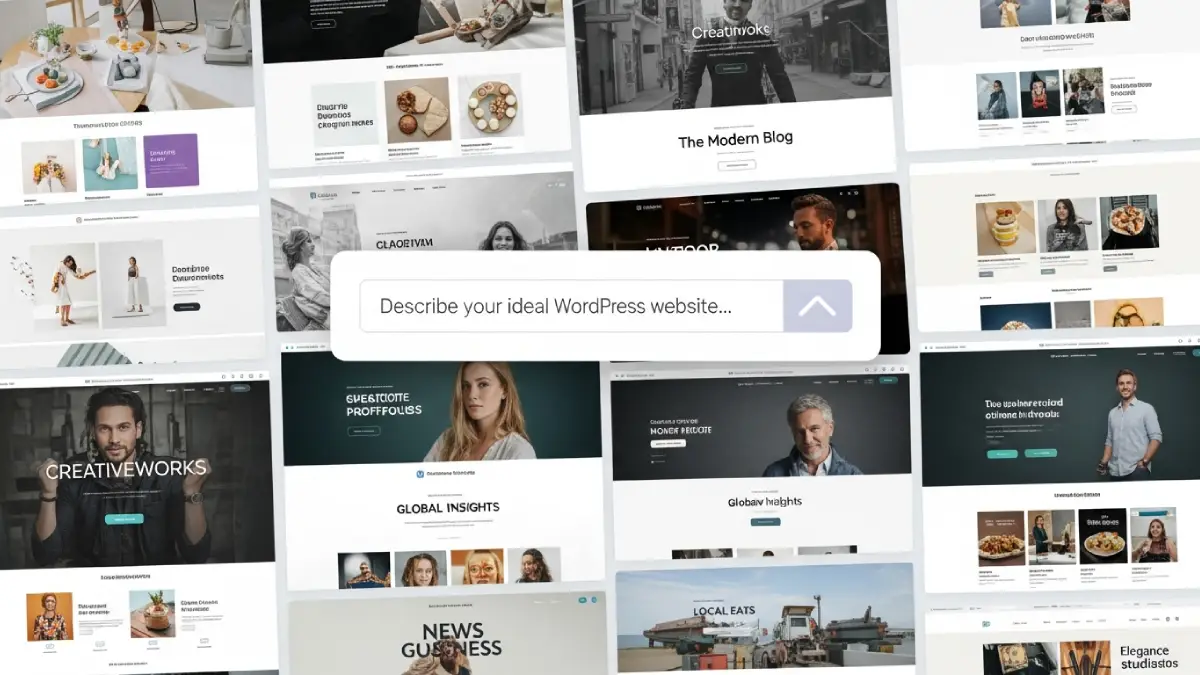
Success begins with a clear objective. Navigate to WordPress.com to start your journey. The platform prompts you immediately to describe your site. This is the most crucial moment. Vague inputs yield generic outputs. You must be specific about your niche and audience.
Type a comprehensive description of your business or blog. Mention your stylistic preferences clearly. For example, specify “minimalist portfolio for a landscape photographer.” The WordPress AI website builder uses this data to parse design logic. It determines the necessary pages, such as “Services” or “About.”
Do not rush this text input. Treat it like a creative brief for a human designer. The AI needs context to generate relevant content. Additionally, specify the tone of voice. Should the site sound professional, whimsical, or authoritative? The AI adjusts the placeholder text accordingly.
Step 2: Curating the Visual Aesthetic
Once the system processes your prompt, it presents visual options. The WordPress AI website builder generates multiple style variations. You will see different pairings of fonts and color palettes. This stage relies on your personal taste.
Scroll through the generated previews carefully. Look at how the typography interacts with the whitespace. Does the color scheme match your existing branding? If not, you can request new variations instantly. The tool allows you to mix and match elements seamlessly.
Select a style that resonates with your core message. Remember, you can tweak these details later. However, starting with a strong visual base saves time. The WordPress AI website builder ensures that color contrast meets accessibility standards. It automatically pairs fonts that complement each other.
Step 3: Refining the Generated Content
The structure is now in place. The WordPress AI website builder has populated your pages with text and images. Now you must switch from architect to editor. AI-generated text is a starting point, not the final product.
Review the headlines and body copy critically. The AI writes grammatically correct sentences, but they may lack soul. Inject your unique voice into the paragraphs. Replace generic phrases with specific details about your story. This humanization process improves connection with your readers.
Swap out stock images if possible. Authentic photography always performs better than generic assets. However, the AI-selected images serve as excellent placeholders. They show you the intended mood of the section. Use them as a guide for your own content creation.
The Role of Jetpack AI in Content Expansion
Your site needs ongoing content to grow. The WordPress AI website builder integrates seamlessly with Jetpack AI Assistant. This tool helps you draft blog posts and page updates. It functions directly within the WordPress block editor.
You can ask it to expand on bullet points. It can also translate text into different languages. This feature is invaluable for maintaining an active blog. Consistent content signals relevance to search engines. Consequently, your site gains visibility over time.
Use the assistant to generate SEO-friendly titles. It analyzes your content and suggests compelling headlines. However, always review the output for accuracy. AI can sometimes hallucinate facts. Your oversight ensures credibility and trust.
Customizing the Layout with Blocks
The initial build is just the skeleton. You will likely want to rearrange elements. WordPress uses a block-based editing system. The WordPress AI website builder sets up these blocks logically.
Click on any element to modify it. You can move sections up or down with arrows. Add new blocks for features like newsletters or galleries. The interface is intuitive and visual. You see exactly how the changes look in real-time.
Experiment with different column arrangements. Break up long text with relevant visuals. The AI sets the foundation, but you refine the flow. Therefore, the user experience depends on your final adjustments. Keep the navigation simple and direct.
SEO and Launching Your Site
A beautiful site must also be findable. The WordPress AI website builder structures your site for search engines. The code is clean and fast-loading. These are ranking factors for Google.
Check your permalink structure before launching. Ensure your page URLs are readable and descriptive. Add meta descriptions to your main pages. The AI can draft these for you. Review them to ensure they contain your target keywords.
Connect a custom domain name to your site. This establishes professional authority. Once you are satisfied, click the launch button. Your site is now live for the world to see. Monitor your analytics to understand visitor behavior.
Why Human Creativity Still Matters
Tools like the WordPress AI website builder are powerful. Yet, they lack human intuition. They cannot fully understand emotional nuance. Your perspective transforms a functional site into a memorable one.
Use the AI to handle repetitive labor. Let it manage margins, padding, and mobile responsiveness. You should focus on the narrative and strategy. The combination of AI efficiency and human creativity is unbeatable.
Do not fear the technology. Embrace it as a productivity multiplier. The barrier to entry is lower than ever. Consequently, the competition is higher. Quality content and unique design will set you apart.
Final Thoughts on the Future of Web Design
The landscape of web development is constantly evolving. The WordPress AI website builder represents a significant leap forward. It empowers individuals to build without technical debt. You no longer need a budget for a developer to start.
Start small and iterate often. Your website is a living entity. It should evolve as your business grows. The AI tool allows for easy updates and pivots. You are never locked into a single design.
Take the leap today. Experiment with the prompts and styles. You will be surprised by what you can create. The power to publish is now truly universal.
Don’t hesitate to browse WE AND THE COLOR’s AI, Web Design, and Tech categories for more.
Subscribe to our newsletter!