Two tools. Two completely different philosophies. And one question running through every design community right now: Adobe Firefly vs. Midjourney — which one actually earns a place in a professional workflow? That question matters more in 2026 than it did two years ago. Adobe Firefly is no longer a tentative beta experiment. Midjourney is no longer just a Discord-powered novelty. Both products have grown into serious platforms with real pricing tiers, real commercial implications, and real tradeoffs. So the question is no longer “which AI is cooler?” It is which tool solves your actual problems as a working designer.
This article gives you a direct, side-by-side analysis of Adobe Firefly vs. Midjourney in 2026 — covering the latest features, image quality, pricing, workflow fit, commercial licensing, and long-term strategic value. No hedging. No filler. Just a clear framework to help you decide.
Is Adobe Firefly or Midjourney the Better AI Image Generator for Professional Designers?
My honest answer is: it depends entirely on what kind of designer you are. But that answer only holds up when you understand what each tool was actually built for. Adobe Firefly was designed to live inside a professional production workflow. It integrates deeply into Photoshop, Illustrator, Adobe Express, and Premiere Pro. Its entire architecture prioritizes commercial safety — trained exclusively on licensed content, Adobe Stock assets, and public domain material. That matters enormously for agencies and client-facing studios.
Midjourney, by contrast, was built for visual exploration. Its outputs feel considered — moody, art-directed, cinematic. Ask it for a brutalist interior bathed in morning light, and it delivers something that could plausibly hang in a gallery. But it has no native integration with professional creative software. And its V7 model, while architecturally rebuilt, drew mixed reviews at launch. Some called it a genuine reinvention. Others described it as feeling more like V6.2 than a true next generation. That gap between expectation and reality matters when you are evaluating a subscription commitment.
So the comparison between Adobe Firefly vs. Midjourney is not really about which tool generates prettier pixels. It is about where you work, what you deliver, and who you are accountable to.
The Firefly-First vs. the Midjourney-First Designer: A Framework for Choosing
Here is a framework I am calling the Creative Stack Alignment Model. It asks one fundamental question before any comparison: Does your AI tool need to fit inside your existing stack, or do you build around it?

A Firefly-First designer already lives inside the Adobe ecosystem. They run Generative Fill on client photography in Photoshop, use Generative Expand to extend compositions, and need every AI output to be legally bulletproof for commercial use. For them, Firefly is not a separate product. It is a native layer baked into tools they already pay for. The Firefly Standard plan costs $9.99 per month — negligible overhead for the workflow benefit it unlocks.
A Midjourney-First designer is different. They are often concept artists, brand strategists building mood boards, or independent creatives who do not live in Photoshop 24 hours a day. They need raw visual power and stylistic range first. Legal clarity comes second. For them, Midjourney’s $10 Basic plan or $30 Standard plan delivers extraordinary value — especially on Standard, where unlimited Relax Mode gives you a nearly bottomless supply of iterations.
The Creative Stack Alignment Model: Three Questions to Ask Yourself
Before subscribing to either tool, answer these honestly:
- Do you work inside Adobe apps every day? If yes, Firefly is likely already partially available to you and deeply worth expanding.
- Do your clients require proof of commercial licensing or IP indemnification? If yes, Firefly is the only credible choice in this comparison.
- Do you need stylistic range, mood, and artistic direction over production precision? If yes, Midjourney’s output quality still holds a unique position in that register.
Most designers land clearly in one camp. Some will subscribe to both — and as I will explain below, that dual-tool strategy has a surprisingly strong case.
Adobe Firefly vs. Midjourney: Pricing Breakdown for 2026
Let us talk numbers, because pricing in this space has shifted significantly over the past year.
Adobe Firefly Pricing in 2026
Adobe Firefly operates on a tiered model with a meaningful distinction between standard and premium generations. The Free plan offers limited credits and watermarked outputs — useful for testing, nothing more. The Firefly Standard plan costs $9.99 per month and unlocks unlimited standard generations (text-to-image, Generative Fill, vector creation, text effects) plus 2,000 monthly premium credits for advanced features like AI video generation and partner model outputs. The Firefly Pro plan runs $19.99 per month with 4,000 monthly premium credits. The Firefly Premium plan is $199.99 per month, aimed at studios running high-volume production pipelines, with 50,000 monthly premium credits.
The critical nuance: standard generations — the core of most design workflows — do not consume credits at all on any paid plan. Credits only disappear when you use premium features like AI video or partner model outputs. That is a generous structure for image-focused designers. Adobe also ran a significant unlimited-generation promotion through March 16, 2026, covering all AI image models up to 2K resolution for Firefly Pro and Premium subscribers. It signals the direction Adobe is heading with its generation limits.
Midjourney Pricing in 2026
Midjourney has not offered a free trial since April 2023 and shows no sign of bringing one back. As of March 2026, you must pay before generating a single image. The Basic plan is $10 per month ($8 annually), providing roughly 200 generations via Fast GPU time. The Standard plan is $30 per month ($24 annually) and adds unlimited Relax Mode on top of 15 Fast Hours — effectively unlimited for iterative workflows. The Pro plan is $60 per month ($48 annually) and includes Stealth Mode for private outputs. The Mega plan is $120 per month for production-scale studios.
The absence of any free tier is the biggest friction point when evaluating Adobe Firefly vs. Midjourney for first-time AI image tool users. Firefly’s free plan, limited as it is, still lets you test the workflow before committing. Midjourney makes no such offer. You pay to learn.
What’s Actually New: Adobe Firefly’s 2026 Feature Expansion
Firefly has moved dramatically beyond its original text-to-image roots. In early 2026, the platform functions more like an AI-powered creative operating system than a single-generation tool. Here are the features that matter most for professional designers right now.
Prompt to Edit, Bulk Tools, and Quick Cut
The most significant image editing addition is Prompt to Edit (currently in preview). You generate or upload an image, then use natural language to add, remove, or transform objects and backgrounds — no masks, no selections, just text. It is not perfect yet, but the directional value for production workflows is clear.
Adobe also added a suite of bulk processing tools that deserve more attention than they typically receive. You can now remove and replace backgrounds across multiple images simultaneously, color grade entire batches with a single adjustment, and crop thousands of images at once for specific output formats. For studios managing high-volume asset production, those tools alone can recoup a monthly subscription cost in hours saved.
Quick Cut, launched in beta on February 25, 2026, brings AI-powered first-cut video editing to the Firefly Video Editor. Upload raw footage, describe the context and pacing you need, and Quick Cut assembles a structured first edit automatically — pulling key moments, sequencing clips, and keeping optional B-roll organized. It is a production jumpstarter, not a finishing tool. But for brand teams and content creators producing regular video, it fills a real gap.
Firefly Boards, the Figma Plugin, and Partner Models
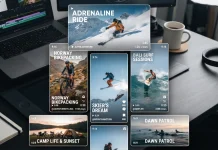
Firefly Boards is Adobe’s answer to collaborative AI ideation. Teams can generate and iterate on images and videos on a shared canvas, link live documents for real-time updates, and pull in outputs from multiple partner models alongside native Firefly generations. It is a direct challenge to mood-boarding tools like Milanote — and the generative layer that Midjourney previously dominated unchallenged.
The Firefly plugin for Figma brings generation, Generative Fill, background removal, and image expansion directly into Figma projects — a meaningful workflow shortcut for UI and product designers. And the partner model ecosystem inside Firefly now includes Google Nano Banana Pro, GPT Image Generation, and Runway Gen-4 Image, all accessible within a single Firefly subscription. That aggregator model is increasingly Firefly’s most powerful strategic asset in 2026.
On the Photoshop side, the new Firefly Fill and Expand AI model (shipping with Photoshop 27.3 and 27.4) replaces the older Firefly Image 3 model for Generative Fill, Generative Expand, and now Generate Similar. Early comparisons show meaningfully better contextual blending and more coherent outputs, particularly for architectural and product photography, where edge accuracy is critical.
What’s Actually New: Midjourney V7 and What Changed
Midjourney V7 launched in alpha on April 3, 2025, and became the default model on June 16, 2025. CEO David Holz described it as “a totally different architecture” — not an incremental update but a ground-up rebuild. That framing set high expectations, and the initial reception was mixed enough to be worth examining honestly in any Adobe Firefly vs. Midjourney comparison.
Draft Mode, Voice Prompting, and Personalization
The most practically useful addition in V7 is Draft Mode. It renders images at ten times the speed of standard mode at half the GPU cost. In Draft Mode, the web interface switches to a conversational layout — you type or speak naturally, and Midjourney adjusts the prompt and regenerates automatically. You can say “swap the cat for an owl” or “make it nighttime,” and the model handles the rest. That conversational loop genuinely accelerates early-stage ideation.
Voice input arrived with V7 as well. You speak your description via a microphone, Midjourney constructs its own text prompt from what it hears, and generates. It sounds like a gimmick until you are in a fast brainstorming session and want to iterate at the speed of thought rather than the speed of typing.
Personalization is now switched on by default in V7 — a first for any Midjourney model. You rate approximately 200 images (around 15–20 minutes of work) to build a taste profile, and from that point, V7 subtly calibrates every generation toward your aesthetic preferences. User responses are divided: some report significantly more on-brand results without extensive prompting, while others find the effect too subtle to detect reliably. It is an evolving feature. But the concept — a model that learns your visual language — is directionally right.
Where V7 Improved and Where It Still Falls Short
V7 genuinely improved body coherence, hand accuracy, and texture quality over V6.1. Photographers testing it describe a meaningful jump — V6 produced polished, filter-like results, while V7 pushes toward photographic imperfection in ways that read as more real. That matters for concept work where the goal is photorealistic conviction, not AI-polished idealism.
However, the early criticism that V7 felt incremental has substance. Text rendering remains unreliable — Ideogram is still the better choice when in-image type is a requirement. Several V7 features, including upscaling, inpainting, and retexturing, initially fell back on V6 models at launch, which undermined the “complete rebuild” narrative. Most gaps have since been addressed through rapid weekly updates. But the rollout revealed a disconnect between marketing framing and day-one reality.
Midjourney also launched video generation in June 2025, producing clips between 5 and 21 seconds. And Niji 7 — the anime-focused model developed with Spellbrush — launched on January 9, 2026, bringing improved coherence for illustration-heavy and anime-adjacent creative work.
Image Quality in 2026: Where Each Tool Actually Wins
Here is where the comparison gets genuinely interesting — and where marketing language stops being useful.
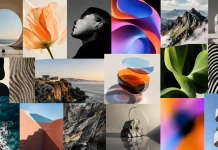
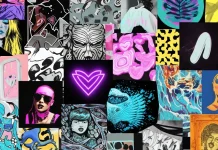
Midjourney V7 produces images with a distinctive aesthetic intelligence. It interprets prompts with something that feels like taste. That painterly quality, the moody atmosphere, the sense that every image was art-directed by someone with opinions — that is still Midjourney’s irreplaceable strength in 2026. No other AI tool consistently produces images that feel authored rather than generated.
Adobe Firefly (including the new Fill and Expand model) is a different beast entirely. It excels at photorealistic precision, coherent scene logic, and seamless contextual integration inside existing files. It is not trying to be artistic. It is trying to be useful and invisible — which is exactly what a production tool should do.
The Visual Intelligence Gap: Style vs. Precision
I think of this as the Visual Intelligence Gap between the two tools. Midjourney operates in the territory of aesthetic intention — its images feel authored. Firefly operates in the territory of production precision — its images feel integrated. Neither is superior. They answer different creative questions.
The gap narrows when you need strict photorealism for brand applications. Firefly handles product mockups, composite photography, and tightly controlled brand imagery with impressive accuracy. Midjourney’s photorealism improved meaningfully with V7, but the tool still imposes a stylistic signature that can work against you in rigidly defined brand contexts.
For in-image typography, neither Firefly nor Midjourney is reliable in 2026. Both still struggle with readable text inside generated visuals — a known limitation where Ideogram remains the better choice. Build your text overlays separately and plan accordingly.
Workflow Integration: Adobe Firefly Has a Structural Advantage
This is the clearest win for Firefly, and it is not close. Adobe Firefly lives inside Photoshop, Illustrator, Premiere Pro, Figma, and Adobe Express. You do not leave your working environment. Firefly Boards adds collaborative ideation in the same ecosystem. The partner model integration lets you pull in GPT Image or Runway Gen-4 outputs without switching subscriptions or tabs. Adobe also recently integrated Photoshop tools directly into ChatGPT — going where creative workflows happen rather than waiting for users to come back.
Midjourney requires context switching at every stage. You generate in the browser or Discord, download the result, import it into your project, and then begin the real integration work. For mood boarding and concepting, that workflow is fine — those processes happen outside the final deliverable environment anyway. But for production work, the friction compounds across a full project. That cost is real, even when it is invisible on a pricing chart.
Commercial Licensing and IP Safety: A Non-Negotiable for Studios
This section matters more than most comparison articles acknowledge. Commercial licensing is a legal issue, and the difference between Adobe Firefly vs. Midjourney here is substantial.
Adobe trained Firefly exclusively on Adobe Stock content, openly licensed material, and public domain works. Enterprise customers receive IP indemnification. The Content Authenticity API — embedded in Firefly-generated files — adds a digital signature to every output, creating a verifiable record that the asset was AI-generated. For studios working in environments where provenance documentation matters, that is a meaningful differentiator.
Midjourney grants commercial rights to paid subscribers for most business purposes. However, Midjourney is currently facing active lawsuits alleging it trained on scraped artist work without consent. Unlike Adobe, it offers no IP indemnification. For agencies serving risk-averse clients in financial services, healthcare, or government, that legal uncertainty is a genuine liability. Firefly’s commercial safety story is simply cleaner.
The Dual-Tool Strategy: Why Some Designers Subscribe to Both
Here is a position that the Adobe Firefly vs. Midjourney framing tends to obscure: you do not have to choose. A growing number of professional designers run both tools in a deliberate split-purpose workflow.
The strategy works like this. Midjourney handles the ideation layer. Use Draft Mode and voice prompting for fast mood boards, creative concepting, and visual direction exploration. Its aesthetic intelligence and iterative speed make it the right tool for generating visual hypotheses. Then Firefly handles the execution layer. Once you know where you are going visually, switch to Firefly for production — Generative Fill, bulk asset processing, and Firefly Boards for collaborative client presentations.
At the entry level, this dual-tool approach costs $10 (Midjourney Basic) plus $9.99 (Firefly Standard) per month — under $20 total. For a working professional, that overhead is trivially small against project rates. And it covers two distinct creative stages with the right tool for each.
Adobe Firefly vs. Midjourney: Who Each Tool Is Really For in 2026
Adobe Firefly is the right tool if you are an existing Creative Cloud subscriber, need commercially safe AI outputs for client work, rely on Photoshop’s Generative Fill or Illustrator’s AI features, work in brand, advertising, or product photography, need Figma integration for UI design workflows, or operate in an agency environment where legal clarity and content provenance matter.
Midjourney is the right tool if you are a concept artist, illustrator, or brand strategist who needs strong aesthetic direction, builds mood boards and visual presentations as primary deliverables, works independently without corporate IP liability concerns, values V7’s Draft Mode and voice prompting for rapid iterative concepting, or wants to explore video generation at a flat monthly cost.
A Prediction: Firefly’s Ecosystem Play Will Win Long-Term
Here is my honest, forward-looking take on the Adobe Firefly vs. Midjourney question: Firefly will dominate the professional design market by 2028 — not because it is a better image generator, but because Adobe is making it structurally inseparable from how professional designers work. The partner model strategy (Google, OpenAI, Runway, ElevenLabs, Flux — all through a single Firefly subscription) positions Adobe as a generative AI aggregator for creative professionals, not just another image tool. Integrating Photoshop tools into ChatGPT is another clear signal: Adobe is going where the work happens rather than waiting for the work to return to its own surfaces.
Midjourney’s strength is focus and aesthetic coherence. But focus cuts both ways. It remains a standalone tool in a world increasingly rewarding integrated ecosystems. Its video generation is young. Its workflow integrations are minimal. Unless Midjourney builds meaningful connectors into Figma, Adobe, or Framer, its role will likely settle into the ideation layer and stay there. That is still genuinely valuable. It is just not the whole story.
Bottom Line: The Verdict on Adobe Firefly vs. Midjourney in 2026
If you work inside Adobe’s ecosystem and need legally defensible, commercially safe AI outputs, Adobe Firefly is not optional — it is mandatory. The $9.99 Standard plan is a solid entry point, and the ecosystem integration alone justifies the cost for any active Creative Cloud subscriber. The new Firefly Fill and Expand model, Quick Cut, Firefly Boards, the Figma plugin, and the partner model library all add substantial practical value beyond basic image generation.
If you are doing conceptual, artistic, or mood-driven visual work and need raw generative power with a strong aesthetic voice, Midjourney at $30 per month is still one of the best deals in creative tools anywhere. V7’s Draft Mode, voice prompting, and default personalization make the iterative concepting workflow genuinely faster. Just go in knowing V7’s early criticism was not unfounded — text rendering and in-workflow integration remain meaningful gaps.
And if you can afford $20 per month? Run both. Use Midjourney to think and Firefly to build. That is the smartest, most complete AI image generator workflow available to designers in 2026.
FAQ: Adobe Firefly vs. Midjourney in 2026
What is the main difference between Adobe Firefly and Midjourney?
Adobe Firefly is a production-focused AI creative platform deeply integrated into Adobe Creative Cloud. It prioritizes commercial safety, workflow integration, and precision — now including video generation, bulk image tools, Firefly Boards, a Figma plugin, and partner model access. Midjourney is a standalone AI image and video generator known for its distinctive artistic style, mood-driven outputs, and V7’s Draft Mode and personalization features. They serve fundamentally different needs in a professional design workflow.
Is Adobe Firefly free to use in 2026?
Adobe Firefly has a free plan with limited credits and a mandatory watermark on outputs. The first paid tier — Firefly Standard — costs $9.99 per month and unlocks unlimited standard image generations, plus 2,000 monthly credits for premium features like AI video generation and partner model outputs.
Does Midjourney have a free trial in 2026?
No. Midjourney suspended its free trial program in April 2023 and has not reinstated it. Access requires a paid subscription starting at $10 per month for the Basic plan.
Which tool is better for commercial use — Adobe Firefly or Midjourney?
Adobe Firefly is the stronger choice for commercial use. Its training data consists exclusively of licensed content, Adobe offers IP indemnification for Enterprise customers, and the Content Authenticity API embeds a verifiable digital signature in every generated file. Midjourney grants commercial rights to paid subscribers but offers no IP indemnification and is currently facing lawsuits over its training data practices. For agencies serving risk-averse clients, Firefly provides a significantly cleaner legal position.
What is Midjourney V7, and what changed from V6?
Midjourney V7 is a completely rebuilt AI image model with a new architecture, launched in alpha on April 3, 2025, and set as the default model on June 16, 2025. Key additions include Draft Mode (10× faster, half the cost, with voice prompting and conversational interface), default personalization calibrated to your visual preferences, improved body and hand coherence, and better texture quality. Video generation (5–21 second clips) also launched in June 2025. The initial reception was mixed — some felt the quality jump was incremental rather than transformational compared to V6.1.
Can I use Adobe Firefly inside Photoshop and Figma?
Yes to both. Firefly powers Photoshop’s Generative Fill, Generative Expand, and Generate Similar features directly inside the application — with the new Firefly Fill and Expand model (Photoshop 27.3 and 27.4) now offering improved contextual blending. A dedicated Firefly plugin for Figma brings generation, Generative Fill, background removal, and image expansion directly into Figma projects.
What is Midjourney’s best plan for professional designers in 2026?
The Standard plan at $30 per month is the strongest value for most professionals. It includes 15 Fast GPU hours plus unlimited Relax Mode generations, with full access to V7’s Draft Mode, voice prompting, and video generation. The Pro plan at $60 per month adds Stealth Mode, which is essential for studios working on confidential projects where gallery visibility is a concern.
Is it worth subscribing to both Adobe Firefly and Midjourney?
Yes, for many designers, the dual-tool approach makes strong practical sense. Use Midjourney for creative concepting, mood boards, and visual ideation using V7’s Draft Mode and personalization. Use Firefly for production execution inside Adobe apps, bulk asset processing, and collaborative ideation via Firefly Boards. The combined entry-level cost is under $20 per month — low overhead for two complementary tools covering different stages of a design workflow.
What partner models are available inside Adobe Firefly in 2026?
As of early 2026, Adobe Firefly integrates partner models, including Google Nano Banana Pro, GPT Image Generation (OpenAI), and Runway Gen-4 Image for image and video generation, plus ElevenLabs for audio translation. These partner model outputs are categorized as premium features and consume monthly generative credits on Firefly Standard and Pro plans.
Which AI image generator produces better-quality images in 2026?
It depends on the creative goal. Midjourney V7 produces images with a distinctive artistic quality, strong mood, and visual sophistication that is difficult to match for conceptual and exploratory work. Adobe Firefly (including the new Fill and Expand model) produces more accurate, contextually integrated results that blend naturally with photography and existing design assets. Neither is universally superior — they are optimized for different creative outcomes.
Will Adobe Firefly replace Midjourney for professional designers?
Probably not entirely. Midjourney’s aesthetic output occupies a unique position that Firefly has not yet replicated. However, Firefly’s ecosystem integration, commercial safety guarantees, expanding partner model network, and collaborative tools like Firefly Boards give it a growing structural advantage in professional production environments. Over time, Firefly is likely to capture more daily-use professional workflow share, while Midjourney holds its ground in concept development and artistic ideation.
Check out WE AND THE COLOR’s AI category for more.